

Old Cathode is an analogue television signal path for Resolume Arena and Avenue, as an FFGL effect.
It is not a stack of overlays. It encodes the picture onto a colour subcarrier the way a broadcast encoder would have, damages the resulting composite waveform as a single signal, and then decodes it again with a synchronous demodulator that has no more information than a real receiver had. Only then does it paint the result onto a phosphor screen — shadow mask, a beam that defocuses when it is bright, curved glass, and a viewer sitting somewhere in particular.
Before you rely on this: the signal path is verified numerically through an offline render harness that drives the real plugin class in a headless GL context — colour bars round-trip to the right hues, mask compensation is measured rather than guessed, and the PAL delay line is confirmed to hold hue to 0.0° under a decoder phase error that shifts NTSC by up to 26°. It loads in Resolume Arena 7.27.0 with all six shader stages compiling in the host, and has been run there on real content.
This codebase was created with AI assistance, directed and reviewed by a human author.
Why this matters when you’re operating it
Almost everything you recognise as “the CRT look” here is a consequence of the signal path rather than a feature drawn on top. That has one very practical result:
The controls interact the way the real thing did. They are not independent sliders, and trying to dial them as if they were will fight you.
Three examples you will meet within five minutes:
- Turning chroma bandwidth down smears colour sideways and reduces cross-colour. One control, two visible effects, because they were always the same trade.
- Losing signal costs you the colour before it costs you the picture. Chrominance sits at the top of the band and goes under the noise floor first.
- Switching to PAL changes what Tint does. A PAL decoder averages each line with the one above, so a phase error cancels — in NTSC, Tint rotates every hue; in PAL it costs saturation instead.
The four groups are the signal’s own order
The inspector groups controls as Signal → Sync → Tube → Geometry, which is also the order the picture travels. Work in that order and each decision stays made; jump around and you will keep re-tuning things you already set.
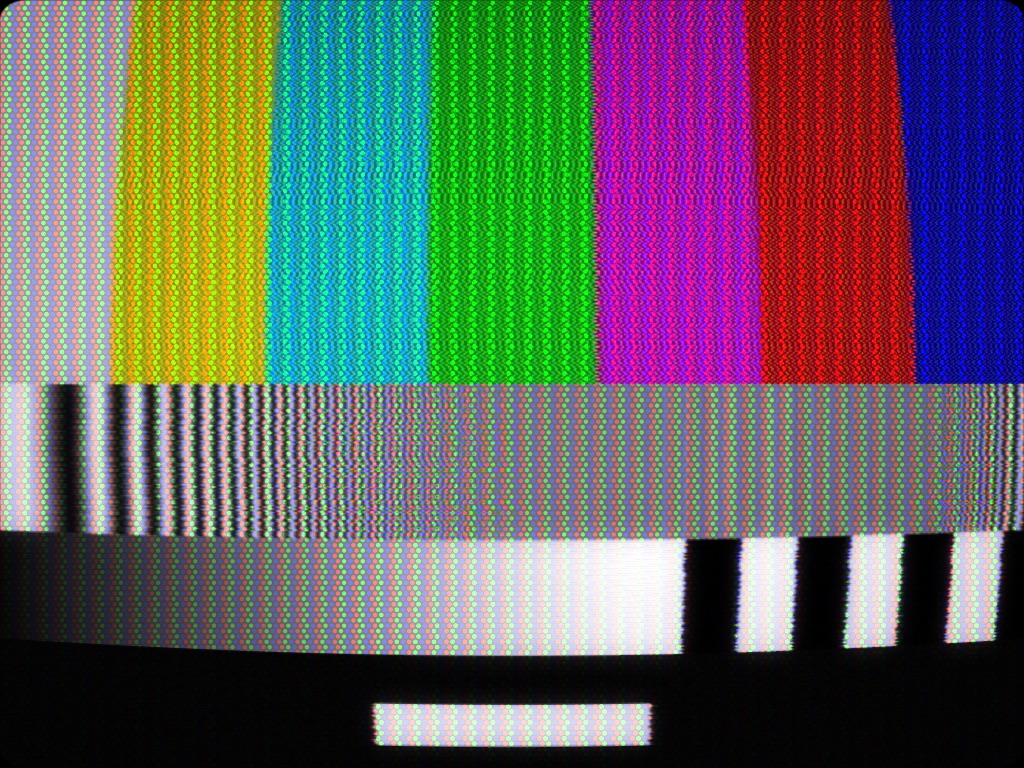
Signal is the transmission: system, source, bandwidths, and everything that damages the composite waveform — noise, ghosting, dropouts, interference.
Sync is the receiver failing to lock: vertical hold, jitter, tracking, head switch, hum, interlace.
Tube is the display itself: mask, scanlines, beam bloom, persistence, halation.
Geometry is the glass and where you’re sitting: curvature, corner radius, perspective, zoom, vignette.
Two settings that are references, not tastes
- Luma / Chroma Bandwidth:
0.75is exactly what the standard specifies. Below that is a worse channel than ever shipped; above it is a better one. If you want “correct television” rather than “degraded television”, that is the number. - Saturation, Tint, Brightness, Contrast:
0.5is unity. Tint at 0.5 means no phase error at all.
Knowing where truth sits makes everything else a deliberate departure from it.
Source: what the tape format actually changes
Broadcast, VHS SP, VHS LP, VHS EP set bandwidths, the noise floor, and the colour-under delay — which is why tape colour arrives slightly after the luminance it belongs to. That lag is the single most recognisable “this is a VHS” cue, and you get it from the Source control alone rather than by offsetting anything by hand.
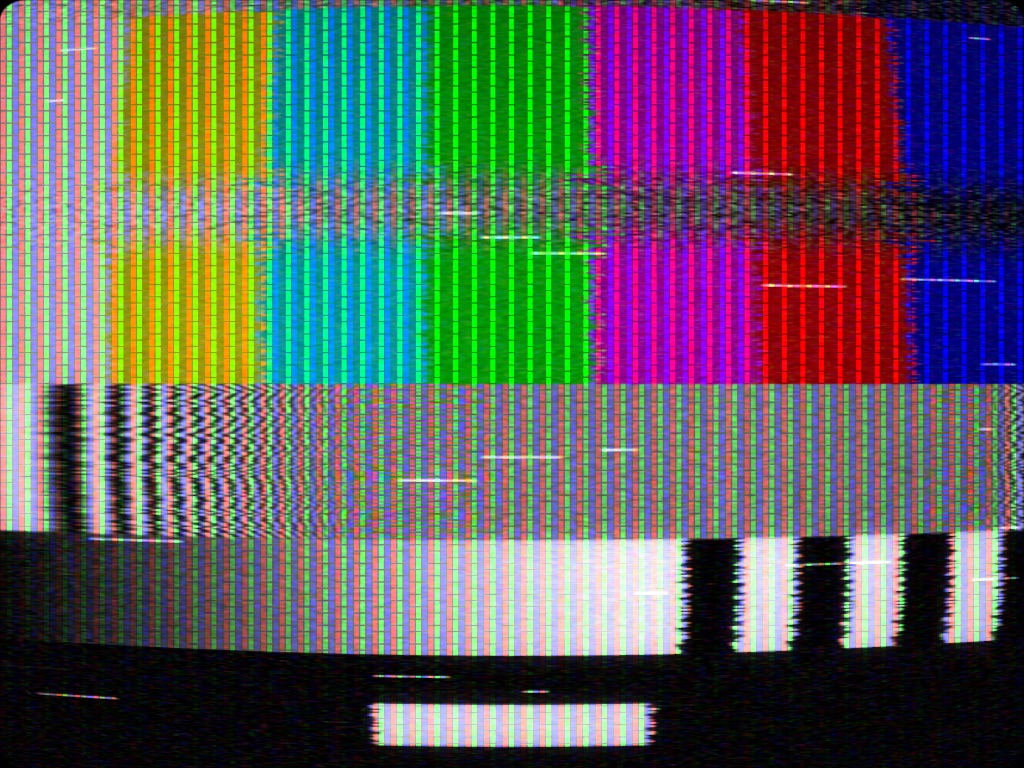
Head Switch deserves a note: the tear normally sits just below the bottom of a correctly set-up picture, which is why it is normally invisible. Bringing it into frame is a deliberate “badly adjusted set” move, not a default.
The mask lives on the glass
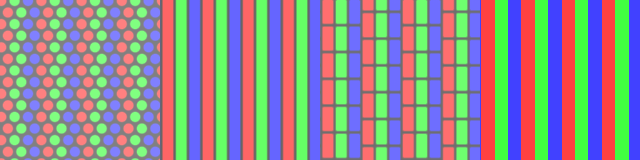
- Shadow Mask — delta triad of round dots; the consumer television mask.
- Aperture Grille — continuous vertical stripes, plus the two damper wires that give a Trinitron away.
- Slot Mask — stripes broken into staggered slots.
- RGB Stripe — hard-edged; not a real mask, but legible at pitches where the others turn to mush.
The mask is on the glass, not on the picture. It foreshortens with the tube under perspective and stays put when the picture moves. That is why a pan looks right rather than dragging a texture along with it.
Mask Pitch is in output pixels. At a low output resolution a realistic pitch turns to aliasing porridge — that is when RGB Stripe earns its place.
Beam Bloom is not a glow filter: the beam is a spot with a Gaussian profile that gets fatter where it is brighter, because more current defocuses it. Highlights swell into the mask gaps; shadows do not.
Compositing
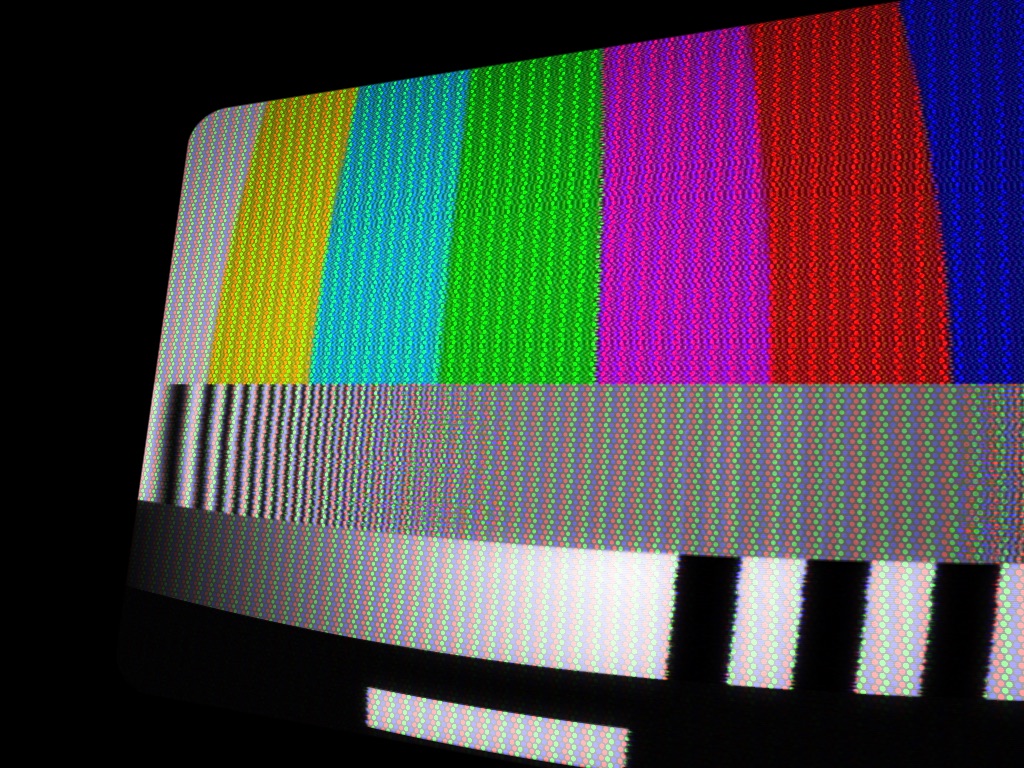
Outside the tube face the effect outputs transparent, not black. You can composite a television over whatever is on the layer below — a room, a stand, a wall of other sets — without keying anything out.
Installing
Drop the plugin into Resolume’s plugin folder and restart it:
macOS    ~/Documents/Resolume Arena/Extra Effects/
Windows  %USERPROFILE%\Documents\Resolume Arena\Extra Effects\
Avenue uses the same layout under its own folder name. It appears as Old Cathode.
Needs Resolume Arena or Avenue 7.3.1 or newer. The builds are unsigned — see UNSIGNED.md for getting them past Gatekeeper and SmartScreen.
Looking at it without Resolume
octest renders the real chain to a PNG through a headless GL context, driving the actual plugin
class through the actual FFGL entry sequence — so it tests the shipped code rather than a copy.
./build/octest --out /tmp/frame.png --width 1920 --height 1080Every image in this guide was made that way.
Troubleshooting
| Symptom | Cause |
|---|---|
| Plugin doesn’t appear in Resolume | Wrong folder, or Resolume older than 7.3.1. Check quarantine on macOS. |
| Mask looks like noise | Mask Pitch is in output pixels and your raster is too small for it. Raise the pitch, or use RGB Stripe. |
| Colours rotate when I adjust Tint | Expected in NTSC — Tint is a decoder phase error. In PAL it costs saturation instead. |
| Colour disappears before the picture does | Correct. Chrominance is at the top of the band and drowns first. |
| Colour arrives late, offset from the picture | Colour-under delay from a VHS Source setting. That is the tape, not a bug. |
| A tear across the picture I didn’t ask for | Head Switch has been brought up into the visible frame. |
| Reducing dot crawl softened my picture | That is the notch filter, and it is the real trade. |
| Corners are cropped | Curvature — as on a real tube. Reduce it or zoom out. |
| Black surround instead of transparency | Something below in the composite. The effect itself outputs transparent outside the tube face. |
See also
- README — the full control reference, group by group, and downloads
- UNSIGNED.md — Gatekeeper and SmartScreen