

Aspect Calc is an aspect ratio, pixel pitch and display geometry calculator for people who put pictures on walls. Browser only — no account, no backend, nothing you type leaves the tab.
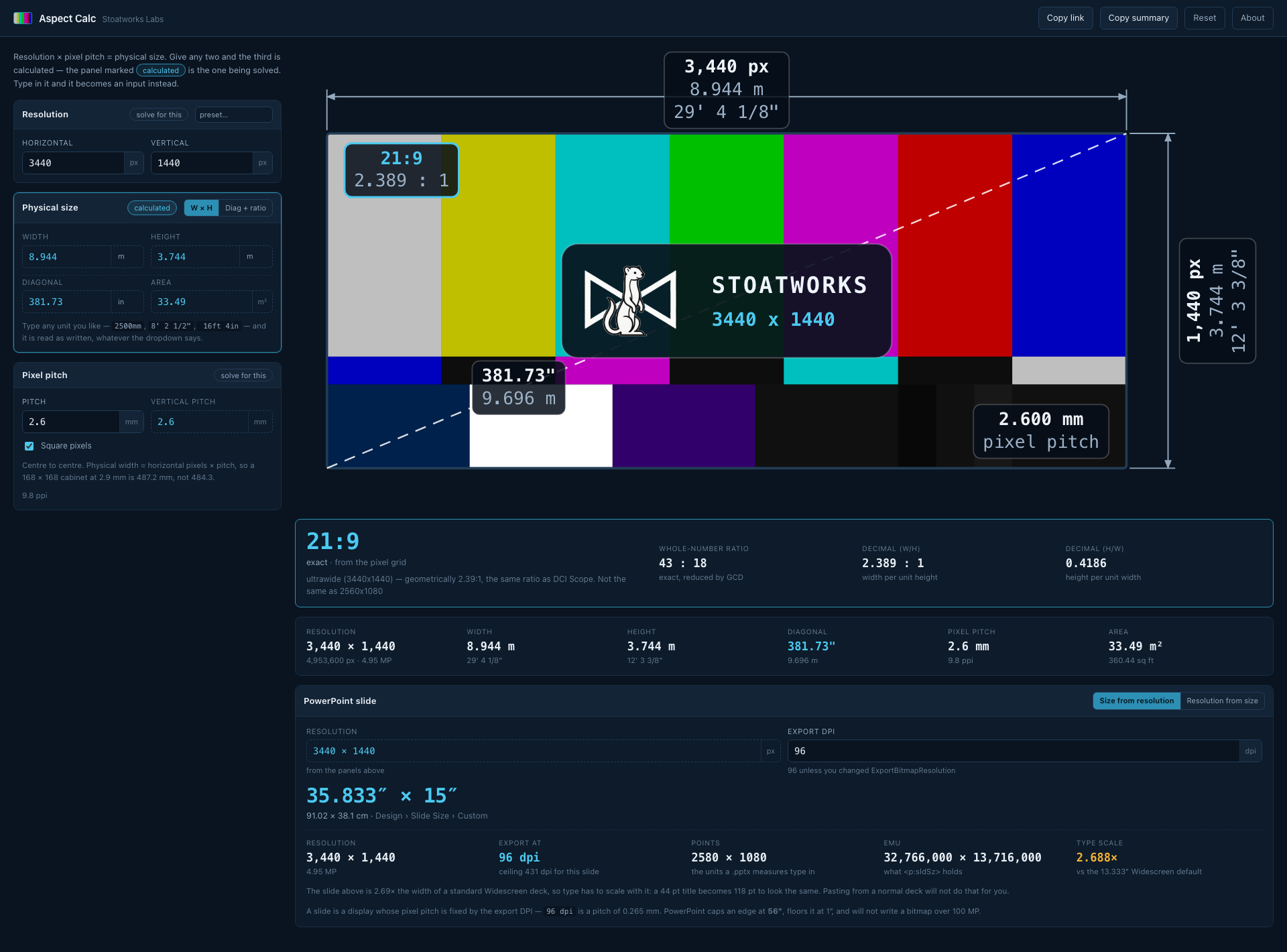
3440 × 1440 at a 2.6 mm pitch: an 8.944 m wall, the ratio named 21:9 with its exact 43:18 beside it, the display drawn to scale with every dimension on it, and the PowerPoint slide size (35.833″ × 15″) that exports to that resolution.
The whole model is one relation:
resolution (px) × pixel pitch (mm) = physical size (mm)Give it any two and it calculates the third. Diagonal and aspect ratio are two more ways of writing the physical size, so you can also hand it a 55” diagonal and “16:9” and get the width and height back.
Before you rely on this: the arithmetic is pinned by 100 tests, including the ratio-naming rules — which are the only part with judgement in them.
Nothing here has been checked by measuring a real screen, because there is nothing to measure: it is arithmetic over the numbers you type, and it is only as right as they are.
This codebase was created with AI assistance, directed and reviewed by a human author.
What it does
- Aspect ratio from anything — a resolution in pixels, a physical size in mm/cm/m, inches or feet-and-inches, or a diagonal and a ratio.
- Pixel pitch in any direction — pitch from resolution and size, size from resolution and pitch, or resolution from size and pitch. Non-square pixels are reported, not averaged away.
- Both decimal forms,
1.778 : 1and0.5625. - Diagonal and area, always, in both measuring systems at once.
- PowerPoint slide sizes, both directions.
- The display drawn to scale, with colour bars and every dimension on it.
It names the ratio properly
3440×1440 reduces exactly to 43:18, and nobody has ever ordered a 43:18 monitor — it is called 21:9. 1366×768 reduces to 683:384, which is not a ratio so much as an accusation; the useful answer is 16:9, 0.05% off.
Both the trade name and the arithmetic are always shown, and a match that is not exact says so and says by how much. That last part matters: a ratio quoted as exact when it is 0.05% off is how a picture ends up one pixel short across a wall.
Three things from the trade
Pitch is centre-to-centre and every pixel owns a full cell, so physical width is horizontal pixels × pitch, not (pixels − 1) × pitch.
A 168 × 168 px cabinet at 2.9 mm is 487.2 mm square, not 484.3. Getting this wrong loses one pitch across the whole wall — invisible in a spreadsheet and very visible when the last cabinet does not fit the frame.
The two 21:9s are not the same ratio. 2560×1080 is 64:27 (2.370:1); 3440×1440 is 43:18 (2.389:1). They are 0.8% apart and both are sold as “21:9”. The calculator names them both 21:9 and then tells you which one you have.
The colour bars are a picture, not a signal. The pattern is stretched to whatever aspect you are looking at — which is what a real generator does — and the RGB values are the standard 75% bar values but are not colour-managed. Do not grade against it.
PowerPoint
Both directions: the slide size for a target resolution, or the resolution a given slide size exports to.
It handles the format’s own limits — the 56-inch slide cap, the 1-inch floor and the 100 MP export ceiling — and gives you points and EMU alongside inches and centimetres, because those are the units the file format actually stores.
If a number looks wrong
A ratio is named 16:9 but the numbers do not reduce to it. That is deliberate — the trade name and the exact reduction are both shown, with the error between them.
A wall comes out one pitch too small. You are using (pixels − 1) × pitch. See above.
The pitch differs horizontally and vertically. The pixels are not square, and the tool reports that rather than averaging it away. That is a real property of some LED products.
PowerPoint refuses the slide size. It is past the 56-inch cap. The calculator says so rather than producing a number the format cannot hold.