

Fleet control, firmware patches, a package builder and three replacement operating systems
BirdDog PLAY
The decoder is more capable than its firmware lets on.
A BirdDog PLAY takes an NDI or SRT stream off the network and puts it on an HDMI output. It does that well and it does very little else: there's no way to reach one from outside the room it's sitting in, nothing plays locally, and the only interface is its own web page, one unit at a time.
Underneath is a four-core ARM machine with 2 GB of memory, a hardware video encoder that's switched on and never used, a USB host port, and a complete media stack the vendor's own software doesn't link against. Everything on this page comes out of that gap: tools for running stock units in numbers, firmware patches that turn on what the hardware already supports, a way to build and install those packages from a browser, and, where a patch isn't enough, replacement operating systems that make the box something else entirely.
The fleet control panel
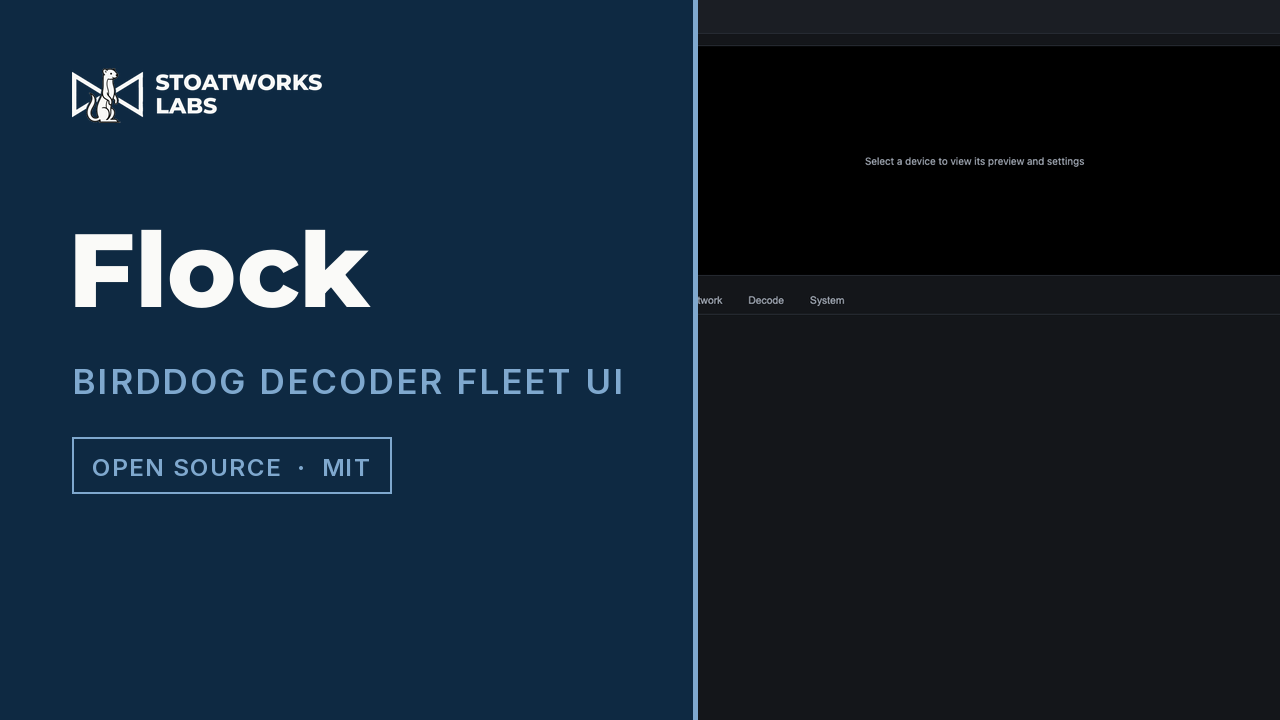
Flock
A server on the network, driven from any browser
Stock decoders, in numbers. Each PLAY ships with its own web page and no notion of the others, so a room of twelve is twelve tabs. flock finds them on the network, puts them in groups, and gives you every setting each one has from a single flat view, or pushes one setting to a whole group at once.
- Discovery on the LAN, plus manual entry for anything it can't see
- Nested groups: a decoder can sit in more than one, and appears under each
- Every setting the decoder's own page has, un-nested into one tabbed view
- Batch edits across a whole group rather than unit by unit
- Also ships as a desktop tray app
The same fleet, on a Stream Deck
Companion — flock
A connection module inside Bitfocus Companion
What flock does from a browser, done from a button. Change what any decoder is playing, take a source to every decoder carrying a tag, and read back whether the picture actually arrived. Its group feedback lights only when every member landed on the source, not when most of them did.
The way in
BirdDog PLAY Patcher
A web page, with nothing to install and nothing uploaded
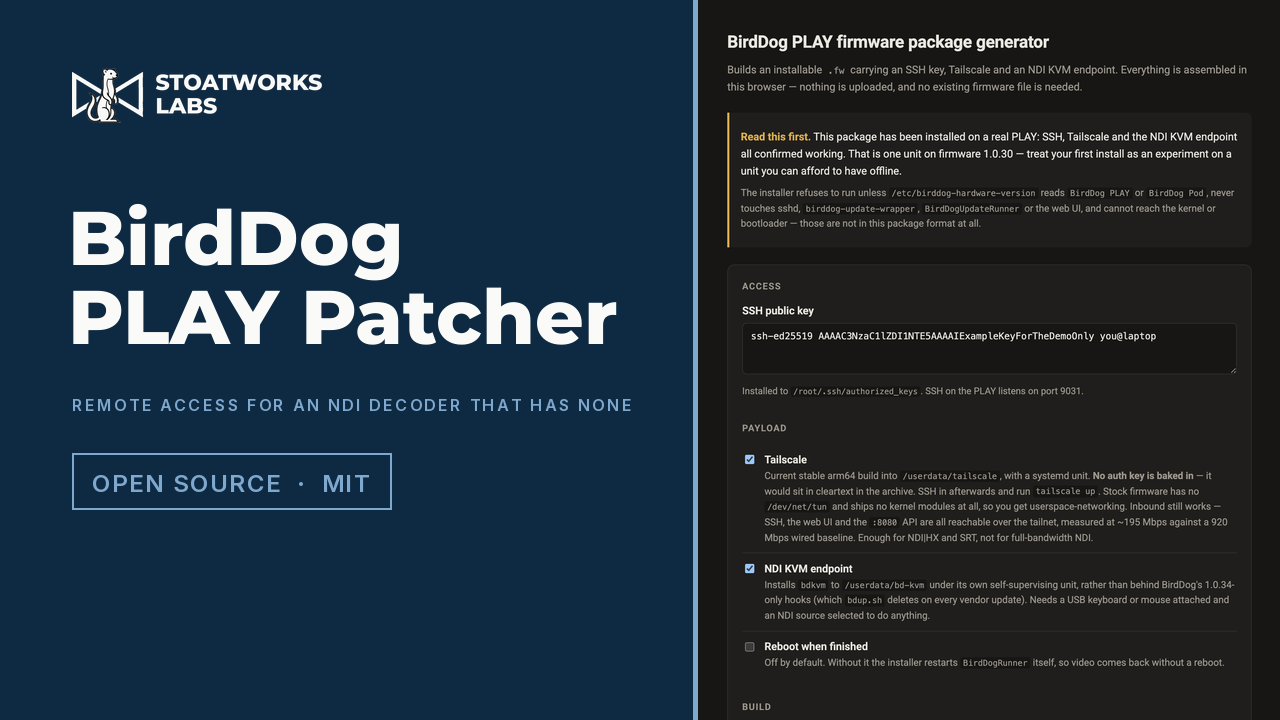
A decoder with no route in from outside the building gets one: an SSH key, Tailscale, and an NDI KVM endpoint that turns the keyboard and mouse on the PLAY's USB port into control of whatever machine it's displaying. It also carries the firmware patches below, as checkboxes. The whole package is assembled in the browser (tar, gzip and SHA-256 are all native there now), so nothing you supply leaves the page, and the only thing it needs from you is a public key.
- Builds an installable package you upload through the decoder's own web page
- SSH, Tailscale, NDI KVM, the USB media player, the UVC converter and the birdUI Tailscale panel, as options
- Assembled entirely in the browser, with no upload, no account and no server
- The installer is readable shell that refuses to run on the wrong hardware
- Stays off the recovery path, and can't reach the kernel or the bootloader
Firmware patch: Tailscale, in the decoder's own UI
bdts
Installed on the decoder, shipped by the Patcher
The Patcher installs Tailscale but puts no auth key in the package, on purpose, because a key in a file a web page hands you is a key in cleartext. That left every patched unit installed and not signed in, with SSH the only way to finish. bdts adds a Tailscale panel to the System page of the decoder's own web UI, so the unit joins a tailnet from a browser instead.
Firmware patch: a USB stick as a source
bdplay
Installed on the decoder, shipped by the Patcher
USB appears in the decoder's source list, and a stick plays to the HDMI output: video, stills and PDFs, in order or shuffled, looping, hardware-decoded. Almost all of it was already on the box. The media stack ships in the stock firmware and goes unused, nothing automounts, and the source list is a fixed set that USB isn't in. The unit stays configured for NDI underneath, so switching back is instant.
Firmware patch: a camera in, NDI out
bdcam
Installed on the decoder; repository private
The decoder run backwards: a USB camera on its own port becomes an NDI or SRT source on the network, or goes straight back out of HDMI. The chip's hardware encoder is fitted and switched on and the vendor's software never touches it, because a decoder has nothing to encode.
The flasher
BirdDog PLAY Flasher
A web page, with nothing to install and nothing uploaded
The Patcher assumes a decoder that still answers. This is the other case: a unit in recovery mode, flashed from a browser over USB. It can also write a firmware package into the factory image on the way, so the unit comes up already patched instead of needing a second pass.
Replacement OS: a Companion appliance
companion-play
Replaces the firmware; the unit stops being a decoder
A small fanless ARM box with HDMI out, USB and gigabit ethernet is also a fair description of what you want a Bitfocus Companion server to run on. This one boots straight into it: the server, its admin interface on the unit's own HDMI output, and Stream Deck-class surfaces on the USB port. 808 modules are in the image, so it works with no network at all on first boot.
Replacement OS: a remote desktop endpoint
polecat
Replaces the firmware; repository private
A remote desktop endpoint you can hang off the back of a rack: pick a machine on screen, and its desktop comes up on the HDMI output with the keyboard and mouse on the USB port driving it. Comet, VNC, RDP and xpra, each through a native client rather than a browser, because the hardware has a capable video decoder and almost no graphics stack, so a browser would software-render while the decoder sat idle.
Replacement OS: a browser endpoint
weblinked-os
Replaces the firmware; repository private
Boots into WebLinked with its output filling the display, and joins the same fleet as every other WebLinked endpoint. It isn't a kiosk browser, on purpose: the fleet wall's live previews and its click-from-anywhere are built on frames handed out of an off-screen render, and a browser drawing straight to the display has no frame to give.
Patch, or replace
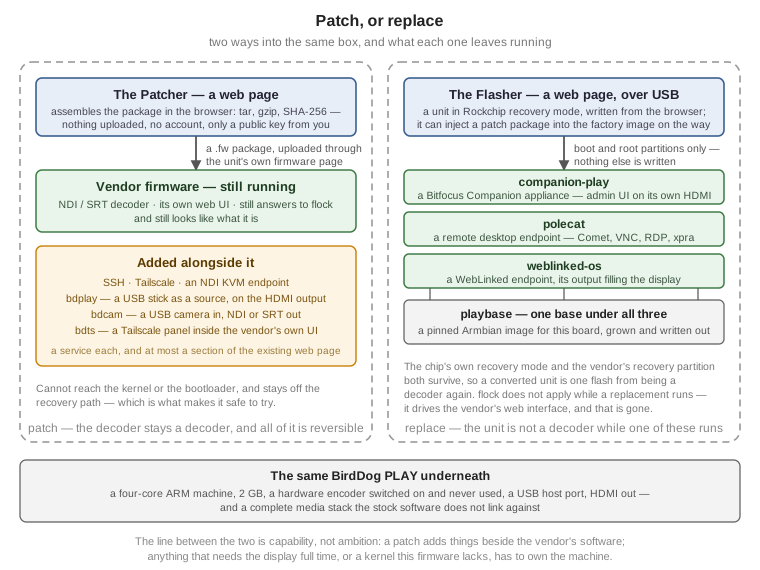
A patch keeps the decoder a decoder. It installs through the unit's own firmware upload page, adds a service and at most a section to the existing web UI, and leaves the vendor's software running underneath, so a patched unit still decodes NDI, still answers to flock, and still looks like what it is. Everything under the Patcher above is that shape, and all of it is reversible.
A replacement stops it being one. The three operating systems here overwrite the firmware, and while one of them is running the unit isn't an NDI decoder at all. flock doesn't apply to it, because flock drives the vendor's web interface and that's gone. Flashing it back to stock brings the decoder back.
The line between them is capability rather than ambition. A patch can only ever add things that sit alongside the vendor's software; the moment something needs the display full time, or a kernel this firmware doesn't have, it has to own the machine. What makes the replacements defensible is that only the boot and root partitions are written. The chip's own recovery mode and the vendor's recovery partition both survive, so a converted unit is always one flash away from being a decoder again.
One base under the three images
The three replacement systems are the same machine doing three unrelated jobs, so they're built on one shared base: a pinned Armbian image for the board the PLAY turns out to be, plus the plumbing that grows it, chroots into it, and writes it out as something installable.
It's a sibling repository the three appliances build against rather than a copy each one carries, which is deliberate: a forked build script quietly drifting from the other two is exactly the failure it exists to prevent. The price is that there's no version pin between them, so a change to the base breaks all three at once or none.
What has actually run on hardware
Everything under the Patcher has run on a real unit. The packages install through the stock upload page, Tailscale carries around 195 Mbps over userspace networking, the KVM agent has driven a Windows machine, the USB player has played from a genuine exFAT stick, and the Tailscale panel is live in the decoder's own web UI. Two things are still unproven in the panel and shipped anyway: whether the browser passes its login session to it, and the interactive sign-in flow, which can't be tested without logging out the node the device is reached over.
One caution worth reading before installing the USB player. Handing the display back and forth destabilises the vendor's own video process. It aborts in its own code during teardown, and the damage builds up across a session rather than showing up at the moment of the switch. Recovery from that state is handled, but the instability is my doing, not something the unit does on its own.
None of the three replacement operating systems has run on a PLAY. They build, and what can be proven off the hardware has been: a full image builds, Companion starts on the same processor architecture in a virtual machine and enumerates all 808 of its bundled modules, WebLinked compiles against the target's own system libraries, and the remote input protocol is implemented and tested byte for byte. The flasher is further on than that. Its parsers, partition handling and write plan are verified against real vendor files, and its USB half has since met a real PLAY, with the loader push, the re-enumeration wait and the read-back verification each corrected against what the device did. But no injected package has yet been watched to install on first boot.
Nothing here needs anything of BirdDog's
The Patcher is a static page with no upload and no account, and it can be, because a valid firmware package turns out to need neither a copy of the vendor's firmware nor any key of theirs. It's an ordinary compressed archive. That's why this can be published at all: there's no secret in it to protect and nothing of theirs to redistribute. The replacement systems are further still from it, since they replace the operating system rather than repackaging one.
The work that established all this isn't published and won't be. What is on this page is the software and what it does, not how the firmware was taken apart.
Not affiliated with BirdDog
BirdDog and PLAY are their vendor's names, and none of this is endorsed by, supported by or connected to them. Installing any of it isn't something they will help you with, and a replacement operating system is emphatically not a supported configuration.
Everything here was worked out from how the device behaves rather than from anything they published, so treat it as accurate for the units and firmware it's been tried on and no further. The status note on each project says exactly which those are.
Everything else
There's more where this came from
This is one corner of it. The full index covers audio, video, RF, content management, show control and the networking underneath.