

Stoatworks Burrow
Keeping them all up to date
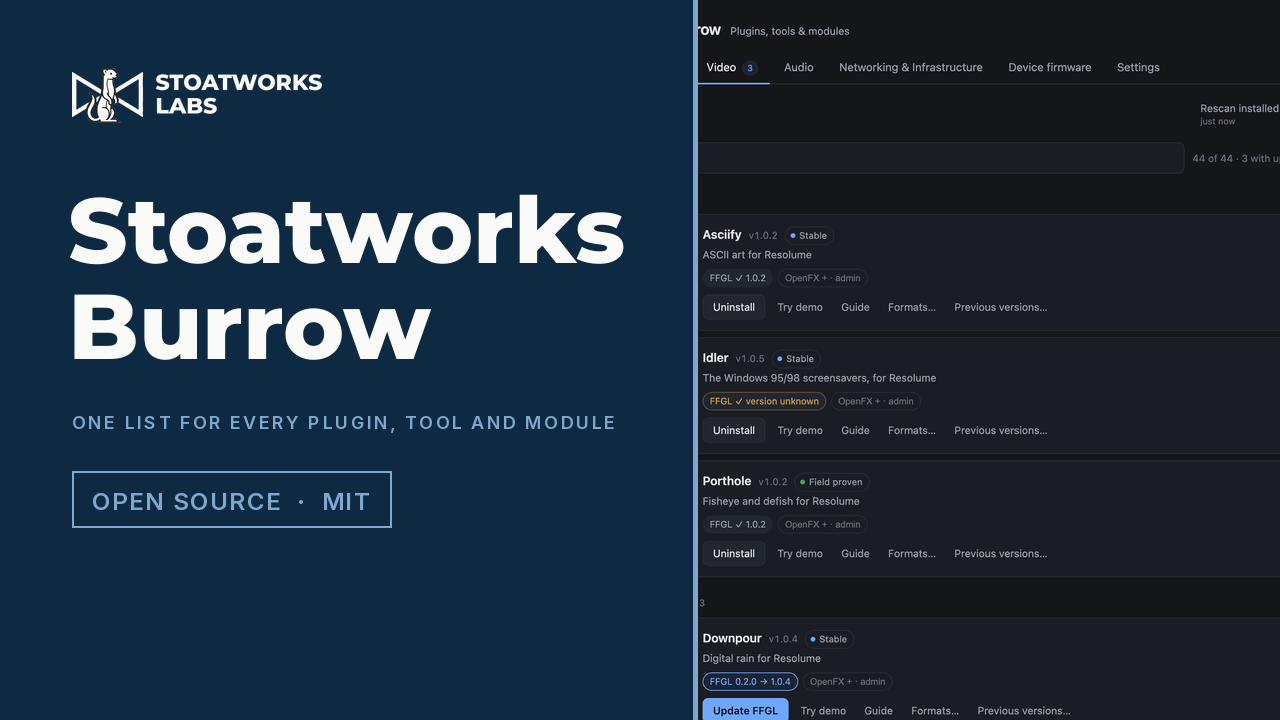
Nearly a hundred tools live in almost as many repositories, and most of the video plugins come in two or three formats. Burrow is an optional way to install and update the lot from one list, and I do mean optional: nothing has moved behind it, and nothing will.
Free and open source under MIT, like everything else here. It's currently beta, so read the caveats below before you put it near a show.
Stoatworks Burrow v0.3.1
One list for every plugin, tool and module.
Most of the video plugins come in two or three formats (FFGL for Resolume, OpenFX for Resolve, a build for After Effects), and each format lives in a different folder, in a different place on each platform. Installing one by hand means finding the project page, picking the right archive out of six and knowing where it goes. Noticing there's a new version is a job in itself.
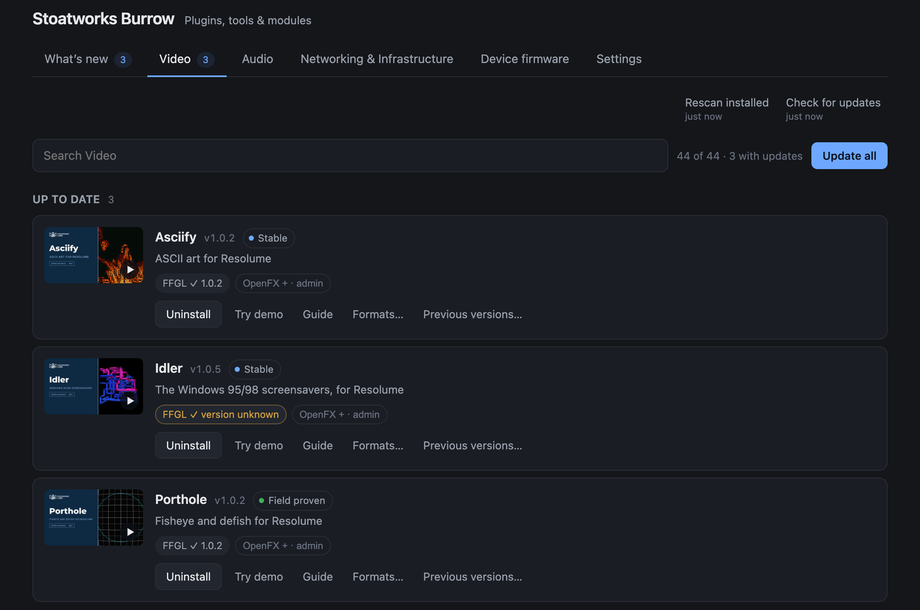
Burrow puts the lot in one searchable list instead: what you've got installed, what has an update waiting, and one click to take it, in whichever formats you actually use.
- Reads the folders your hosts actually load from, so it knows what's already there, format by format, since a plugin can be up to date in Resolume and missing in Resolve
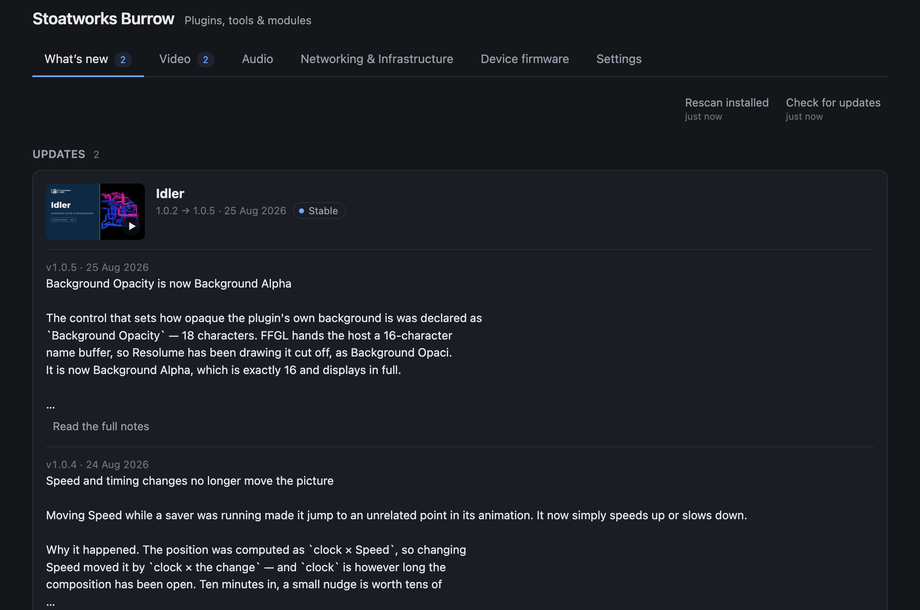
- Release notes before you take an update, and Previous versions… to put one back when something misbehaves halfway through a show week
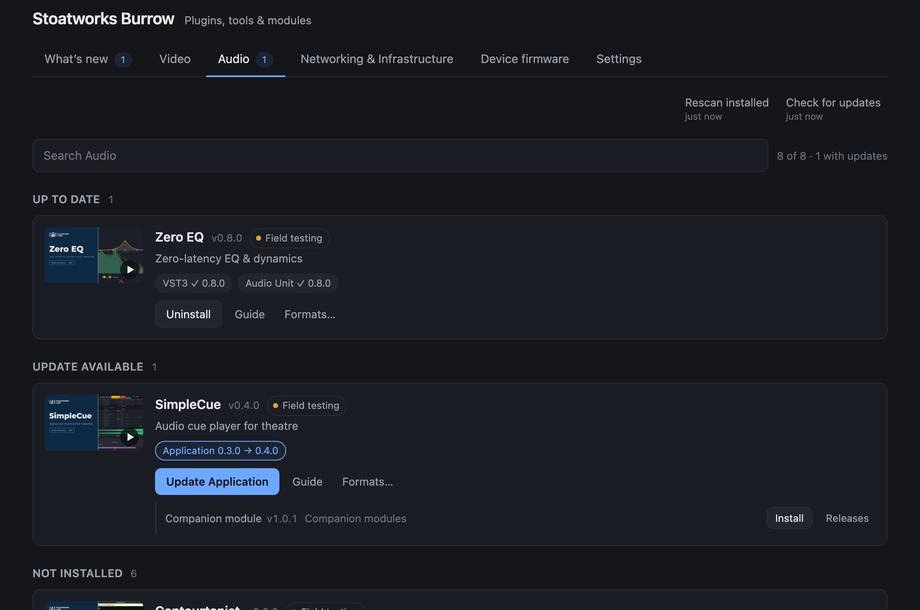
- Audio plugins, applications and Bitfocus Companion modules as well as the video ones, with each module on the same row as the tool it drives
- No account or sign-in, and no telemetry. It fetches one list and downloads from GitHub, and that's all it ever does on the network
You never have to use it. Every plugin, tool and module is still a plain download, from its own page here on the site and from its release on GitHub, same as ever. Nothing moves behind Burrow, and nothing ever will. All it does is save you doing it by hand.
It's also new. v0.3.1 is a beta: it hasn't yet installed a plugin into a running Resolume, Resolve or After Effects, and on Windows it does the FFGL plugins but not OpenFX or After Effects yet. Try it first on a machine where a broken plugin folder wouldn't cost you anything, not on a show day.
What it does
- Everything in one searchable list under six tabs — Video plugins, Video tools, Audio, Networking & Infrastructure, Self-hosted and Device firmware to come — grouped into up to date, update available and not installed
- Per-format state on every row — a plugin can be current in Resolume and missing in Resolve, and the row says so
- Bitfocus Companion modules on the row of the tool they drive, installed into the developer modules folder Companion reads
- Applications installed from their disk image, into your Applications folder or your own one — never with a password
- Choose which formats to install by default, and override it for any single plugin
- One administrator prompt per batch, never one per plugin
- Release notes for every update, labelled honestly when a release carried no written notes
- Each plugin's browser demo built in, running offline from a local address
- Removes exactly what it installed and nothing else — other people's plugins in the same folder are invisible to it
- Works with no internet connection, and says plainly when the version numbers it is showing came from the copy that shipped with the app
- No account, no sign-in, no telemetry
- Claim software you installed yourself — matched by the bundle identifier inside it, never the filename — so it reports a version and takes updates; releasing hands it back untouched
Or don't use it at all
01
Every project's own page
Each one has its own download panel with every build and architecture, the filename and the size. It's the same archive Burrow would fetch for you.
Browse the software02
The releases on GitHub
Every repo publishes its own releases, with checksums and notes. Nothing's distributed anywhere else, and nothing's held back for people who install the app.
All repos03
The user guide
What each tab is for, which two formats need an administrator password and why, what the privileged helper is allowed to do, and how to claim software you installed yourself.
Read the guide04
The project page
The full download panel for every platform and architecture, plus the source, the licence and where Burrow fits in with the rest of the fleet.
Burrow on /software