

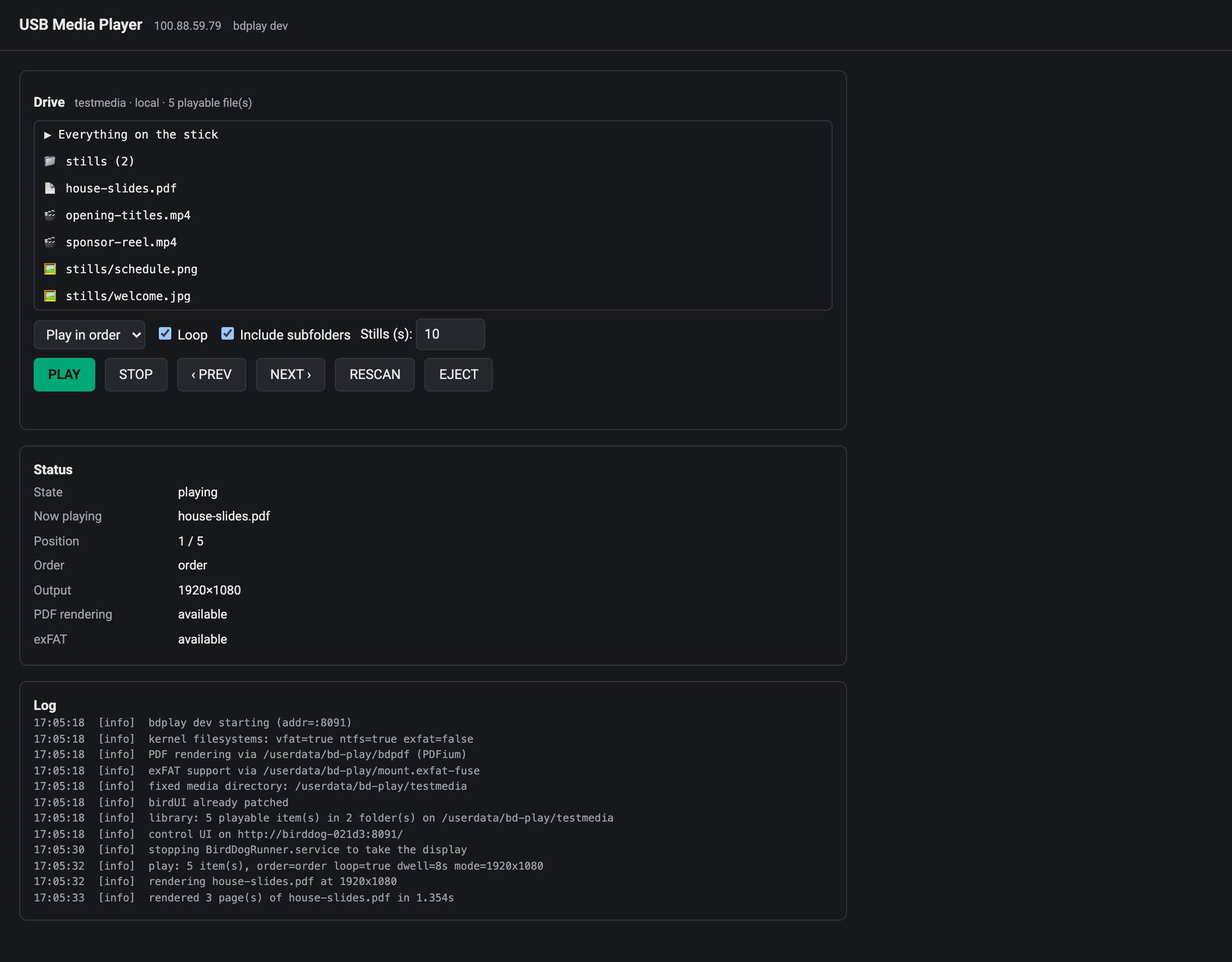
bdplay adds a USB entry to the BirdDog PLAY’s source dropdown and plays video, stills and PDFs from a USB stick straight out of HDMI, hardware decoded, in order or shuffled, looping until you stop it.
The PLAY is an NDI/SRT decoder, and on its own it has no idea what a USB stick is. This turns one into a signage player without giving anything up: select NDI again and the stock decode path comes straight back.
Before you rely on this: every claim here was measured on a real BirdDog PLAY. Hardware video decode, HDMI audio, stills, PDF rendering, the exFAT mount and the display handover with BirdDog’s own decoder all work on hardware.
That’s one unit on one firmware version. It hasn’t been tested across the range of PLAY and Pod firmwares out there, and USB hotplug with a physical stick is still unverified: testing used a loop device and internal storage.
This codebase was created with AI assistance, directed and reviewed by a human author.
Installing
The easy way is a checkbox in the PLAY Patcher, which puts the firmware package together in your browser. No toolchain, nothing to compile.
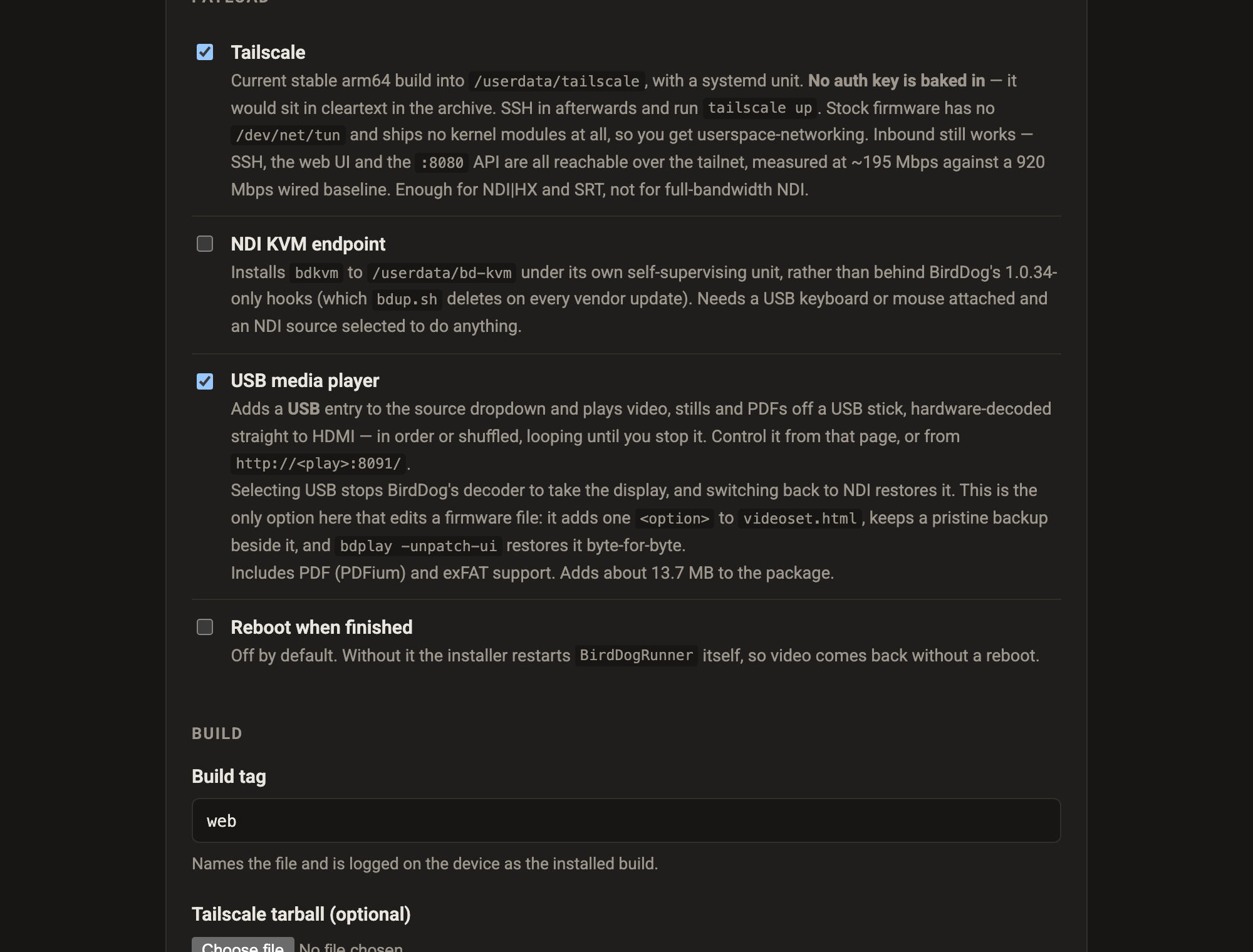
To install by hand, copy the binary and its service unit onto the unit over SSH (port 9031 on stock BirdDog firmware) and enable the service.
On start it patches the video settings page to add the USB option. bdplay -unpatch-ui takes it
out again, and apart from that one option the stock page is left alone.
Using it
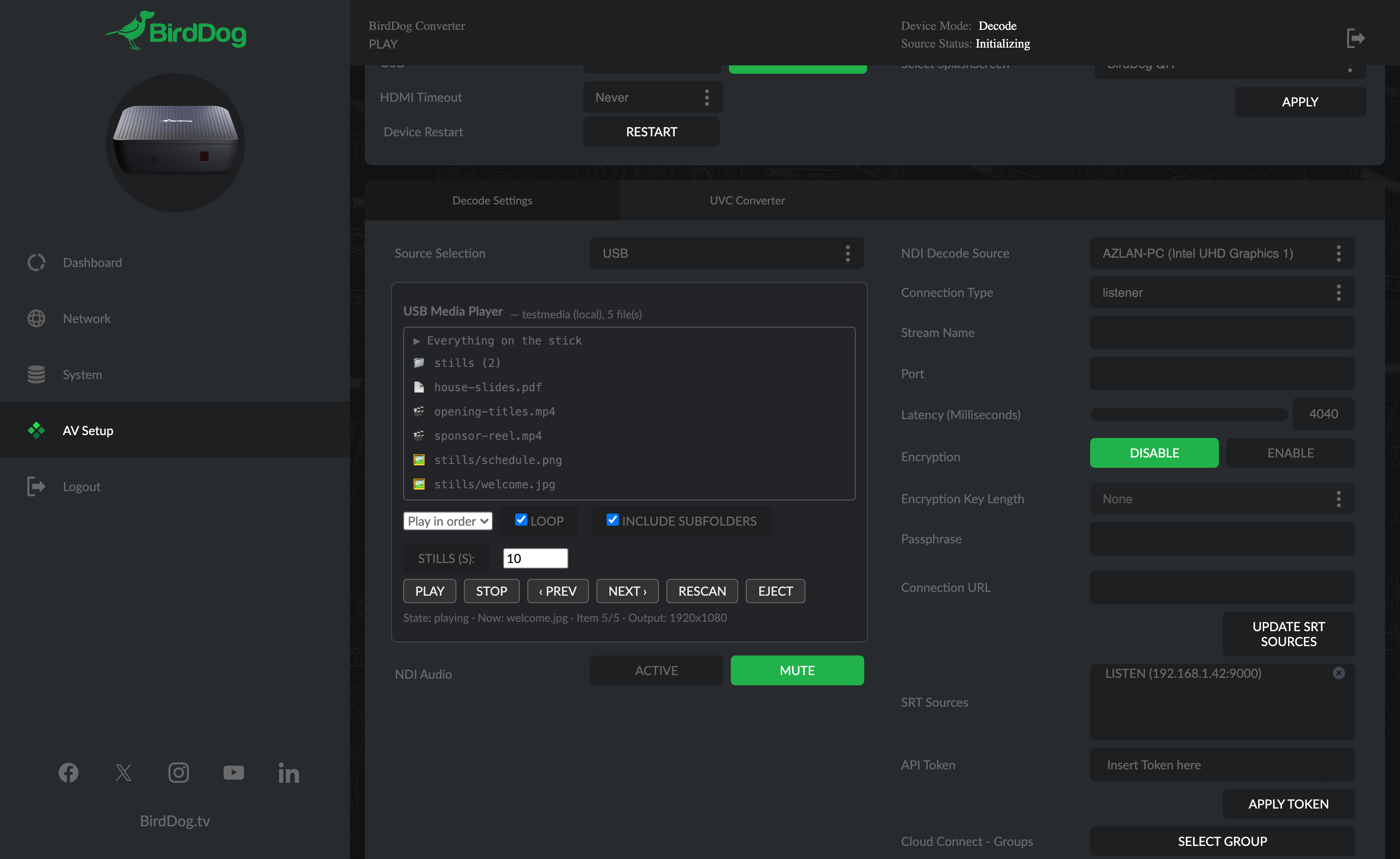
Open the PLAY’s own web UI, go to the video settings page, and pick USB from Source Selection. A panel appears with the stick’s contents.
There’s also a standalone control page on port 8091, which shows the log as well. Use that if the injected panel doesn’t appear, and go there first when something won’t play, because the log answers most of those questions.
Everything can be driven from the API too, so a Companion button or a cron job works.
From the TV’s remote
If the TV supports HDMI-CEC (Samsung call it Anynet+, LG SimpLink, Sony Bravia Sync, and it’s usually on by default), the PLAY’s own on-screen source list already follows the TV’s remote. bdplay adds a USB-Player entry to that list: press Left/Right to get to the SRT page, Up/Down to it and OK. A file browser for the stick comes up on the TV, driven by the same remote:
| Key | Does |
|---|---|
| Up / Down | move through the list |
| OK | open a folder, or play the file |
| Left, Exit / Return | back up a folder — and at the top, back to BirdDog |
| Play (or the green key) | play everything in this folder, looping |
| Stop | while playing: back to the list — in the list: back to BirdDog |
| ‹‹ / ›› (or Left / Right while playing) | previous / next item |
| Red | straight back to BirdDog |
| Blue / Yellow | shuffle / loop on and off |
A single file plays once and goes back to the list; a picture stays up until you press a key. You can open the same browser from the control page on port 8091 (OPEN BROWSER ON HDMI), which also has the remote’s keys as buttons. That’s handy when the TV only forwards some of them, which varies by make. Arrows and OK work on every CEC TV; the transport and colour keys on most.
What it plays
| Type | Formats | How |
|---|---|---|
| Video | mp4, mov, mkv, avi, ts, m2ts, mpg, webm, wmv | Hardware H.264/HEVC/VP8/VP9 — ~11% of one core at 1080p |
| Stills | jpg, png, bmp, gif, webp, tif | Scaled to the panel with aspect preserved, held for a configurable dwell |
| Pages pre-rendered to images, then played as stills — 3 pages at 1080p in ~1.3 s | ||
| Office | pptx, docx, … | Not rendered. Listed with “export to PDF” rather than silently ignored |
PowerPoint is out of scope, on purpose. Rendering it on the device would mean either a full office suite, which won’t fit or run on 2 GB and four small cores, or a partial renderer that mangles SmartArt, charts and embedded fonts, looking broken in exactly the situations where a deck matters. Exporting to PDF is one step, and it renders exactly as authored.
Playback options
- Selection: one file, one folder (with its subfolders if you like), or the whole stick.
- Order: as listed (natural sort, so
slide2precedesslide10) or random. - Loop: on by default.
- Dwell: how long each still or PDF page holds the screen.
Random reshuffles the whole set each cycle rather than picking independently, so every file plays once per cycle instead of some repeating while others never get a look in, and the reshuffle never puts the item that just played at the front of the next cycle.
If something will not play
| Symptom | Cause |
|---|---|
| The USB option does not appear | The UI patch did not land. Use the standalone control page on port 8091. |
| A file is listed but will not play | Read the log on that page — it answers most of these. |
| A PowerPoint file is listed and does nothing | Deliberate. Export it to PDF. |
| The stick was not picked up | Hotplug with a physical stick is the one path still unverified. Re-seat it, or reboot with it in. |
| NDI stopped when I selected USB | Correct — the stock decoder hands over the display. Select NDI again and it comes back. |
| The TV remote does nothing in the browser | The TV is not forwarding keys: check its CEC setting, and that the PLAY is the input it is showing. Use the buttons on the control page meanwhile. |
| USB-Player is not in the PLAY’s on-screen list | It is on the SRT page of that list (Left/Right), and only while the bd-play service runs. |