

What it does
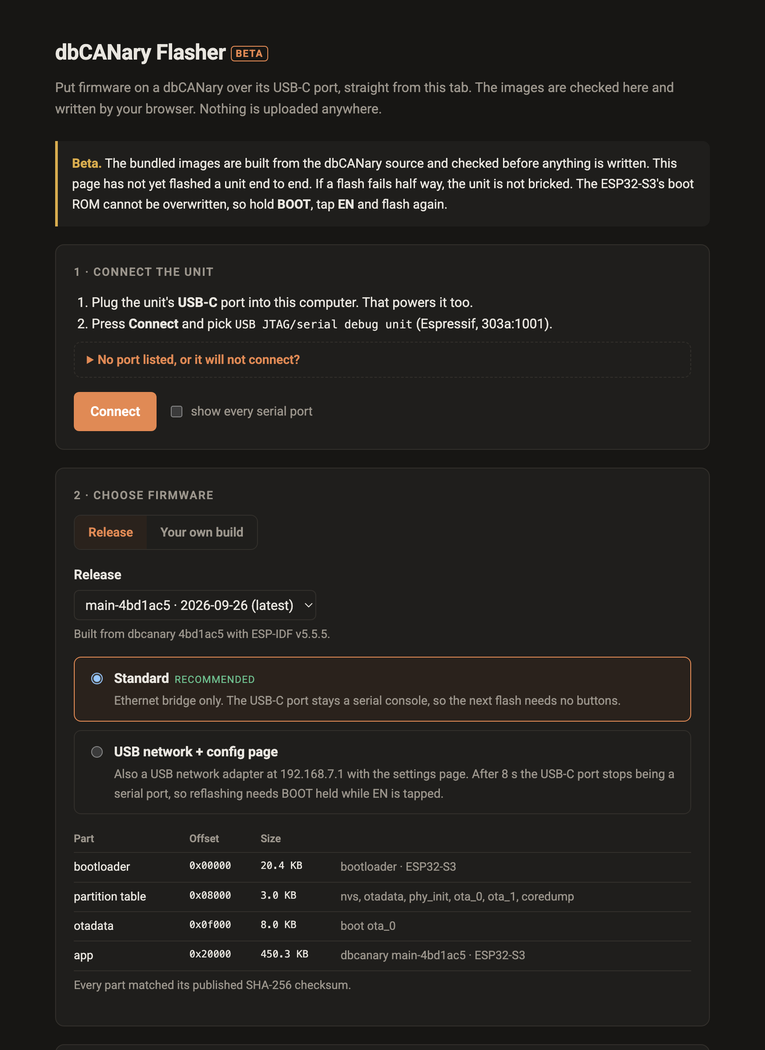
The CANary runs on an ESP32-S3, and its USB-C port is also the chip's own serial port, so the cable that powers the unit can also put firmware on it. This page does that from a browser tab with Espressif's esptool-js. Updating a unit no longer needs a Python install or an ESP-IDF checkout.
Releases are bundled with the page, one per firmware variant: the standard bridge, and the build that also turns the USB-C port into a network adapter with a settings page on it. Each part is checked against its published SHA-256 checksum before it is shown. You can also hand it your own build instead. Each file is identified by what is in it, not what it is called, and put at the offset its kind belongs at.
Before anything is written, the page reads the unit: the chip, its MAC, its flash size, and which firmware its bootloader will boot, read from the unit's own OTA records. What you are about to replace is on screen before you replace it.
- Bundled releases, checksummed, in both firmware variants
- Your own ESP-IDF build, with each .bin identified by its contents
- Shows the version the unit boots before overwriting it
- Refuses the wrong chip, a foreign app, a misplaced bootloader and overlapping writes
- Every write verified by read-back
- Keeps the unit's settings unless you ask for a full erase
- A serial console to watch it boot
Where it stands
A beta. The image checks, the checksums and the write verification are covered by tests that run against the real bundled images, and the page has been driven in a browser as far as connecting. It has not yet flashed a unit end to end, and the page says so above the controls. Desktop Chrome, Edge or Opera only: it needs Web Serial.