

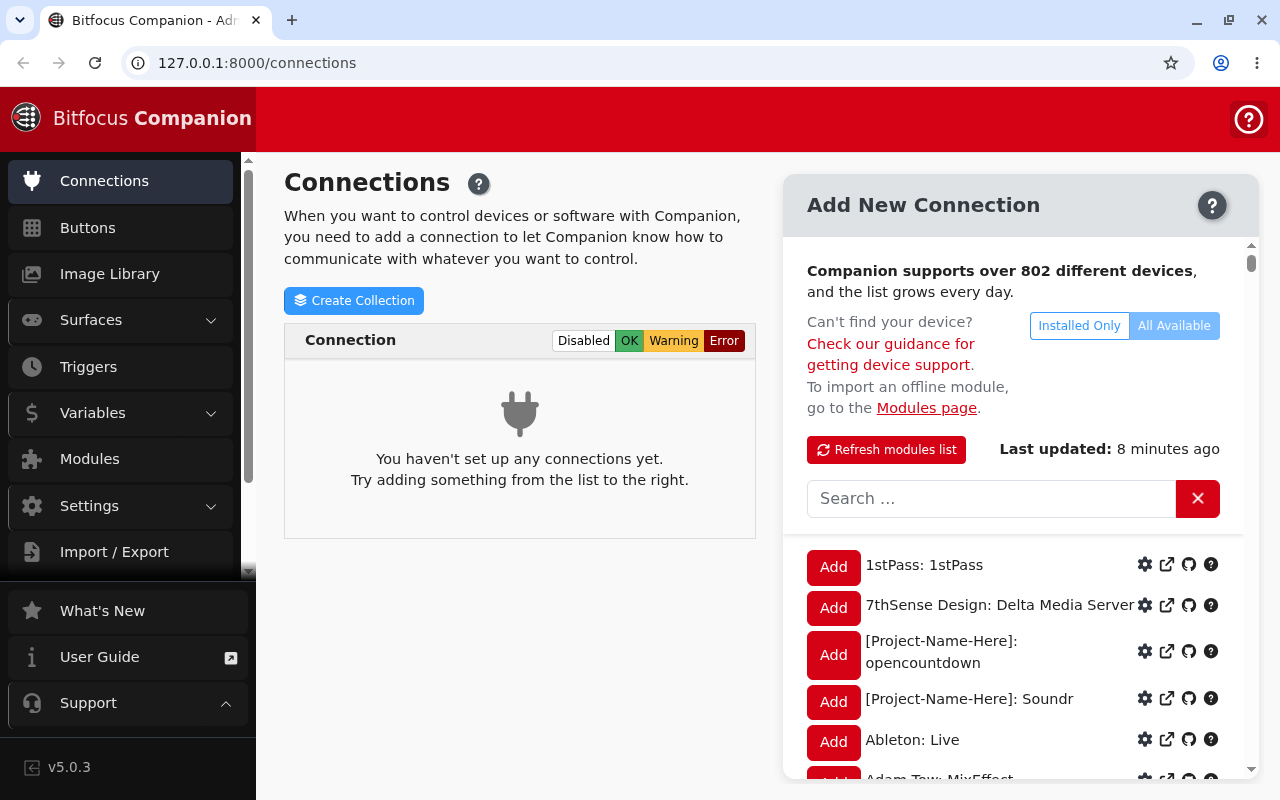
companion-play is a replacement OS for the BirdDog PLAY that turns it into a self-contained Bitfocus Companion appliance: the server, its web UI on the HDMI output, and USB surfaces on the front port.
⚠️ Early beta
Treat this as a design that boots on paper. The image builds and the software stack is proven on the right CPU architecture: Companion has been started on aarch64 Linux with the full offline module bundle, with all 811 modules enumerated, the admin UI answering and surface plugins running. But no part of this has ever run on BirdDog PLAY hardware. The display, the installer and the USB surface path are unverified.
Don’t put this on a unit you need for a show.
This codebase was created with AI assistance, directed and reviewed by a human author.
This is not a BirdDog or Bitfocus product. Neither company is affiliated with it, endorses it or supports it. Installing it voids your warranty and removes the NDI and SRT decoding the device was sold to do.
Why a PLAY
Not for the silicon: Companion uses none of the PLAY’s video hardware.
The reason is supply: PLAYs turn up cheap in quantity, and one is a fanless, metal-cased aarch64 box with HDMI, gigabit Ethernet and USB host. That’s the shape of a Companion appliance, and it’s better packaged than a single-board computer in a case.
The one thing the hardware does buy is the HDMI output. Companion Pi is headless and its screen shows nothing. Here the display is part of the product: the unit drives a monitor showing Companion’s own web UI and its web-button pages as tabs, so it’s both the server and an operator surface.
The display is not kiosk mode, on purpose: the operator keeps the tab strip, so web-button pages can sit alongside the admin UI.
What it runs
| Piece | What |
|---|---|
| Base | A pinned, checksummed Debian-based minimal image |
| Companion | The official linux-arm64 build. Nothing compiles. |
| Modules | The official offline module bundle, licence-filtered, preloaded — no internet needed to be useful |
| Display | Bare X + openbox + Chromium |
| Input | USB keyboard, mouse, touchscreen and Stream Decks — via a powered hub |
Companion’s Linux build ships its own runtimes and native prebuilds, so the base OS supplies libraries only.
The install model, and what it preserves
Only boot and rootfs are replaced. The bootloader, trust, misc and recovery partitions
stay stock, so Rockchip recovery mode and the vendor recovery partition both survive, and
the device can be returned to factory firmware.
userdata holds Companion’s config, database, logs and any modules you add, so reflashing
the rootfs to upgrade Companion doesn’t wipe your configuration.
If the PLAY’s microSD slot turns out to be physically fitted (still an open question), you can run entirely from a card and never touch the internal storage.
Two modes, one image
- server (default): the full Companion host, admin UI on port 8000.
- satellite: Companion Satellite, driving this unit’s surfaces from a Companion running elsewhere. Scaffolded, not verified: the switch refuses unless the binary is present, rather than stopping the server and starting nothing.
Change the password
Released images ship with a default password, which is the only thing that makes a published image usable by anyone but its builder.
Change it on first login. If you’re building your own image, put a public key in the build’s secrets directory and clear the default-password setting for a key-only image with no password at all, which is the right shape for anything going on a show network.
Known limits
- 2 GB of RAM is the real constraint. Companion idles at ~509 MB with zero connections, and every connection is another child process. Chromium is on top of that. No connection count has been measured; don’t assume one.
- One USB-A port. Keyboard, mouse, touchscreen and a Stream Deck all want it, so a self-powered hub is required. The port’s current budget hasn’t been measured, and a bus-powered hub with a Stream Deck on it is the case that fails.
- Nothing has run on hardware. Repeated because it matters.
If something is wrong
| Symptom | Cause |
|---|---|
| A Stream Deck drops off | Bus-powered hub. Use a self-powered one; the port’s budget is unmeasured. |
| Companion becomes unresponsive as connections are added | 2 GB, one process per connection, plus Chromium. |
| Satellite mode refuses to start | The binary is not present. It refuses rather than leaving you with nothing running. |
| I want the PLAY back | The vendor recovery partition and Rockchip recovery mode are both untouched. |
| Upgrading wiped my config | It should not — configuration lives on userdata, which reflashing the rootfs does not touch. |