

Fiche is an FFGL effect for Resolume Arena and Avenue that prints your clip in a grid of frames on a microfiche card, puts the card in a reader and sits a person at it to browse, with a hand on the carriage, a zoom lever and a focus knob.
Nothing’s keyframed or drawn on. The whip pans, the overshoot and the correction, the crash zooms that lose focus and the hunt for it afterwards are all just what that hand does, seen through a lens that magnifies everything it does twenty-four times. If you’ve ever been sent down to the library basement to find something on fiche, you’ll recognise the operator.
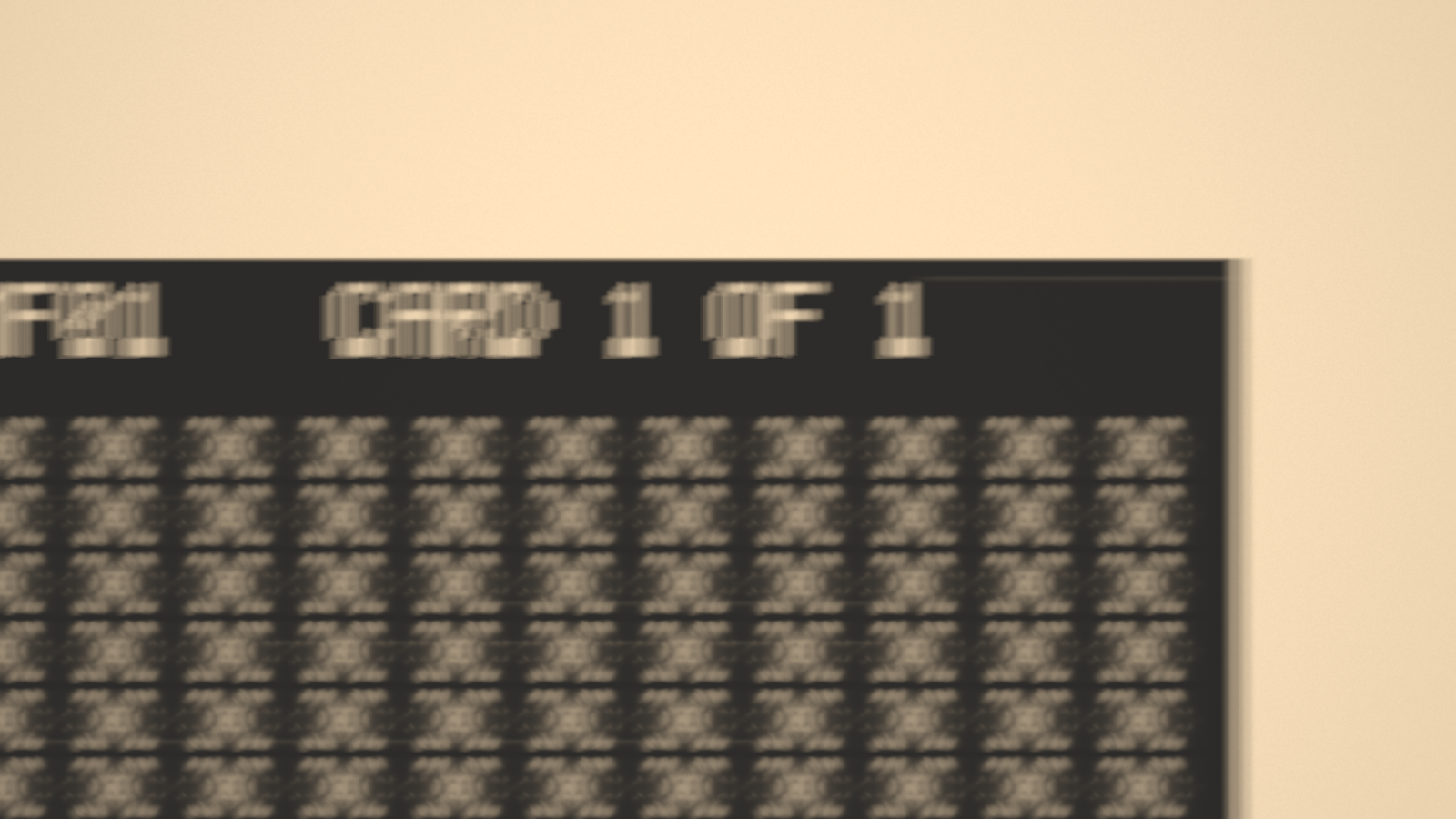
Resolume’s bundled IntoTheGlow_02 through the plugin on its defaults, rendered by the offline harness rather than captured from Resolume. Thirteen and a half seconds in, the operator has zoomed out to travel to another frame: the card’s corner, its header and the glass beyond its edge are going past, smeared by the move and soft from a zoom that doesn’t hold focus.
Before you rely on this: released at v0.2.0, and still early days. The reader and the hand are measured rather than asserted, by a harness that drives the plugin’s own class: a perfect reader showing one frame gives back the clip; a point out of focus becomes a uniform disc of the radius geometric optics gives, to under 1%, and keeps its light; the card’s bow, read back out of the picture, is the model’s to 0.0003 mm; the picture is where the hand model puts the carriage, frame by frame, through pans, corrections and crash zooms; every pan’s duration is Fitts’s law and its profile minimum jerk; and the hunt turns where a reaction time puts it, with the picture’s blur following the knob. All 34 controls measurably change the picture. It’s never been loaded into Resolume on macOS. The one host it’s run in on a Mac is the fleet’s own test host,
oxbow, for 120 frames. On Windows, a build of v0.1.0 loads, registers and renders in Resolume Arena 7.27.1, with every control matching what the plugin declares. That was on software rendering, so it says nothing about a GPU. The six controls that steer the operator over seconds (Hand Speed, Accuracy, Crash Zoom, Focus Skill, Carriage Play, Parfocal) couldn’t be shown moving there, because the operator moves the picture between the test’s grabs. Layout (the endless page) is new in v0.2.0. It’s measured offline like everything else, but the Windows run above was of v0.1.0, before Layout existed, so no Resolume has shown it yet. Try it on a spare layer before you put it in a show.This codebase was created with AI assistance, directed and reviewed by a human author.
Installing
Every download carries one effect, SW Fiche. Drop it into Resolume’s effects folder and restart Resolume:
macOS    ~/Documents/Resolume Arena/Extra Effects/
Windows  %USERPROFILE%\Documents\Resolume Arena\Extra Effects\
Avenue uses the same layout under its own folder name. The effect then shows up in the effects browser as SW Fiche.
The macOS download is a universal build (Apple silicon and Intel), as a .dmg or a .zip. It’s
Developer ID-signed and notarised, so the bundle just loads. The Windows download is an x64
installer or a .zip. It isn’t code-signed, so the installer trips SmartScreen once:
More info → Run anyway.
A reader magnifies a hand
A microfiche is a card of film about the size of a postcard, holding a grid of tiny pages. A reader projects a centimetre or so of it onto a screen, magnified twenty-odd times. To browse it, you slide the card around on a carriage under the lens, zoom out to find your place, zoom back in, and turn a knob until the page is sharp.
Everything you do with your hands turns up on the screen multiplied by the magnification. A comfortable 50 mm a second on the carriage is more than a metre a second across the screen. That’s where the look comes from, so Fiche models the hand and the reader, and the picture is the light through both:
| what you see | what causes it | group |
|---|---|---|
| whip pans: the picture tearing past in a smear | an ordinary hand movement, magnified, during the exposure | Operator, Reader |
| landing short, then a small correction | aimed movements miss in proportion to how far they went | Operator |
| a bounce when a fast pan stops | the carriage is a mass on the hand’s grip | Operator |
| crash zooms that land soft | zooming out to travel, on a zoom that does not hold focus | Operator, Reader |
| the hunt: past sharp, back, past again by less | a hand turning a knob, with a reaction time | Operator |
| soft corners, and every frame at its own focus | the card is not flat between its glass plates | Fiche |
| the grid, the gutters, the header, the glass beyond | the card itself, zoomed out | Fiche |
| dust and scratches that move with the picture | they are in the film | Fiche |
| a brighter middle, a grainy screen | the projection and the rear-projection screen | Reader |
It never looks the same on two different clips, because it’s a person browsing your picture.
Start here
Put SW Fiche on a layer with something in it and leave every control where it is. The defaults are somebody in a library reading room going through a card in a hurry: the clip printed fourteen frames across and seven down on silver film, read at 24× through an f/2.8 lens whose zoom doesn’t hold focus, the card bowed 0.3 mm between plates that don’t close any more, a carriage with some give in it, and an operator who skims and searches, zooms out to travel more often than not, and isn’t good at focusing.
Then, in this order:
- Operator to Manual, and Zoom right down. That’s the whole card: the grid of frames, the header with its title, and beyond the edge of the card the reader’s bright glass. Bring Zoom back up, and move Position X and Position Y: the hand is now yours, but it still goes through the carriage, so a fast move bounces. Focus turns the knob.
- Operator back to Auto. Browse on Reading goes through the frames in order, one view at a time; Searching jumps anywhere on the card. Dwell is how long the operator looks at each one before moving on.
- Crash Zoom to 1: every long move zooms out first. At 0 the operator pans the whole way at reading magnification, which is a much longer whip.
- Focus Skill to 0, then to 1. A poor operator starts the wrong way, reacts late and overshoots far; a good one turns straight to sharp. Flatness to 0 and Parfocal to 0 take away the reasons to hunt at all.
- Film to Diazo Blue, Silver Negative and Vesicular: the duplicating films a library actually had. Lamp down warms the whole screen.
- Sync to Beat. Every act (a pan, a zoom out, a jump) now starts on a beat of the host’s clock. Jump ends the current dwell at once; map it to a pad.
- Layout to Endless. The header, the margins and the glass go, and the grid of frames runs on for ever in every direction: the operator never meets an edge, and reading carries on to the right and down for as long as the clip plays.
The magnification is the multiplier. Zoom sets how closely the operator reads. Raise it and every movement gets faster on screen, the depth of focus gets shallower and the hunt gets longer; lower it and everything calms down. It’s the first control to reach for.
Time comes from the host
The hand runs on the host’s clock. Every movement, every dwell and every reaction time is in seconds of the composition rather than frames, so the look is the same at 30 and 60 fps. A stall or a jump on the transport moves the hand on by a quarter of a second at most.
Everything random is seeded: where the operator goes next, how far each landing misses, which way the first turn of the knob goes, the card’s bow, the dust and the scratches. The same Seed with the same controls browses the card the same way every time, from the moment the effect is loaded.
Sync takes the host’s beat. Resolume tells every effect where it is in the bar, and an act starts exactly on the beat, placed inside the frame the beat fell in. A host that sends no beat gets a steady 120 BPM of the plugin’s own, so Sync is never dead.
The Operator group
These act only while Operator is on Auto, except Carriage Play, which acts on your hand in Manual too.
Operator — Auto browses the card by itself. Manual hands the carriage, the zoom and the knob to the View group.
Browse — what the operator goes to next. Reading: the next view in reading order. A frame wider or taller than the screen at the reading magnification is read in screen-sized views, left to right, top to bottom. Skimming: a few views on, usually one or two. Searching: any other view on the card, every one equally likely. Mixed (the default): all three, mostly skimming and searching. On an endless page every view is there once per tile, and the operator goes to the copy nearest it: reading runs on past the end of a row instead of going back, and a search never travels more than half a tile.
Dwell — how long the operator looks at a view, on average, before the next act: 0.1 s to 10 s. The actual dwell varies around it, sometimes much shorter, sometimes longer.
Sync — Free, or start each act on the host’s Beat, every 2 Beats or once a Bar. The dwell then lasts until the first such beat at least 0.15 s after the view settled.
Hand Speed — how quickly the hand moves. Every pan lasts 0.08 s plus a time that grows with the logarithm of the distance over the target’s size (Fitts’s law); this sets that slope, from a slow, careful hand to a very quick one.
Accuracy — how close a pan lands. A movement lands a little short on average and scatters around that by a share of the distance it went: from 25% at the left of the slider to 1% at the right. A landing that misses the target is corrected by a second, smaller movement after a reaction time, up to four times.
Crash Zoom — how often a long move zooms out first. Any move longer than one and a half frames zooms out (with this probability) far enough to see where it’s going, pans there (quicker and rougher, since a wide view needs less precision) and zooms back in. The zoom isn’t quite exact on the way back, and it isn’t parfocal, so the arrival is soft.
Focus Skill — the person at the knob. Higher skill means a shorter reaction time (0.22 s down to 0.12 s), a slower second pass so it settles sooner, and a first turn that goes the right way more often (50% of the time at 0, 95% at 1). The knob starts fast in proportion to how far out of focus the view arrived.
Carriage Play — how loosely the carriage follows the hand. 0 is rigid: the picture goes exactly where the hand does. Above that the carriage is a mass on a spring, from a stiff 40 Hz to a loose 3 Hz and less and less damped, so a fast pan stopped hard overshoots and settles. The carriage has end stops at the card’s edges; an endless page has none.
Jump — ends the current dwell now: the next act starts this frame.
The View group
Zoom — the magnification, 2× to 75× (24× by default). In Auto it’s the magnification the operator reads at; the crash zooms go out from it and come back to it. In Manual it’s the lens.
Position X, Position Y — Manual only: the point on the card under the centre of the screen, from one edge of the card to the other. The carriage follows through its grip. On an endless page they run across one tile of the page, the one nearest the carriage when you took over, so switching to Manual doesn’t send it back to where it started.
Focus — Manual only: the knob, as the defocus at the centre of the screen, ±1 mm of the card’s height. The middle (0) is sharp at the centre; the bowed card still leaves the rest of the screen a little out.
The Fiche group
Layout — Card (the default): an A6 card, with the header and its title across the top, clear margins round the grid, and the reader’s bright glass beyond its edges. Endless: the grid of frames with no header and no margins, repeated for ever in every direction, so the page has no edges at all and the carriage no end stops. The frames keep the size they have on the card. One tile of the page (Columns × Rows frames) repeats, and everything on it repeats with it: the bow, the dust and, with Content Filmed, the frames the camera has filled, so there’s no seam anywhere.
Columns, Rows — the grid of frames, 1 to 16 each (14 × 7 by default, after the computer-output layout). The card is 148 mm wide, A6, and its height follows the grid. Each frame has the clip’s aspect. On an endless page they are the tile that repeats.
Gutter — the space between frames, 0 to 3 mm of card.
Content — Live: every frame on the card is the clip as it plays. Filmed: a step-and-repeat camera films the clip into the frames one at a time, every Interval, in reading order, and goes round again; frames it hasn’t reached yet are blank film. Filmed starts blank, so a fresh instance shows one frame of picture until the camera has been round.
Interval — Filmed only: the time between the camera’s exposures, 0.05 s to 10 s.
Film — the stock the card is printed on. Ideal: a perfect, colourless print. Silver: black-and-white silver halide, the master’s film. Silver Negative: the same, light for dark, so clear gutters and a black picture of a white page. Diazo Blue and Diazo Black: the dye duplicates libraries handed out, a blue-violet dye or a near-neutral one on a clear base. Vesicular: a tan film whose image scatters light out of the lens rather than absorbing it, so its blacks are soft. Colour: a colour print on a slightly warm base. Unexposed film (the gutters and margins, and frames not yet filmed) is dark on a positive card and clear on a negative one.
Flatness — how far the card bows between the reader’s glass plates, up to 0.5 mm. Every frame then comes to focus at its own height, and no view is quite sharp corner to corner. At 0 the card is flat.
Dust — specks of dust in the emulsion, up to 150 per square centimetre. They’re on the film, so they move, magnify and blur with the picture.
Scratches — clear scratches through the emulsion along the card, the way it slides into the reader. On an endless page a scratch runs the page’s whole length, as on a roll of film.
Title — the eye-readable header across the top of the card, up to 40 characters in a dot-matrix
face: capitals, digits and a little punctuation (- . , : / # ( ) ' & + ! ? =). Lower case is
shown as capitals; anything else is a space. Visible whenever the header is in view. Card only:
an endless page has no header.
The Reader group
Aperture — the lens’s f-number, f/2 to f/16. A wider aperture (smaller number) gives a shallower depth of focus, bigger blur and a longer hunt.
Parfocal — how far a change of zoom throws the focus: 0 is a perfect parfocal zoom, 1 throws it 1 mm for every doubling of magnification. Acts through the operator’s zooms, so it does nothing in Manual, where Focus is measured from best focus.
Shutter — how much of each frame the picture is integrated over, as a share of the frame: 0 is a sharp instant, 1 the whole frame. A fast pan smears in proportion. Only visible while something is moving.
Hotspot — how much brighter the middle of the screen is than its edges: the projection’s falloff. 0 is an even screen.
Lamp — the lamp’s colour temperature, 2000 K (a dim, orange bulb) to 6504 K (white).
Screen Grain — the rear-projection screen’s own grain. It’s on the screen, so it stays put while the card moves under it.
Room Light — light from the room washing out the screen, lifting the blacks.
The Output group
Seed — what the operator does and where, the card’s bow, the dust and the scratches. The same seed browses the same way every time.
Mix — the reader over the clip. A screen is opaque, so the output’s alpha goes to 1 as Mix goes up.
How it works
Every frame:
- The hand. On the CPU, the operator is advanced by the host’s frame time in millisecond steps: its plan of pans, zooms and turns of the knob, the carriage on its grip, and a quarter of a second of history.
- The clip. The clip is copied in linear light (so every average after it adds light, as a lens does) and a mip chain is built by area averaging.
- The camera (Filmed only). When the Interval comes round, the clip is exposed into the next frame of a stored card.
- The screen. For every pixel, the reader is integrated over the exposure: 17 snapshots of the carriage, the magnification and the knob across the Shutter. Each pixel takes 1 to 32 taps, spread evenly across both the exposure’s time and the lens’s aperture, each tap through the card (the frame it lands on, the clip at a footprint the size of the tap spacing, the film’s print, the dust and scratches, or the glass off the card), and then the lamp, the falloff, the screen’s grain and the room.
A pixel at rest and in focus takes one tap; one moving fast or far out of focus takes up to 32. With Ideal film, a white lamp, no falloff, grain, room light, dust or scratches, and one frame filling the screen in focus, the reader gives the clip back.
Performance
Measured by the offline harness on a Mac (Apple silicon), GPU time per frame, median of 120 frames after a warm-up, on a GPU shared with other work:
| defaults, browsing | every pixel at 32 taps | filming every 0.05 s | |
|---|---|---|---|
| 1280×720 | 1.27 ms | 1.46 ms | 1.35 ms |
| 1920×1080 | 2.40 ms | 2.75 ms | 2.59 ms |
| 3840×2160 | 9.09 ms | 10.05 ms | 9.65 ms |
At 1080p that’s about a seventh of a 60 fps frame. At 4K it’s more than half: the taps scale with the pixels, and nothing trades taps for resolution yet. Filmed keeps the card in up to 256 MB of video memory, so each stored frame is smaller than the clip on a big grid at 4K.
Nothing was timed inside Resolume, and nothing was timed on Windows.
If it looks wrong
It just sits there. The operator is dwelling: Dwell may be long, or Sync may be waiting for a bar. Press Jump. In Manual nothing moves unless you move it.
Everything is soft, all the time. Aperture wide open at a high Zoom gives a very thin depth of focus, and Flatness at its top bows the card past what one view can hold. Stop down, flatten the card or lower Zoom.
It never hunts. Flatness and Parfocal are both at 0, so every arrival is already sharp. Or Focus Skill is at 1 and Zoom is low, where the depth of focus is deep enough to forgive most arrivals.
Position X, Position Y or Focus do nothing. They’re Manual’s. In Auto the operator has the carriage and the knob.
Shutter does nothing. Nothing is moving: a still carriage looks the same however long the exposure.
Rows or Title seem to do nothing. At reading magnification you see one frame, not the grid or the header. Zoom out. On an endless page there’s no header, so Title does nothing at all.
The picture is orange or dark. Lamp is low, or the film is a dense stock. Lamp at its top is white.
One frame of picture on a blank card. Content is on Filmed: the camera fills a frame every Interval. Shorten Interval, or switch to Live.
The effect does nothing at all. That’s what a shader that won’t compile looks like. The actual error is in the log:
macOS    ~/Library/Logs/fiche/fiche.YYYY-MM-DD.log
Windows  %LOCALAPPDATA%\fiche\logs\fiche.YYYY-MM-DD.log
It records the GL vendor and version at load, and which shader failed if one did.
Known limits
- Never loaded into Resolume on macOS, and nothing has driven the controls in a host on a Mac. How 34 controls in five groups read in the inspector is untested there. On Windows the only host run is the fleet’s automated gate in Arena 7.27.1, on software rendering.
- The laws are real; the person isn’t. Fitts’s law, minimum-jerk movement, scatter in proportion to distance and corrective submovements come from the motor-control literature, but the constants are typical ones rather than any one person’s, and the hunt’s rule is a model of a person, not a measurement of one.
- The lens is a stretch. An actual reader’s zoom covers about 2:1; this one runs 2× to 75× so a crash zoom can reach the whole card.
- The films are typical, not a datasheet’s densities and dyes. Silver grain at high magnification and diazo’s speckle aren’t modelled.
- The frames are the clip’s shape rather than an actual microfiche’s portrait pages, because a widescreen clip letterboxed in a portrait page would waste the screen.
- The endless page repeats one tile, Columns × Rows frames: the bow, the dust and any filmed frames come round again every tile, which is always about 141 mm across (the card’s grid and one more gutter) and as tall as its rows.
- 4K costs more than half a 60 fps frame (see Performance).
- No presets, no audio input (Resolume can drive any control from audio, and Sync takes the beat), and no OpenFX version.
- There’s a browser demo at fiche-demo.stoatworks-labs.com. It runs the plugin itself rather than a port, compiled to WebAssembly and drawing with its own shaders in WebGL2. The page plays host: it sends no beat (Sync keeps the plugin’s own 120 BPM), its clock is the browser’s, and six GL calls are translated for WebGL2. The page lists everything it doesn’t reproduce.
About
The last group, About, has the plugin’s name, version, licence and maker, and buttons that open this user guide, the project page, the source on GitHub and the support page in your browser.
Reporting something
If something’s wrong, shout at github.com/stoatworks-labs/fiche/issues. A screenshot, the Seed and the controls you changed, and the composition’s resolution and frame rate are usually enough.