

Turning an Ofcom PMSE radio-microphone licence schedule (PDF) into files you can import into Shure Wireless Workbench.
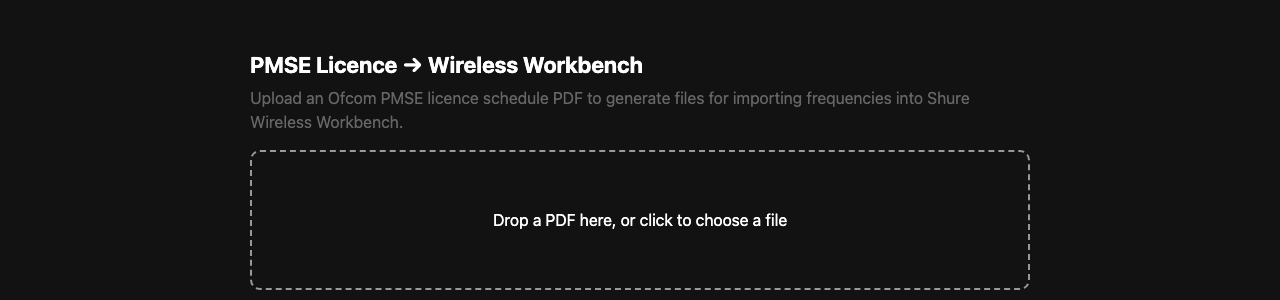
The upload page, where a licence PDF goes in.
In the UK, a PMSE licence allocates specific frequencies for wireless mic use at a venue or event, and Ofcom issues the schedule as a PDF. Retyping those frequencies into coordination software by hand is slow and error-prone — that’s what this replaces.
Before you rely on the output
There is a successor, and it’s better validated
RFutils has this as Convert › Ofcom PMSE licence, and its PDF parser has been validated against a real Ofcom licence. If you’re choosing a tool rather than maintaining this one, use that.
The .shw show file is reverse-engineered
WWB’s native show-file format is undocumented. This tool builds one by cloning real XML fragments out of a working WWB7 7.8.1 file and substituting frequencies and names — everything else is copied verbatim, precisely because untouched boilerplate is less likely to break WWB’s parser than something hand-built.
It has not been validated by Shure. Open the generated file in Wireless Workbench and check it before relying on it for a show.
This matters more than the usual disclaimer: a malformed .shw may load and look plausible
while carrying the wrong frequencies, and in this domain that means radio-mic interference at a
live event.
The frequency-list export does not carry that risk — it’s Shure’s own documented import format. If in doubt, use it.
Converting a licence
Upload the Ofcom PDF. You get back:
- the licence metadata — licence number, licensee, dates, PMSE reference;
- the parsed assignments — frequency, equipment type, model, site, fee category, and a suggested channel name;
- a WWB frequency list — the safe export;
- a reference CSV — for your own records, not for import.
Check the assignment count against the licence
The response carries two numbers: the total the licence itself states, and how many were actually parsed. If they differ, the parser missed rows.
Read the warnings
Warnings are where the parser reports what it couldn’t make sense of. A licence with warnings is a partial result presented alongside a complete-looking table. Read them before exporting.
Upload limits
PDFs over 20 MB are rejected. Ofcom schedules are typically under 1 MB, so this only trips on the wrong file. A non-PDF is rejected outright; a PDF that parses but contains no frequency assignments is reported as “may not be an Ofcom PMSE licence schedule” rather than as an empty result.
Getting frequencies into Wireless Workbench
The safe route: the frequency list
Bare MHz values, one per line, de-duplicated — Shure’s own documented import format for WWB 6/7. Use Import Frequencies from File in WWB. This is the option to reach for by default.
The convenient route: generate a .shw show file
Lay out receivers — name, channel count, optional IP — assign frequencies to channels, and generate a show file that opens directly in WWB with the devices already configured.
Constraints, all of which come from the single real sample the format was learned from:
| Band | G56 only. Anything else is refused. |
| Receiver | Shure AD4Q-A quad receiver |
| Channels per receiver | 1–8 — matching the template’s slots, not a verified hardware limit |
| Unused channels | padded with a filler named Unused at 470.100 MHz, marked inactive |
| Show name | truncated to 40 characters in the band plan |
⚠ Don’t trust the IP addresses. The sample file this was learned from never had a device with a real IP configured, so the IP encoding is a guess. Treat any IP in a generated show file as something to check and correct inside WWB, not as configured.
Running it
See the README for local, Docker/compose, Render and Unraid deployment.
There is no authentication. If you host it somewhere reachable, anyone who finds it can upload PDFs to it. Licence schedules contain the licensee’s name and address — treat a public deployment accordingly.
Troubleshooting
| Symptom | Cause |
|---|---|
| “Please upload a PDF file” | Wrong content type — the file isn’t being sent as a PDF. |
| “PDF exceeds the 20MB upload limit” | Almost certainly the wrong file; Ofcom schedules are under 1 MB. |
| “Could not parse this PDF” | The parser threw. It may be a scanned/image PDF, or a layout it doesn’t know. |
| “No frequency assignments were found” | It parsed but found nothing — probably not a PMSE licence schedule. |
| Fewer frequencies than the licence says | The parser missed rows. Compare the two counts and read the warnings (Converting a licence). |
WWB won’t open the .shw |
The format is reverse-engineered (Before you rely on the output). Fall back to the frequency list. |
| WWB opens it but frequencies look wrong | The dangerous case. Check every channel against the licence before the show (Before you rely on the output). |
| A band other than G56 was refused | Only G56 is supported — the format was learned from one G56 sample (Getting frequencies into Wireless Workbench). |
| Receiver IPs are wrong in WWB | Expected — the IP encoding is unverified (Getting frequencies into Wireless Workbench). |
| Channels I didn’t fill show as “Unused” | Intentional filler, marked inactive (Getting frequencies into Wireless Workbench). |
See also
- API.md — the endpoints, limits and error codes
- DEVELOPING.md — the risk boundary around show-file generation
- README — what it does, deployment