

Presentation Converter turns Keynote, PowerPoint, Google Slides, ODP and Canva decks into PDFs with a presenter-notes sidecar. It ships as a CLI, a GUI and a Nextcloud app.
Status: in development, tagged at v0.2.0. The screenshots here are real captures of the running app, produced by its own screenshot script.
The problem it actually solves
A deck’s slide count and its PDF’s page count usually disagree, because every exporter silently drops hidden or skipped slides.
Convert a 4-slide deck whose third slide is hidden and you get a 3-page PDF — so a naive tool puts slide 3’s notes on page 3, and every note from there on is one page out.
This tool reads the PDF back, reconciles the two, and records what it did:
"alignment": "adjusted"   // hidden slides accounted for; mapping is trustworthy
"alignment": "exact"      // counts agreed
"alignment": "mismatch"   // couldn't reconcile — notes emitted, but flagged as suspect
Check
alignmenton anything that matters. Amismatchis surfaced in the CLI, in the GUI and in the sidecar’swarningsrather than being quietly wrong — but it is still emitted, so nothing stops you using it.
Installing
Requires Node.js 20+.
git clone https://github.com/stoatworks-labs/presentation-converter.git
cd presentation-converter
npm install
npm run build
For PowerPoint and ODP files, install LibreOffice; on macOS, Keynote can stand in for it.
Find out what your machine can actually do before you need it to:
node packages/cli/dist/index.js doctorConverting
# some files
presentation-converter convert "Q3 Review.key" "Keynote Address.pptx"

# a whole tree
presentation-converter batch ~/Decks --out-dir ~/PDFs

# a folder, continuously
presentation-converter watch ~/Dropbox/Incoming --out-dir ~/PDFs

# the GUI and worker API, at http://127.0.0.1:4747
presentation-converter serve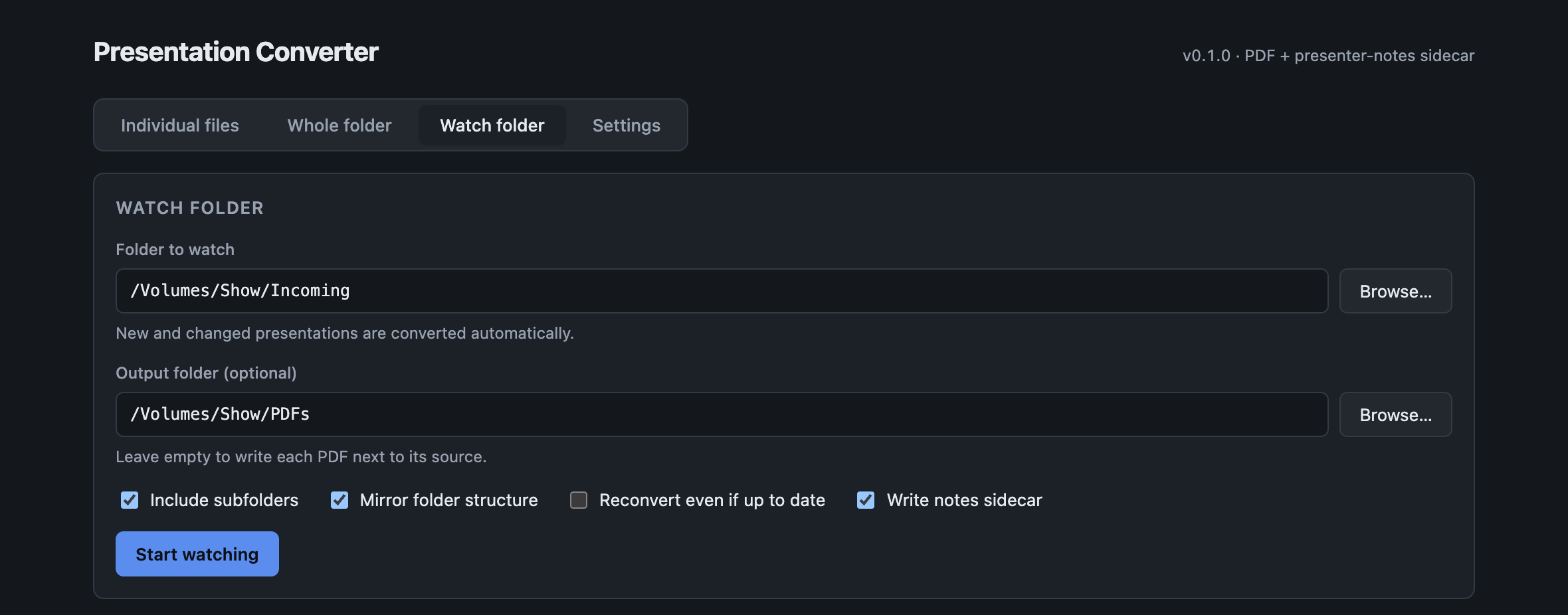
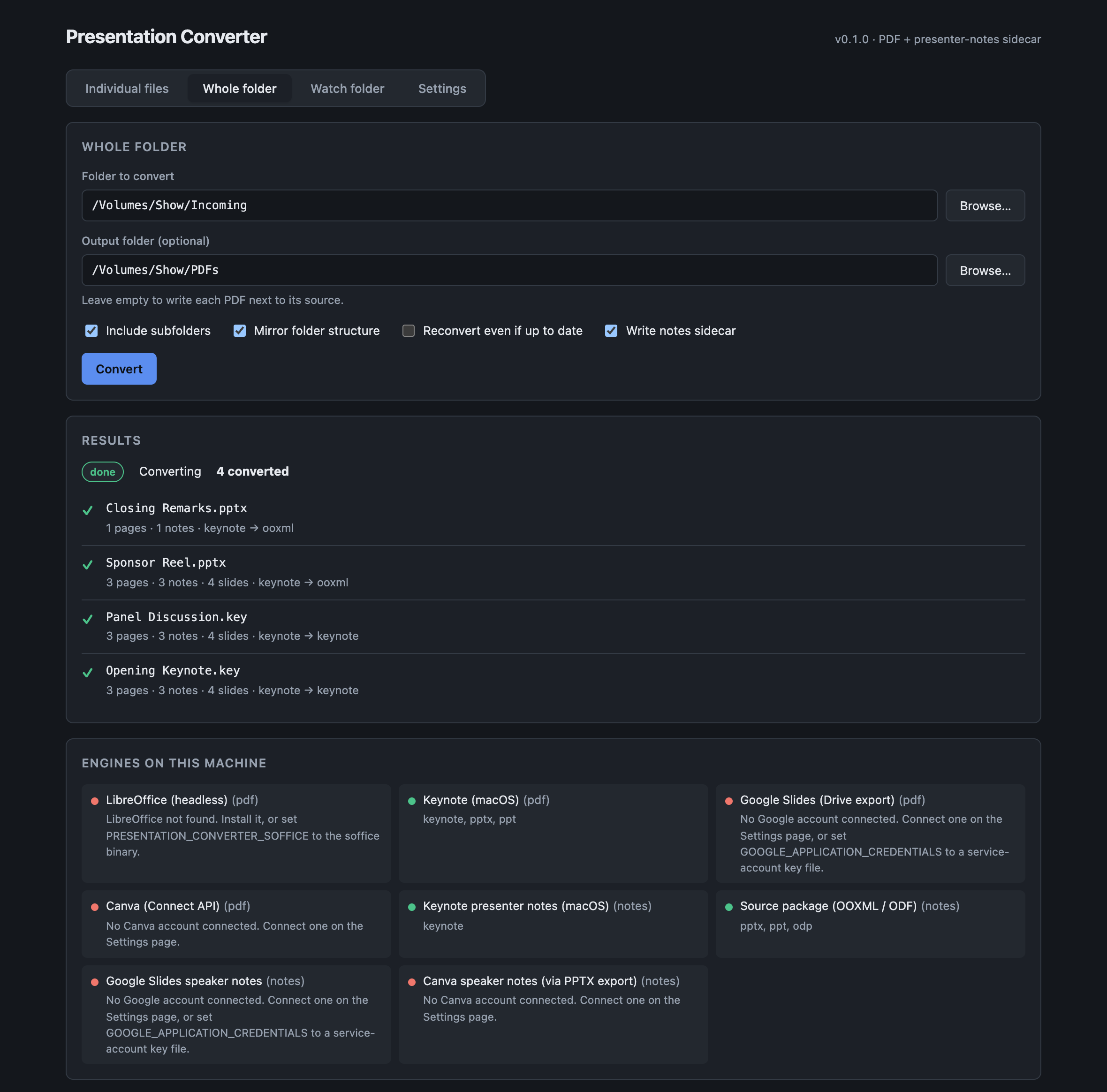
Everything takes --json for scripting, and exits non-zero if any file failed.
Re-runs are incremental: a deck whose PDF and sidecar are already newer than it is skipped,
so a repeat batch over an unchanged folder takes milliseconds. Use --force to override.
Options worth knowing
| Flag | Effect |
|---|---|
--out-dir <dir> |
Write PDFs here instead of beside the source; the folder tree is mirrored |
--flat |
Don’t mirror subfolders — everything lands in one directory |
--force |
Reconvert even when the output is already newer than the source |
--no-sidecar |
Write only the PDF |
--pdf-engine <id> |
Force keynote, libreoffice, google-slides or canva |
--exclude <text...> |
Skip any path containing this text |
--dry-run |
(batch) List what would be converted, then stop |
What converts with what
Notes extraction is deliberately independent of PDF rendering. For Office and ODF files the notes are read straight out of the source package’s XML, so they are the author’s exact text regardless of which engine drew the PDF — and that part works headless, with no application installed.
| Format | PDF rendered by | Notes read from |
|---|---|---|
.key |
Keynote (macOS only) | Keynote |
.pptx |
LibreOffice, or Keynote on macOS | the .pptx package (OOXML) |
.ppt |
LibreOffice | promoted to .pptx, then the package |
.odp |
LibreOffice | the .odp package (ODF) |
| Google Slides | Drive export | Slides API |
| Canva | PPTX export, rendered locally | the exported .pptx (OOXML) |
Keynote cannot run on Linux, so a Linux host needs a paired Mac for .key files — see
nextcloud.md.
Connecting accounts
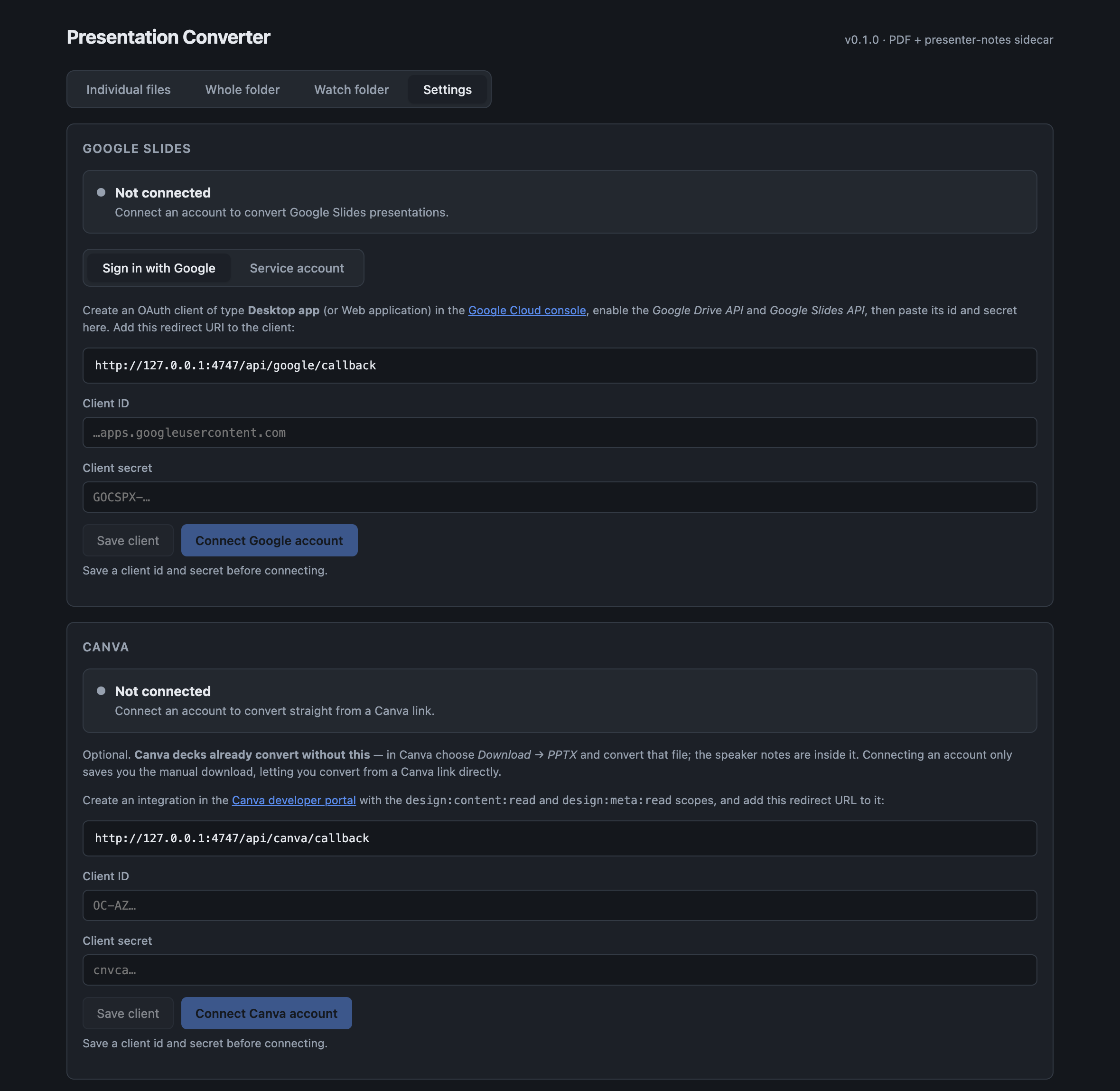
Credentials are stored in your user config directory with 0600 permissions, and the page shows
the exact path. Environment variables, when set, take precedence over anything saved here.
Google Slides
Pass a share URL, a file id, or a .gslides shortcut:
presentation-converter convert "https://docs.google.com/presentation/d/FILE_ID/edit" -o ~/PDFsConnect an account either in Settings (sign in, or paste a service-account key) or by environment variable, which is best for servers:
export GOOGLE_APPLICATION_CREDENTIALS=/path/to/service-account.jsonEither route needs both the Google Drive API and the Google Slides API enabled on the project. Two limits that catch people:
- A service account can only see presentations shared with its email address.
- Drive refuses to export presentations over 10 MB.
Canva
presentation-converter convert "https://www.canva.com/design/DAFxyz123/edit" -o ~/PDFsOr with no setup at all: export from Canva with Download → PPTX and convert that file like any other PowerPoint deck — Canva embeds the speaker notes in it.
The Canva engine exports PPTX, never PDF, and renders that file locally. Canva’s API exposes no notes field, so a PPTX has to be fetched anyway; taking the pages from the same artefact halves the API cost and guarantees the notes and the pages describe the same version of the deck. That does mean LibreOffice or Keynote is required.
See canva.md.
Troubleshooting
| Symptom | Cause |
|---|---|
| Notes are one slide out | Check alignment in the sidecar. A mismatch means it could not reconcile the counts. |
| Slide count ≠ page count | Normal — exporters drop hidden slides. That is what the reconciliation is for. |
.key file won’t convert |
Keynote is macOS-only. A Linux host needs a paired Mac. |
.pptx or .odp won’t convert |
LibreOffice isn’t installed or isn’t found. Run doctor. |
| Nothing happened on a re-run | Incremental skip — the outputs are newer than the source. Use --force. |
| Google: “file not found” with a service account | The deck has not been shared with the service account’s email address. |
| Google: export fails on a big deck | Drive refuses presentations over 10 MB. |
| Canva converts but needs LibreOffice | By design — it exports PPTX and renders locally. |
| Saved credentials seem to be ignored | An environment variable is set, and it takes precedence. |
See also
- sidecar-format.md — the notes sidecar, including the
alignmentfield - canva.md — the Canva engine and why it exports PPTX
- nextcloud.md — the Nextcloud app, and the paired-Mac arrangement for Keynote
- README — full option list and downloads