

Scaffolding a DaVinci Resolve project for a multi-theatre event — bins, timelines, asset imports and smart-bin recipes — from the session CSV.
The README covers install and the three ways to run it (external CLI, desktop GUI, and Resolve’s own Scripts menu). This is what to do with it, and what to check.
The idea: one CSV, two tools
The same sessions CSV drives this tool and nc-filedropbatch, the Nextcloud app that collects presenter uploads for the same event.
         session CSV
         /         \
nc-filedropbatch    resolve-configurator
(collects uploads)  (builds the Resolve project)
Keep one file, feed it to both. Bin and timeline names here use the same sanitiser as the
upload folders, so 09:30 - Jane Smith names the same thing in both places.
Five columns, matched case-insensitively:
Date, Theatre, Start Time, presenter name, presenter emailA missing required column is a hard error — nothing is built, so a rejected CSV is safe to fix and retry.
The app
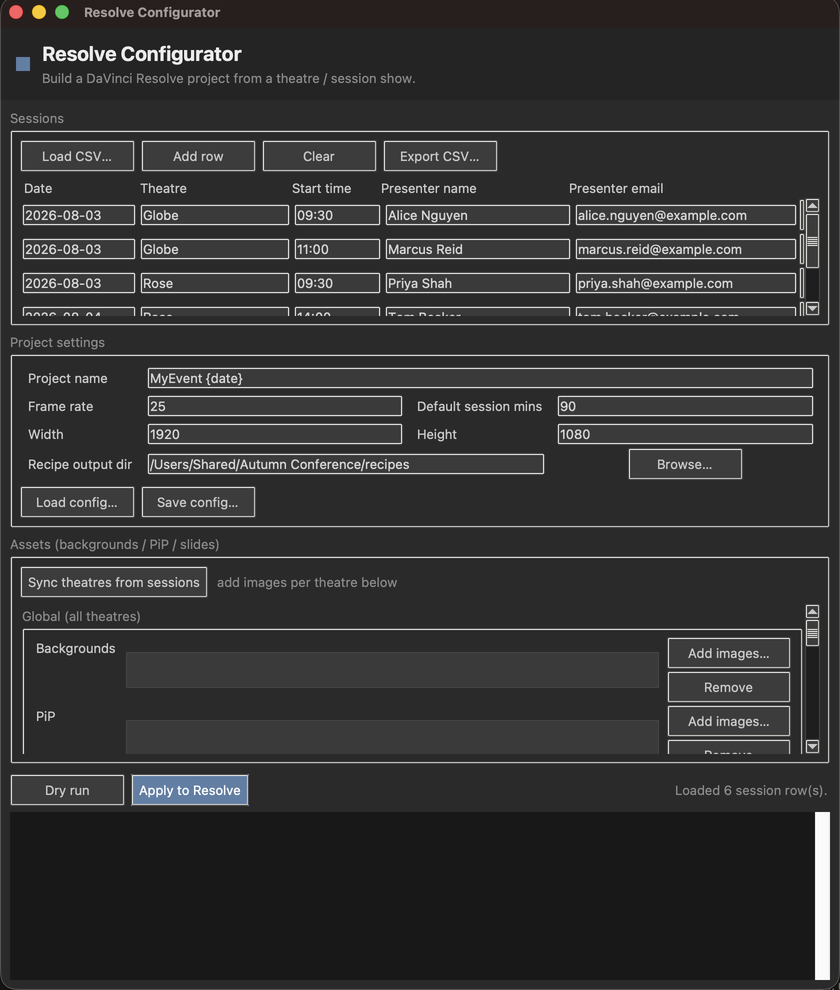
Everything comes off one screen: load the session CSV, set the project name, frame rate and resolution, attach backgrounds and PiP images per theatre, then either Dry run or Apply to Resolve.
Always dry-run first
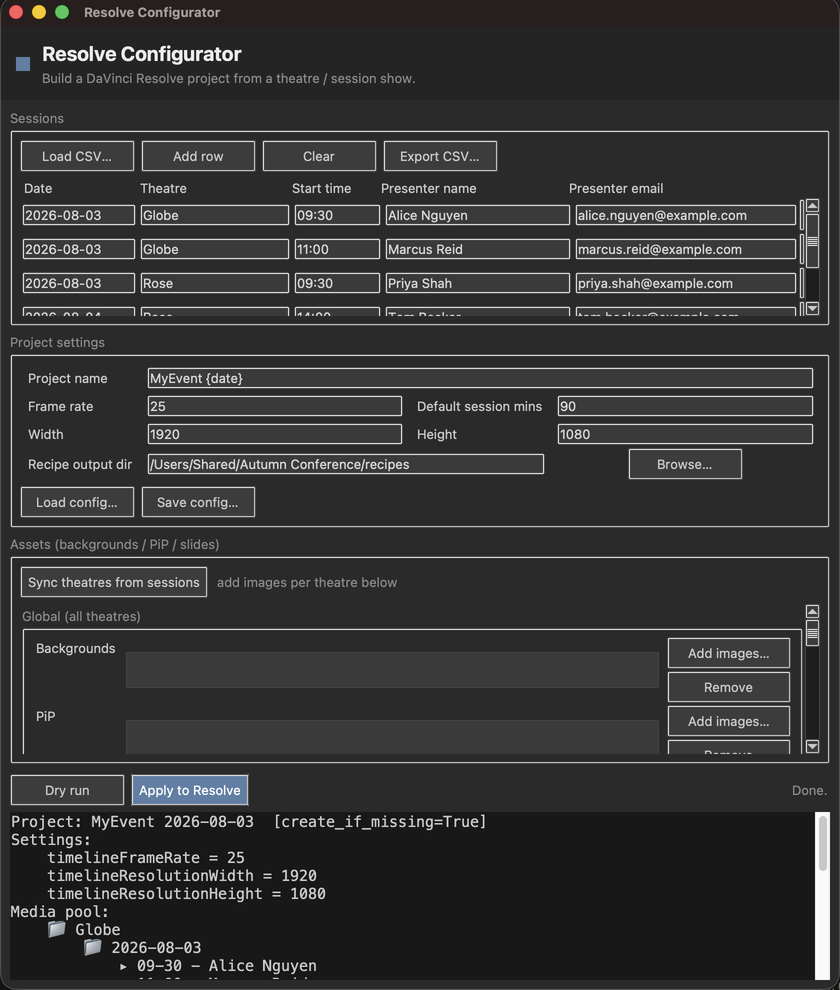
The dry run prints the whole plan — the resolved project name, every setting, and the bin tree down to each session — without touching Resolve.
resolve-configure sessions.csv --config project.toml --dry-run--dry-run never touches Resolve. It prints the planned structure and still writes the
smart-bin recipes — so it’s also the way to get the rules without building anything.
Use it to check the bin tree, the timeline names and the derived session windows before you let it near a real project.
Session end times are derived, not read
The CSV has a start time and no end time. A session ends when the next one on that theatre and day starts.
Two consequences:
- A gap in the schedule becomes part of the preceding session’s window. An hour’s break after a 30-minute talk gives that talk a 90-minute timecode range.
default_session_minutesapplies to exactly one session per theatre per day — the last one, which has no “next” to end it. Setting it doesn’t change any other session’s length.
If the derived windows look wrong, that’s the rule to check first — not the config.
The smart-bin rules assume time-of-day timecode
Resolve’s scripting API cannot create smart bins, and at build time the recordings don’t
exist in the media pool anyway. So the tool writes smart-bins.md and smart-bins.json with the
exact rules to recreate each one by hand, once:
| Field | Operator | Value |
|---|---|---|
| File Path | Contains | the theatre’s record drive |
| Date Created | is | the session date |
| Start TC | is in the range | session start … session end |
The Start TC rule only works if your recorders are jammed to time-of-day timecode. If they’re free-running or reset per card, the rule matches nothing and the smart bin looks empty — which is a recorder configuration problem, not a tool problem.
Confirm timecode jam before the event, not when you’re looking for a missing session.
Read the run summary
Three kinds of imperfect row still produce output, on purpose — a partial build is more useful than a refusal — and each one leaves a gap that looks fine until you use it:
| Situation | What you get | What’s missing |
|---|---|---|
| Unparseable start time | a timeline named from the raw value | no timecode rule in that recipe |
| Missing theatre | an untitled bin |
— |
Theatre not in [drives] |
bins and timelines as normal | no File Path rule in that recipe |
All three are reported in the summary. A recipe with a missing drive or timecode rule will still import cleanly and quietly over-match.
Assets and project settings
Asset paths in the config are relative to the config file, not to where you run the command.
[project.settings] is a verbatim passthrough to Resolve’s SetSetting() — anything you put
there is applied without validation, so a misspelled key or an unsupported value is silently
ignored by Resolve. If a setting didn’t take, check the spelling against Resolve’s own setting
names before suspecting the tool.
frame_rate is a string using Resolve’s own values ("25", "23.976"), not a number.
{date} in the project name expands to the earliest session date in the CSV.
Re-running
Safe. Bins are found-or-created, and timelines already present are skipped by name. Add sessions to the CSV, run again, and only the new ones are created.
Timeline name collisions are auto-disambiguated by appending [theatre date].
Requirements worth knowing before the day
- Python 3.11+ — no third-party runtime dependencies.
- DaVinci Resolve Studio to apply a build from outside Resolve. External scripting is a Studio feature. The free version can only run this from Resolve’s own Workspace → Scripts menu — which works, but is a different route with a different setup.
Troubleshooting
| Symptom | Cause |
|---|---|
| “The CSV is empty” / missing column | Header names don’t match. Nothing was built (The idea: one CSV, two tools). |
| Session windows longer than the talks | Windows are derived from the next session’s start — gaps get absorbed (Session end times are derived, not read). |
| One session per day is the wrong length | That’s the last one, using default_session_minutes (Session end times are derived, not read). |
| A smart bin is empty in Resolve | Recorders probably aren’t on time-of-day timecode (The smart-bin rules assume time-of-day timecode). |
| A smart bin over-matches | Its recipe is missing the drive or timecode rule — check the run summary (Read the run summary). |
A bin called untitled |
A row with no theatre (Read the run summary). |
| A timeline named from a raw time string | Unparseable start time; it also has no timecode rule (Read the run summary). |
09:30 became 09-30 |
Intentional — : is replaced, not stripped, so names never collide (The idea: one CSV, two tools). |
| An asset wasn’t imported | Paths are relative to the config file, not the CWD (Assets and project settings). |
| A project setting didn’t apply | [project.settings] is unvalidated passthrough; Resolve ignored it (Assets and project settings). |
| External CLI can’t reach Resolve | External scripting needs Resolve Studio (Requirements worth knowing before the day). |
| Re-ran and nothing happened | Existing timelines are skipped by name — that’s the safe behaviour (Re-running). |
See also
- API.md — CLI flags, the full TOML schema, the CSV contract, the recipe format
- DEVELOPING.md — tests and the dry-run pattern
- README — install and the three ways to run it