

A real-time audio analyser that runs entirely in a browser tab. RTA, spectrograph and a level meter, sharing one frequency axis.
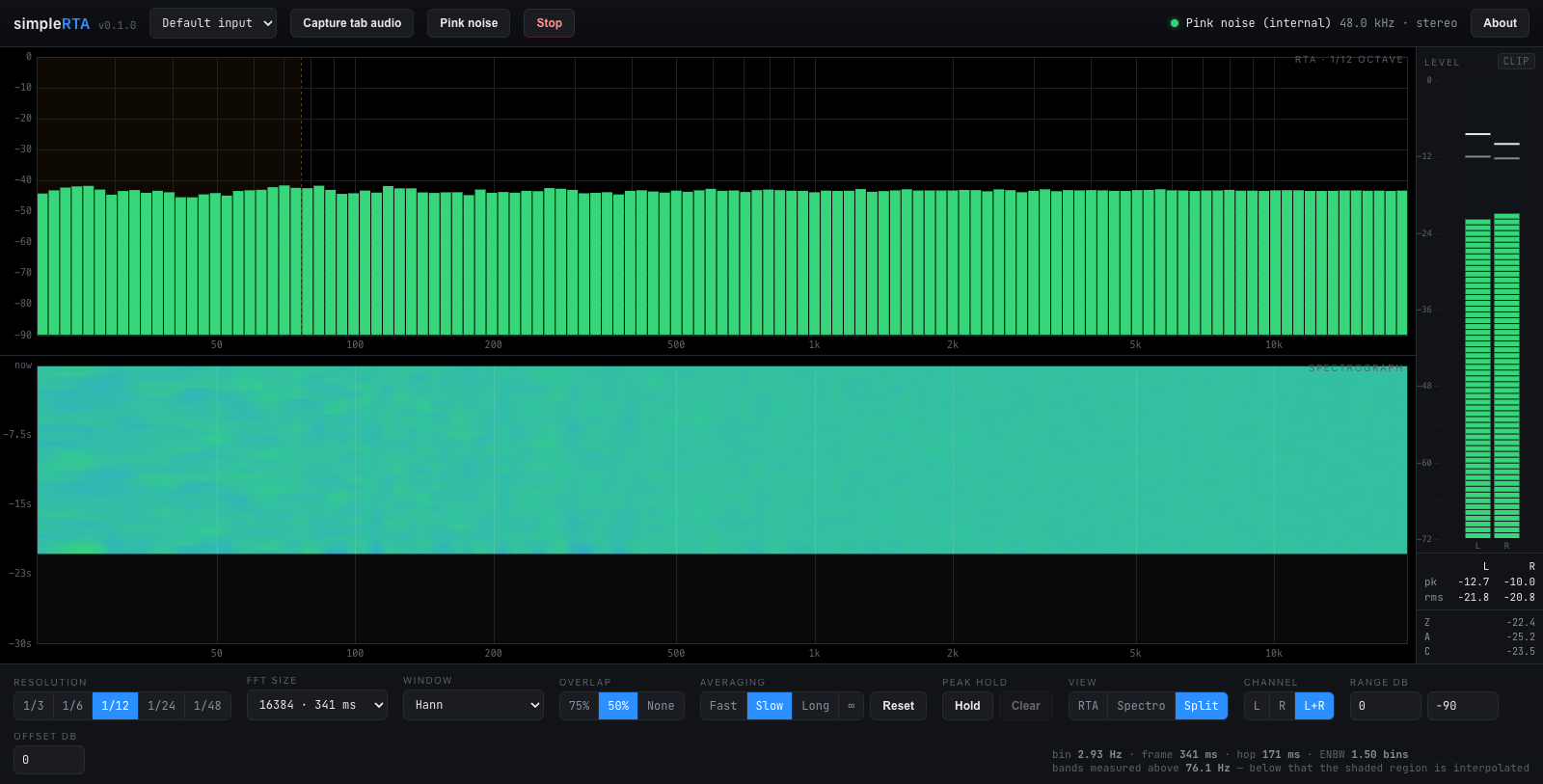
Split view on the built-in pink noise. Pink noise is flat on a constant-percentage-bandwidth display, so a correct analyser draws a level line — which is what makes this the picture worth checking a change against.
Before you rely on this: the analysis chain is verified numerically — 29 tests pin the power normalisation at every transform size and through every window, the band-integration invariants, and the agreement between the band levels and the spectrum they come from. The running app is checked against its own pink-noise source.
It has not been verified against a calibrated measurement microphone or a reference analyser, and no absolute SPL claim is made. The dB offset field is an unverified number you supply, and there is no microphone correction.
This codebase was created with AI assistance, directed and reviewed by a human author.
Start on pink noise
Pink noise is generated in the page and analysed without going anywhere near the speakers.
Because pink noise is flat on a constant-percentage-bandwidth display, a correct analyser draws a level line. That is the check that the analyser reads level, before you trust what it says about a room. Do it once, on any new machine or browser.
Sources
An audio input — a microphone, a measurement mic on an interface, or a return from a console. The browser’s echo cancellation, noise suppression and automatic gain are all switched off, so what you see is the signal rather than the voice pipeline the browser would otherwise hand you.
Tab audio — captures what another browser tab is playing. Pick a tab in the picker and tick Share tab audio. Whole-window and full-screen shares carry no audio on most platforms. Chrome and Edge only.
Pink noise — as above.
Reading the display
Levels are dBFS, on the convention that a full-scale sine reads 0 dB.
The offset field adds a constant to everything shown, so with a reference of known level you can dial the scale into SPL. Nothing verifies that number, and no microphone correction is applied — so it is a working scale, not a measurement.
The shaded region is arithmetic, not a fault
At the fine resolutions the low bands are narrower than the transform can actually resolve. Below the frequency stated under the controls, neighbouring bands report shares of a single measurement rather than independent ones, and the RTA shades that part of the graph.
It is the arithmetic of asking a 341 ms transform for 1/48-octave detail at 30 Hz. Lengthen the transform, or use a coarser resolution, and the shading recedes.
| Resolution | 16384-point transform, 48 kHz | 65536-point |
|---|---|---|
| 1/3 octave | resolved from 20 Hz | 20 Hz |
| 1/12 octave | 76 Hz | 19 Hz |
| 1/48 octave | 304 Hz | 76 Hz |
Do not read a difference inside the shading as a difference in the room.
Which window
| Hann | Anything ordinary. |
| Blackman-Harris | To see a quiet tone next to a loud one — it buys −92 dB sidelobes at the cost of a wider main lobe. |
| Flat-top | When the amplitude of a tone matters more than its frequency: accurate to about 0.01 dB wherever the tone falls between bins, with poor frequency resolution in exchange. |
| Rectangular | Only for signals that are periodic within the frame. |
Flat-top is the one people reach for too rarely. If you are matching levels between two tones, Hann will cost you up to 1.4 dB depending on where the tone lands.
What else is on screen
- RTA at 1/3, 1/6, 1/12, 1/24 or 1/48 octave
- FFT size 2048 to 65536, with a selectable window and overlap
- Peak hold per band, and exponential or infinite averaging
- Spectrograph sharing the RTA’s frequency axis
- Full-height bargraph meter — peak, RMS, peak hold and a latching clip indicator, plus broadband Z / A / C readouts
No backend, no accounts, no telemetry. The audio is analysed on the page and never leaves the browser.
If something looks wrong
| Symptom | Cause |
|---|---|
| Pink noise does not draw flat | Something is wrong before you look at any room. Check the source and the offset. |
| The low end is shaded | The transform cannot resolve those bands. Lengthen it or coarsen the resolution. |
| Tab audio is silent | Whole-window and full-screen shares carry no audio on most platforms. Pick a tab. |
| Two tones read different levels at the same amplitude | Window scalloping loss. Use flat-top. |
| The SPL number is wrong | It is your offset. Nothing here verifies it, and there is no mic correction. |