

IP Mini HDMI clamp
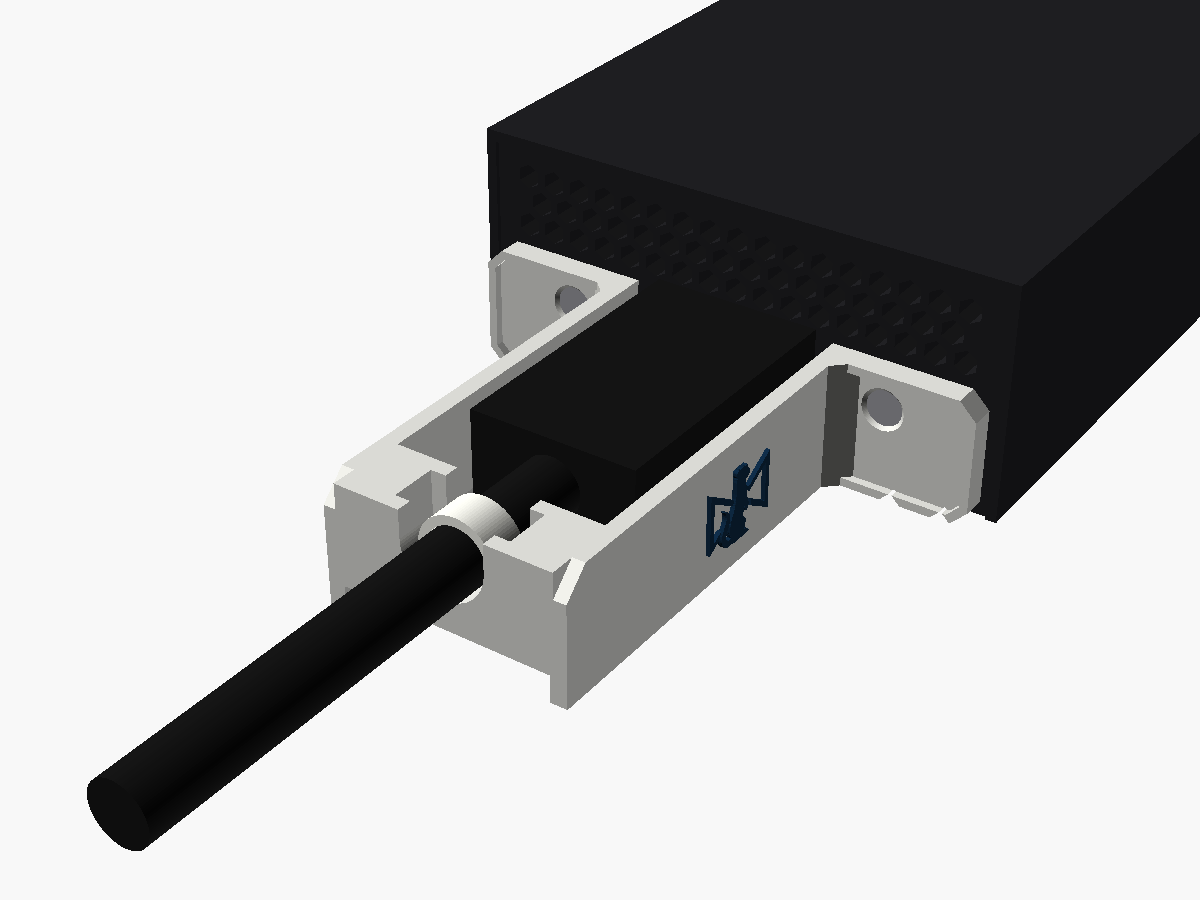
A clamp for the HDMI end of a 2110 IP Mini IP to HDMI, so a tug on the HDMI lead pulls on a cable tie instead of the port.
What it does
The IP to HDMI's output is an unlatched HDMI socket, and the lead on it usually runs off to a screen some distance away. So it's the lead that gets tugged and snagged, and the socket's only defence is friction.
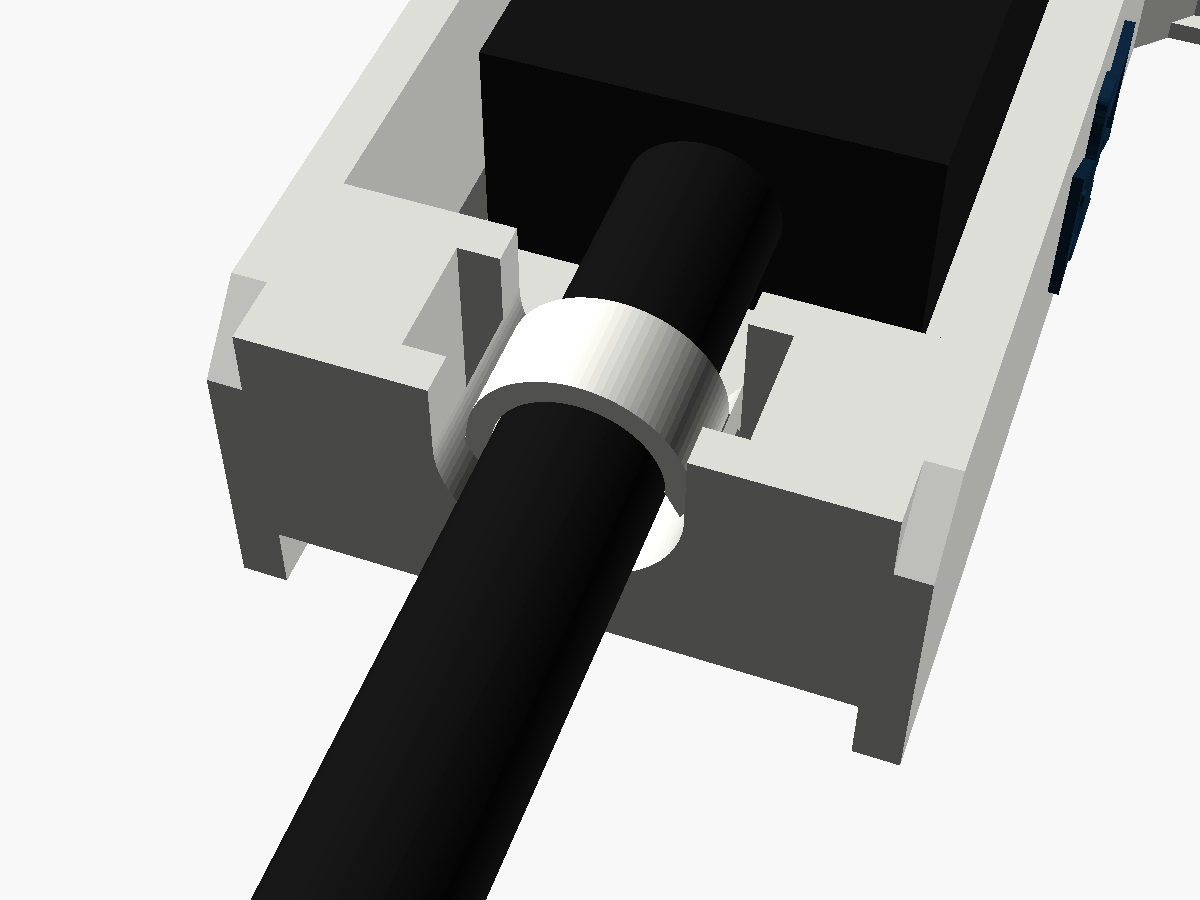
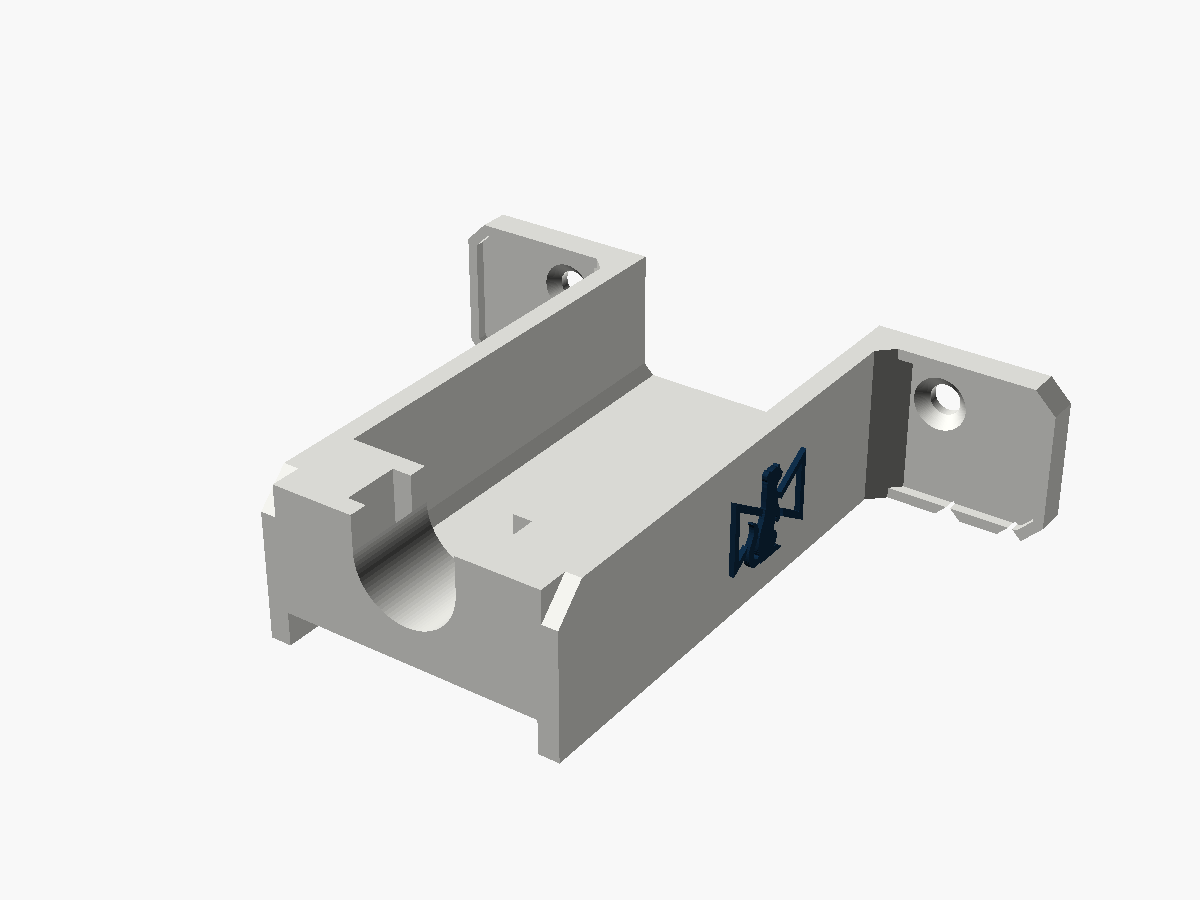
This clamp takes the two screws either side of the HDMI port. A channel runs out from it under the plug, with a wall either side of the plug's moulding, to a bar just past the end of the moulding. You tie the cable to the bar, in a trough at the port's own height, and from then on a pull on the lead stops at the tie. The plug only carries its own weight.
It stays below the vents on that end and covers none of them. The plug's moulding covers a few, as it does without the clamp.
Where it stands
v0.1. I've modelled it and checked it in software, but I haven't yet printed one and fitted it to a real converter. The steps below are written from the model. Once one has been on a real one, I'll update this page with anything that turned out differently.
Print your own
Fitting it
You'll need
- A small Phillips screwdriver
- Two countersunk screws the same size as the originals and 2 mm longer (see the screws, below)
- One cable tie, up to 5 mm wide and 1.5 mm thick. A reusable one with a release tab is kinder to hire stock than one you have to cut off
Check the longer screw fits before the clamp goes on. Nothing shows what these screws go into behind the panel, and it may be a blind hole. Step 2 checks it.
Do this with the converter unpowered.
- Take out the two screws either side of the HDMI port.
- Run one of the longer screws into one of the empty holes on its own, without the clamp. It should go all the way home, with its head flush in the panel. If it stops short, don't force it: the hole is too shallow for this clamp. Put the original screws back and let me know.
- Hold the clamp on the end panel, under the vents, with the channel round the HDMI port. Put a longer screw through each hole. Snug is enough.
- Plug the HDMI lead in, down the channel.
- Lay the cable in the trough at the far end. Run the cable tie over the cable, down one slot, under the middle of the bar and up the other slot.
- Pull the tie snug, not tight: it only has to stop the cable sliding. Leave the cable a little slack between the plug and the bar.
How it holds
A pull on the lead stops at the tie, the tie pulls on the clamp, and the clamp pulls on the case's screws. The trough holds a 7 mm cable on the port's axis, so the tie doesn't drag the plug off line either.
The screws
In Blackmagic's picture of the end panel the countersinks are about 4.3 mm across, which makes the screws M2 or M2.5. I haven't had one apart to check. The clamp's holes are 2.9 mm with a 5.0 mm countersink, so they take either.
The plate is 2 mm thick where the heads sit, hence screws 2 mm longer. Don't reuse the originals: they'd lose 2 mm of thread.
Your HDMI lead
The trough is a U, 10 mm across, sized so a 7 mm cable sits on the port's axis. Other sizes sit in the bottom of the U: a 5 mm cable about 1 mm low and a 10 mm one 1.5 mm high, both of which the slack between the plug and the bar takes up.
The plug's moulding, boot and all, has to finish before the bar, which is 42 mm from the panel. Most HDMI plugs are 25 to 40 mm. A smaller moulding has room to move sideways in the channel, and doesn't need holding there, because the tie holds the cable.
Will your leads fit?
| HDMI plug moulding | Up to 24.2 × 14.2 mm across, centred on the port |
|---|---|
| Moulding length | Up to 41.5 mm from the panel, boot included |
| Cable diameter | 5 to 10 mm (7 mm sits on the port's axis) |
| Cable tie | Up to 5 × 1.5 mm |
Taking it off
- Release or cut the cable tie and unplug the HDMI lead.
- With the converter unpowered, take out the two longer screws and lift the clamp off.
- Put the original screws back in.
What's been checked
In software only, against the model. Nothing here has been tried on a real part yet, which is what the second list is for.
in software Nothing below the case's underside, nothing inside the case, and nothing within 0.7 mm of the vents.
in software A 24.2 × 14.2 mm moulding, 41.5 mm long, fits the channel.
in software Cables from 5 to 10 mm lie in the trough between 1 mm low and 1.5 mm high of the port's axis.
in software Both tie slots are clear, with 3.2 mm under the bar for the tie, and a screwdriver reaches each screw.
not yet The screws' size, and whether a screw 2 mm longer goes fully home.
not yet Whether your HDMI lead's moulding fits the channel and finishes before the bar.
Where the numbers came from
Written from scratch: nobody had published a part for the 2110 range. Blackmagic's straight-on picture of the HDMI end turns out to be to scale (it matches the catalogue size to a hundredth of a millimetre), so the port, screws and vents were measured straight off it. The SFP model's end is the same picture, give or take 142 scattered pixels.
More views
Fitted one?
Tell me how it went
If you've put one on a real converter, I'd like to hear about it, good or bad: whether it seated, whether your plug went in, and anything that got in the way.