

Micro Converter micro-USB guard
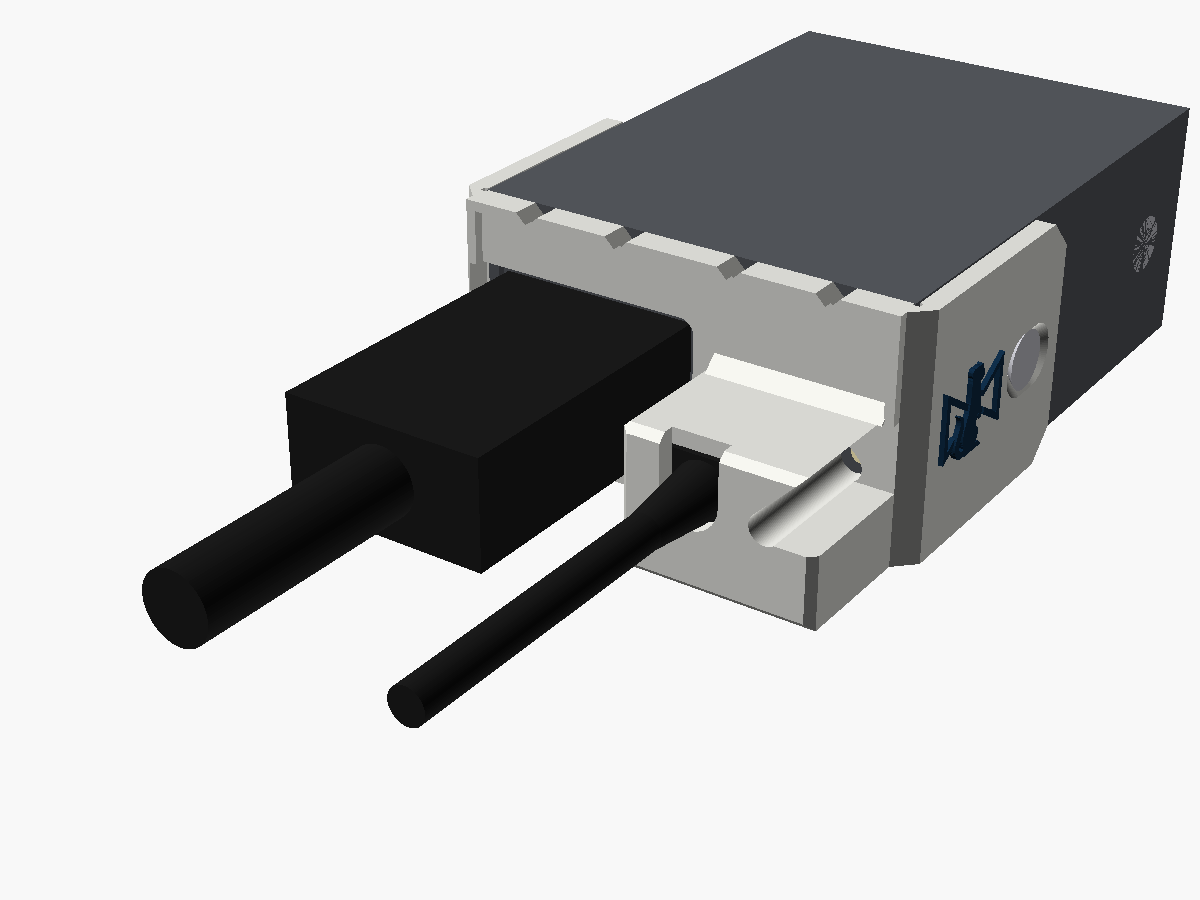
A guard for the HDMI end of the original micro-USB one-way Micro Converters, held on by two of the case's own side screws.
What it does
Before the 3G models moved to USB-C, the one-way Micro Converters took their power through a micro-USB socket on the HDMI end, right next to the HDMI port. It's in nearly the same place as the later USB-C socket, in the same case, so this is the Micro Converter USB guard redrawn for a micro-USB plug.
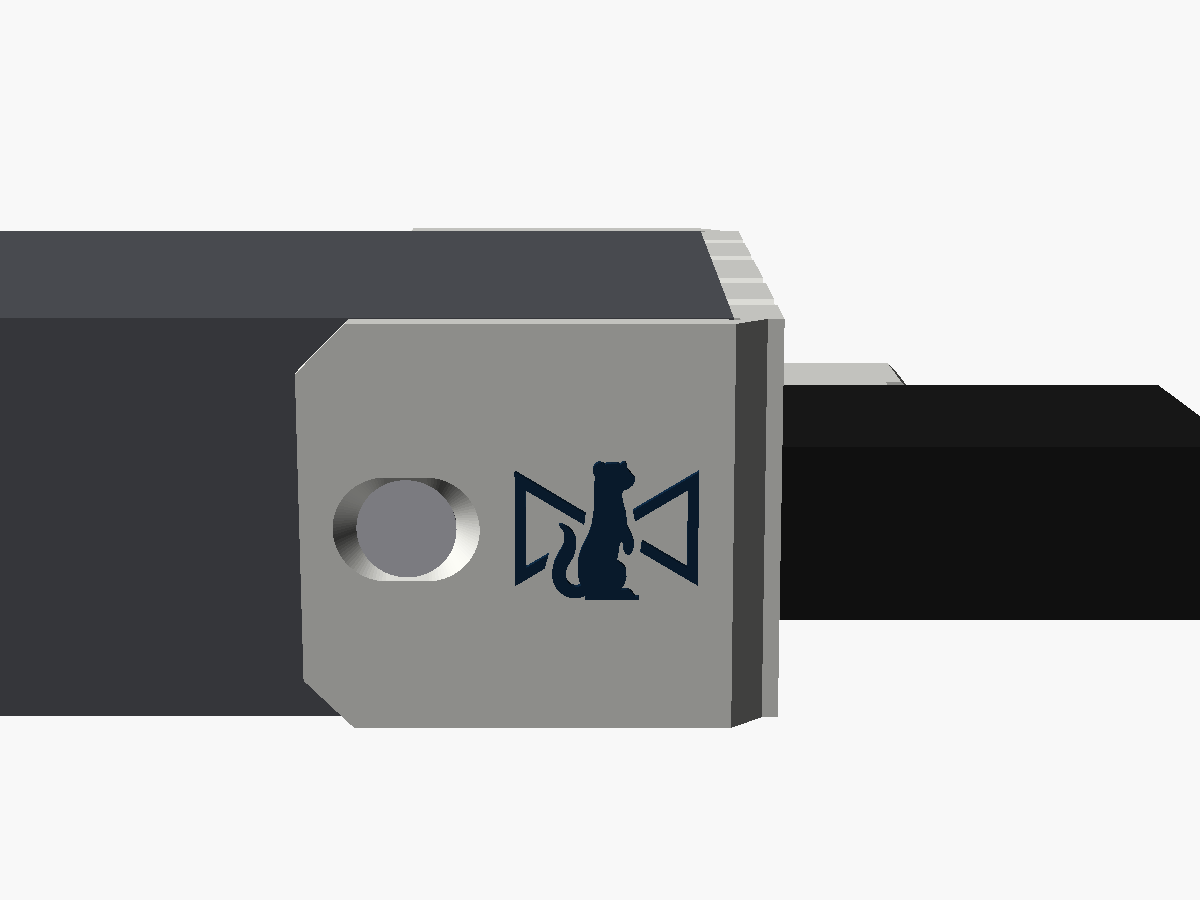
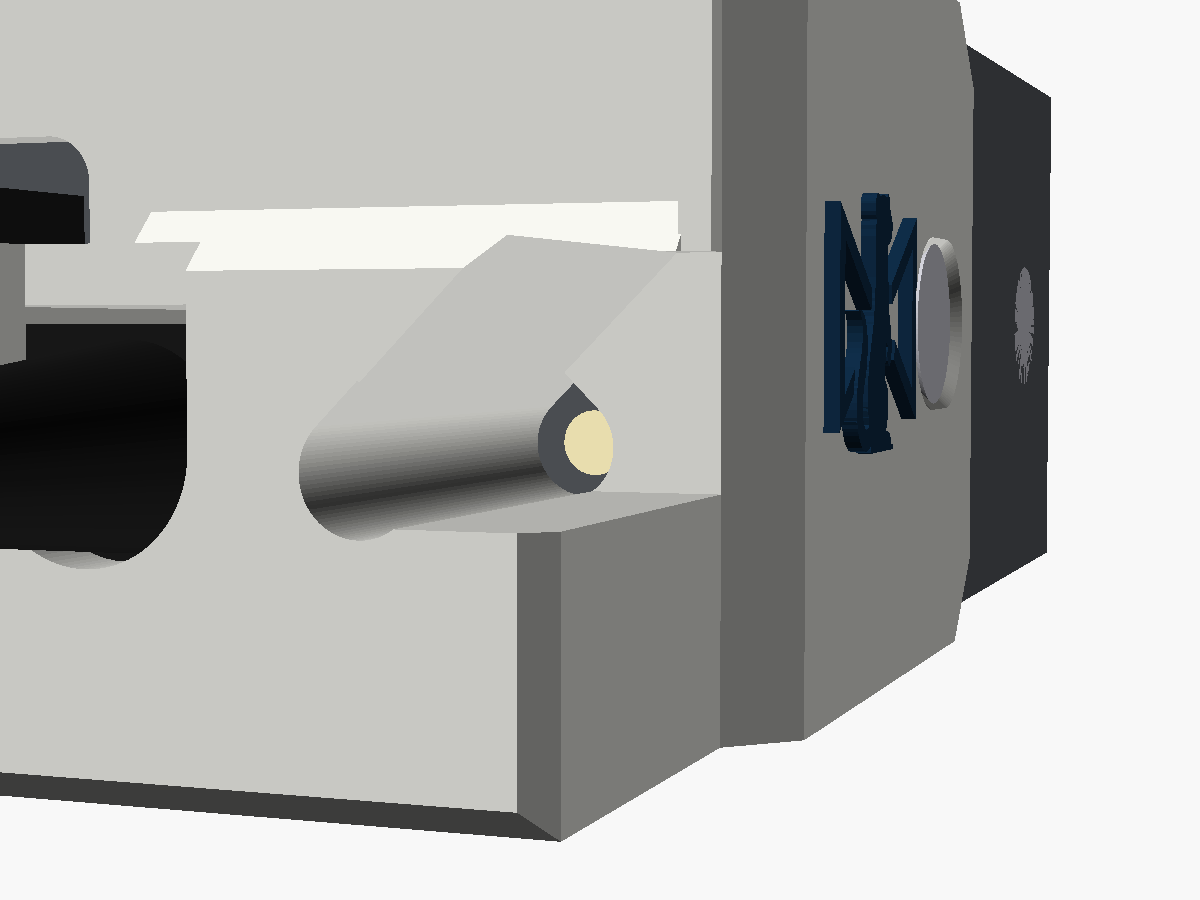
The guard wraps round both corners of the case, and its two arms take the case's own side screws, the pair nearest the HDMI end. A tower round the plug stops it backing out or being levered about. The HDMI plug goes in through a big opening beside the tower, and the power LED shows through a window in the tower's side. It's flush with the top and bottom of the case, so the converter still sits flat.
Where it stands
v0.1. I've modelled it and checked it in software, but I haven't yet printed one and fitted it to a real converter. The steps below are written from the model, and every number for the converter comes from Blackmagic's straight-on render of this end, which is to scale. Once one has been on a real one, I'll update this page with anything that turned out differently.
Print your own
Fitting it
You'll need
- A small Phillips screwdriver
- Two M3 countersunk screws, each exactly 2 mm longer than the side screws you take out
- The micro-USB lead you'll be using with it
Never use a screw more than 2 mm longer than the original. A side screw that's too long reaches the HDMI and SDI connectors inside the case.
- Plug the micro-USB lead into the converter.
- Take out the two side screws nearest the HDMI end, one on each side. Leave the other pair alone.
- From above, slip the cable into the slot in the tower's cap. Slide the guard along the cable onto the end of the converter, an arm down each side of the case, until the plate sits on the case's front edge and the plug body is inside the tower.
- Put a longer screw through each arm's slot. Hold the guard home while you tighten them. Snug is enough.
- Plug the HDMI lead in through the opening beside the tower.
How it holds
The tower's top sits over both ends of the plug's moulded body, so the plug can't back out. There's a wall each side of it and the tower is solid underneath, so it can't be levered either. The holes in the arms are short slots, so the plate can sit on the case's edge wherever the screw actually turns out to be.
The screws
The side screws are M3 countersunk Phillips, two each side, as on the USB-C models. Each arm is 2 mm thick and its countersink sits the head flush, so the replacement needs to be 2 mm longer than the original, and no more.
Don't reuse the originals with the guard either. They'd lose 2 mm of thread.
The plug
Micro-USB mouldings vary a lot more than USB-C ones. The pocket is sized for the flat moulding with a "B" on it that Blackmagic's and Decimator's stock leads use, measured from photos, and the cap has to sit right on the end of it: micro-USB only goes in about 6 mm, so there's not much room for a plug to back out.
Will your leads fit?
| Micro-USB plug moulding | Up to 10.6 × 6.8 mm across |
|---|---|
| Moulding length | 13 mm from the socket to where the boot starts |
| HDMI plug moulding | Up to 24.3 × 14.2 mm across |
A bigger or longer micro-USB moulding needs the guard re-made to suit it.
Taking it off
- Unplug the HDMI lead.
- With the converter unpowered, take out the two longer screws and slide the guard off along the cable.
- Put the original screws back in.
What's been checked
In software only, against the model. Nothing here has been tried on a real part yet, which is what the second list is for.
in software Flush with the case's top and underside, nothing inside the case, and both arms 0.2 mm clear of its sides.
in software Nothing within 0.3 mm of the LED, all the way up, and it can be seen out to 29° off the cable's line towards the USB side.
in software A 10.6 × 6.8 mm plug body goes in and the cap sits over both its ends, and a 24.3 × 14.2 mm HDMI moulding reaches its port.
in software An M3 flat head seats flush anywhere in each slot.
not yet Where the side screws really are, and how long the originals are.
not yet Whether your micro-USB lead's moulding fits the pocket.
Where the numbers came from
Blackmagic's straight-on render of this end, from a retailer's listing, turns out to be to scale, at 30.4 pixels to the millimetre. It puts the case at the same 45.7 × 24.9 mm as the USB-C models, with the socket within half a millimetre of the later USB-C socket. The case, the screws and the HDMI opening are the Micro Converter USB guard's.
More views
Fitted one?
Tell me how it went
If you've put one on a real converter, I'd like to hear about it, good or bad: whether it seated, whether your plug went in, and anything that got in the way.