

Micro Converter USB guard
A guard for the HDMI end of Blackmagic's one-way Micro Converters, held on by two of the case's own side screws.
What it does
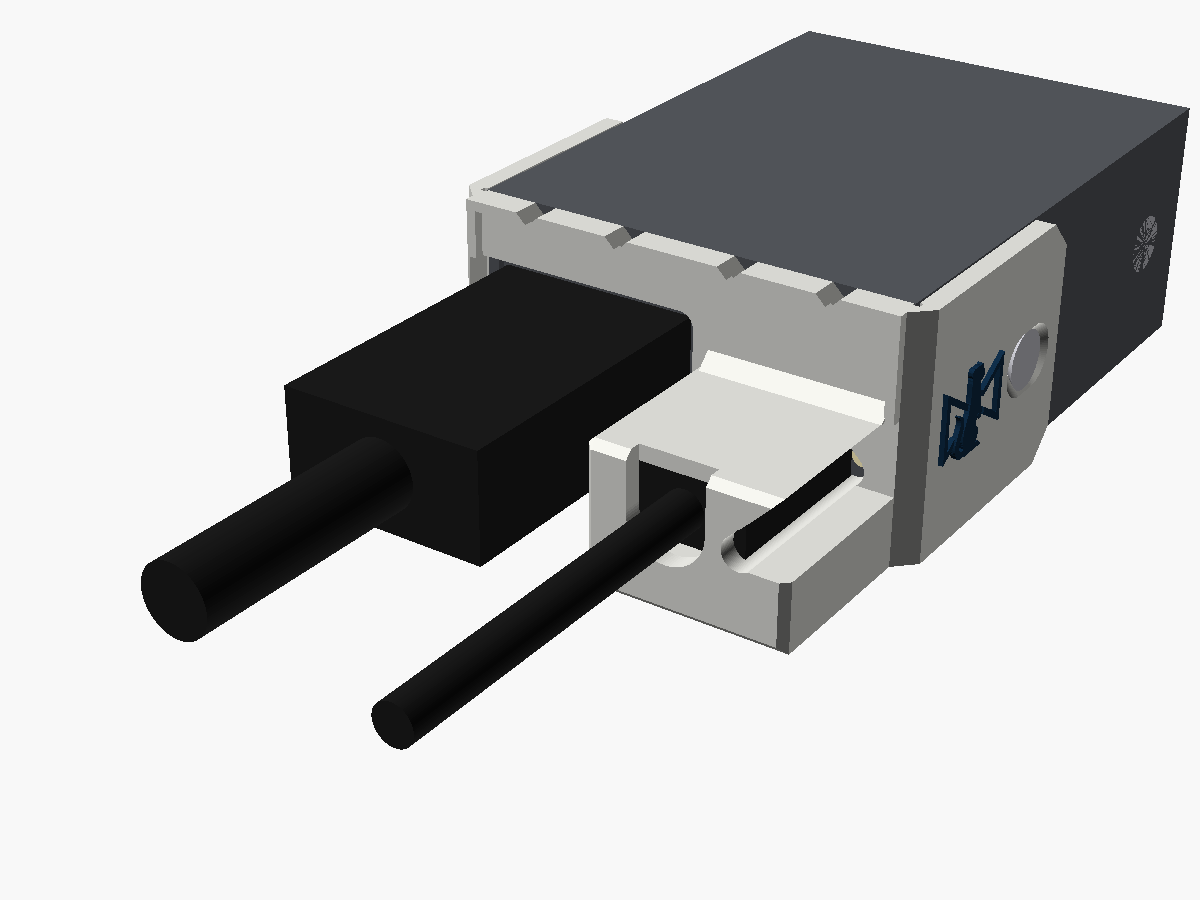
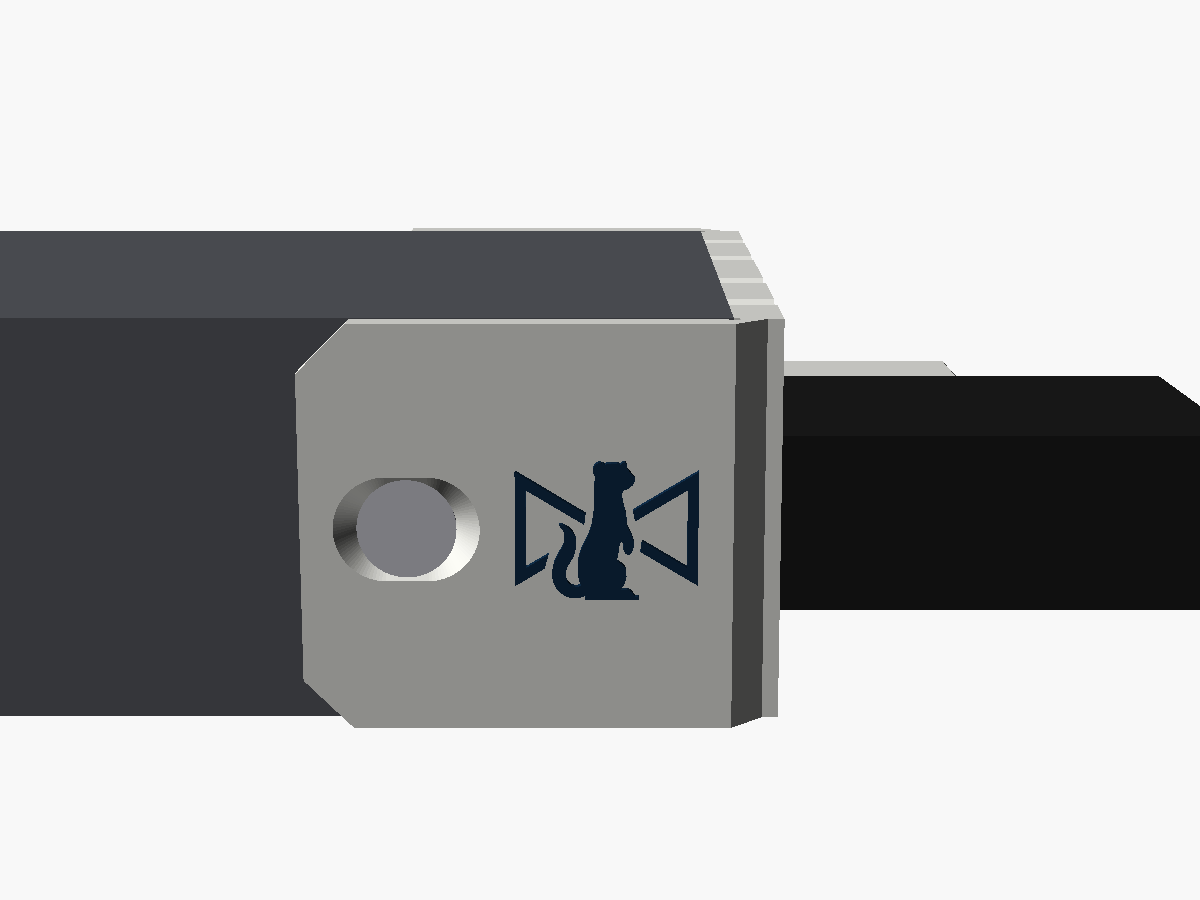
The one-way Micro Converters keep their USB-C power socket on the HDMI end, right next to the HDMI port. There are no BNC nuts on that end to clamp anything to, so this guard wraps round both corners of the case instead, and its two arms take the case's own side screws, the pair nearest the HDMI end.
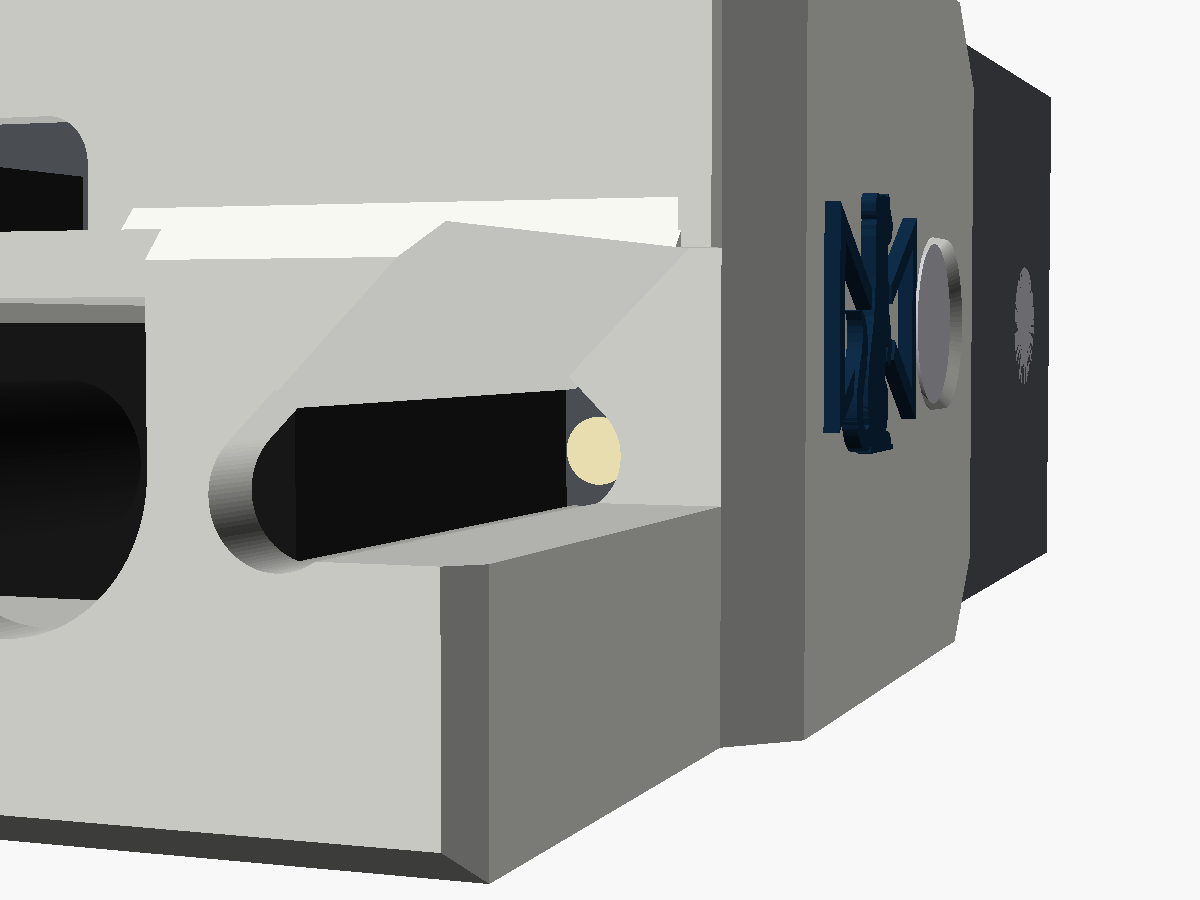
A tower round the USB-C plug stops it backing out or being levered about. The HDMI plug goes in through a big opening beside the tower, and the power LED shows through a window in the tower's side. The guard is flush with the top and bottom of the case, so the converter still sits flat on a desk either way up.
One guard fits all four models. Blackmagic's drawings of the 3G and 12G versions show the same HDMI end and the same screws.
Where it stands
v0.1. I've modelled it and checked it in software, but I haven't yet printed one and fitted it to a real converter. The steps below are written from the model. Once one has been on a real one, I'll update this page with anything that turned out differently.
Print your own
Fitting it
You'll need
- A Phillips screwdriver that fits the case's side screws
- Calipers or a rule, to measure one of the side screws
- Two M3 countersunk screws, 2 mm longer than the ones you take out
- The USB-C lead you'll be using with it
Never use a screw more than 2 mm longer than the original. A side screw that's too long reaches the HDMI and SDI connectors inside the case.
- Take out the two side screws nearest the HDMI end, one on each side of the case. Leave the other pair where they are.
- Measure one of the screws you took out, and get two M3 countersunk screws 2 mm longer. If yours is M3 × 4, you want M3 × 6. Keep the originals with the converter.
- Plug the USB-C lead into the converter.
- From above, slip the USB-C cable into the slot in the tower's top. Slide the guard along the cable onto the end of the converter, with an arm down each side of the case, until the plate sits on the case's front edge and the plug body is inside the tower.
- Put one of the new screws through each arm's slot. Hold the guard home while you tighten them. Snug is enough.
- Plug the HDMI lead in through the opening beside the tower.
- Power the converter up and check the power LED shows in the window in the side of the tower.
How it holds
The tower's top sits over both ends of the plug's moulded body, so the plug can't back out. There's a wall each side of it and the tower is solid underneath, so it can't be levered either. The holes in the arms are short slots, 2.4 mm long along the case, so the plate can sit on the case's edge wherever the screw actually turns out to be.
The screws
The side screws are M3 countersunk Phillips, two each side. Each arm is 2 mm thick, and its countersink sits the head flush, so the replacement needs to be 2 mm longer than the original, and no more. AshTheMaker's notes for their own Micro Converter mount give the same warning about long screws and the connectors inside.
Don't reuse the originals with the guard either. They'd lose 2 mm of thread.
The LED
The power LED is just to the right of the USB-C port, tucked against the plug's moulded body, so it shows down a light well through the plate and out of a window in the tower's side. You'll see it best from the USB-C side, out to about 31° off the line of the cable. From other directions it's only 4 to 6°, because the tower's top has to cover the end of the plug body, which sits right next to the LED.
Its position came from Blackmagic's renders, so it's worth a look on the first converter you fit.
Will your leads fit?
| USB-C plug moulding | Up to 13.5 × 7.5 mm across |
|---|---|
| USB-C moulding length | No more than 18.2 mm from the case's front edge |
| HDMI plug moulding | Up to 24.2 × 14.2 mm, centred on the port |
| Sized for | Blackmagic's own USB-C supply |
Nothing wider than that HDMI moulding fits past the case's own side anyway, so the guard takes nothing away from the HDMI plug.
Taking it off
- Unplug the HDMI lead.
- Take out the two longer screws and slide the guard off along the USB-C cable.
- Put the original screws back in. Never the longer ones without the guard: they'd reach 2 mm further into the case.
What's been checked
In software only, against the model. Nothing here has been tried on a real part yet, which is what the second list is for.
in software Flush with the case's top and underside, with the arms 0.2 mm clear of its sides.
in software A 13.5 × 7.5 × 18.2 mm plug body goes in, its 4.5 mm cable passes the tower's top, and the top sits over both ends of the body.
in software A 24.2 × 14.2 mm HDMI moulding reaches the port.
in software An M3 flat head seats flush anywhere along each slot.
not yet Every number for the converter itself, which came from Blackmagic's renders. The side screw is expected 19.6 mm back from the front edge (the slots take 1.2 mm either way) and the case 45.7 mm wide.
not yet Whether your USB-C lead's plug fits.
not yet Whether the LED window lines up with a real converter.
Where the numbers came from
Written from scratch: there wasn't a part for this end of these converters to start from. Blackmagic doesn't publish drawings with port positions, so everything was measured off two of their product renders, straightened out with a perspective transform. The two agree to under a millimetre. The USB-C plug's size is Blackmagic's own supply, the same numbers as the BiDi guard.
More views
Fitted one?
Tell me how it went
If you've put one on a real converter, I'd like to hear about it, good or bad: whether it seated, whether your plug went in, and anything that got in the way.