

Dante BabelBox
Dante kit from different vendors, on speaking terms
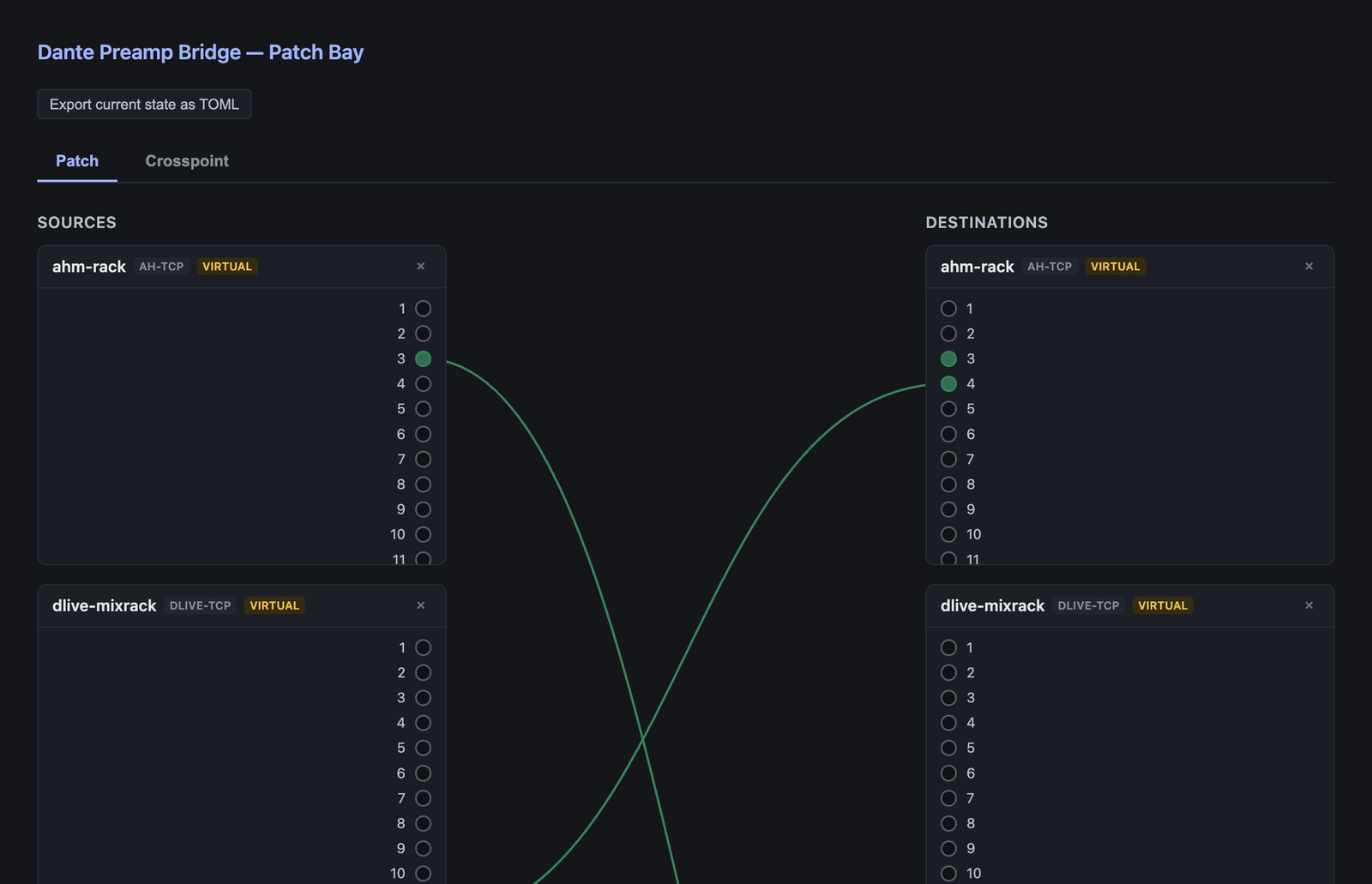
What it does
Dante carries audio and mDNS device discovery, and nothing at all about preamp gain, phantom power or radio-mic status. Every vendor layers its own proprietary control protocol on top of the same network. BabelBox translates between those protocols, so the state of one vendor's device is usable outside that vendor's own kit.
It covers two things: preamp control across Dante-networked desks and stageboxes, and radio-mic telemetry, which works whether or not the receiver even has a Dante option fitted.
- Behringer and Midas X32, M32, Wing and HD96 over OSC
- Allen & Heath AHM processors and dLive over NRPN-over-TCP
- Yamaha DM3 over OSC
- Shure ULX-D and Axient telemetry over ASCII/TCP
- Sennheiser EW-DX over SSC/JSON
- One unified gain, phantom and telemetry state out the other side
- Yamaha Rio and Tio stageboxes over Audinate ConMon — gain, +48 V and metering
- Any AES70/OCA device, discovered at runtime — Focusrite RedNet and anything else with AES70 enabled
Where it stands
Released at v0.5.0, which adds the gain lock: when a leader desk's preamp moves, X32/M32 and Wing followers make the opposite trim move, so monitor and broadcast levels stay put. It's only been tested against mock desks, and no real desk has followed a leader yet. v0.5.0 also corrects the X32 headamp addressing and gain encoding, which still hasn't been run on a console. v0.4.1 was a dependency release. v0.4.0 added a Sennheiser evolution wireless G3 receiver as a one-channel preamp whose gain is its AF-out level, speaking the binary WSM protocol on UDP 8133 (reverse-engineered from Wireless Systems Manager against a real EM 500 G3), and stopped the Router echoing a value back to the device that sent it. v0.3.0 added the Yamaha DM3 SCP adapter, the first one with every method checked on real hardware: reads, writes, read-after-write and the change feed driven by the console's own NOTIFY push, on a real DM3 on 15 September 2026. The Router was proven the same day, with a DM3 head-amp gain driving the G3's AF-out end to end. v0.2.0 added the Allen & Heath DT preamp codec and Yamaha SCP discovery. The other adapters are built from official or community-authoritative vendor protocol specs, with one clearly flagged exception (the Lectrosonics mic adapter's wire format is an unverified placeholder), and almost all of them have only been run against mock devices in the test suite. Two more wire formats are proven on hardware, though. The Yamaha R-series HA protocol was captured from a real QL1 and Rio3224-D2, rebuilt from that documentation and sent back, and the stagebox changed its gain; and the Shure QLX-D console-mount path was reverse-engineered from a real QLXD4. So those protocols are proven, but the code around them isn't yet.
Help wanted
This one needs hardware, not code
BabelBox can translate between vendors, but it cannot yet impersonate one — appear as a native device of a foreign brand, so a console drives it from its own preamp UI. That is blocked on packet captures, and a capture needs hardware rather than code.
Every desk and stagebox from the same manufacturer has a private handshake — how they find each other, pair up, and agree on gain and phantom power. None of it is in any public spec. To join that conversation from outside, it first has to be recorded happening between two devices that already trust each other.
So the capture that matters is a console paired with its own native stagebox: a real Yamaha QL1 talking to a real Rio or Tio, not to a foreign-vendor box. Your laptop sits inline between the two, passing everything through unchanged, while Wireshark watches. About twenty minutes, and no specialist network gear — no tap, no mirroring switch.
What you'd need
- A spare desk and its matching stagebox — same brand and family, so you get the pairing they already trust
- A laptop with two Ethernet ports: a built-in port or Thunderbolt adapter, plus a cheap USB-to-Ethernet one
- Two ordinary Ethernet cables, and Wireshark
- A bench, before or after a show. Never a live network mid-event — inserting anything into a production Dante network isn't worth the risk
Windows
Select both adapters in Network Connections, right-click, Bridge Connections. The quickest of the three.
macOS
Network settings → Manage Virtual Interfaces → New Bridge. Say yes when Wireshark's installer offers ChmodBPF, or every capture needs sudo.
Linux
A handful of copy-pasted `ip link` lines rather than a menu. No config files to edit.
Writing a device plugin If you have a published control spec instead of hardware: a plugin implements one trait, compiles as a cdylib and loads into any build, so it never has to land in this repo at all.
Watch it running
Nothing loads from YouTube until you press play.Watch it there instead