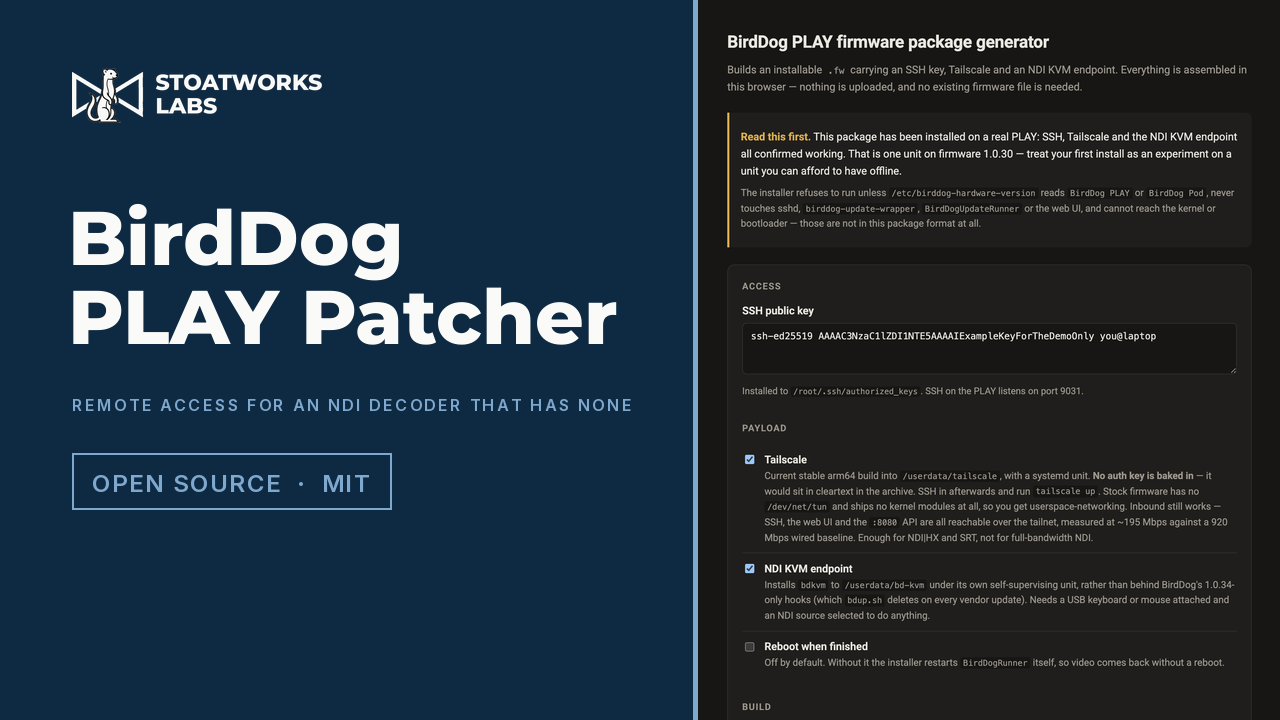
A BirdDog PLAY has no way in from outside the room it's sitting in.
This builds the firmware package that gives it one. Tick what you want (an SSH key, Tailscale, an NDI KVM endpoint, a USB media player, a camera input), paste a public key, and download a .fw you upload through the decoder's own web page. The archive is assembled in the tab, and you don't need a copy of your existing firmware to make one.
It can be a static page because a valid package turns out to need nothing of the vendor's: the stock updater runs a script out of the uploaded archive as root without checking a signature, so the package is an ordinary gzip'd tar with no key anywhere in it. The patches it installs, the flasher for a unit that no longer answers, and the replacement operating systems for one you want to stop being a decoder are all on the BirdDog PLAY page. Not affiliated with, endorsed by or supported by BirdDog, and installing it won't do your warranty any favours.
46 seconds at the live address, driven through the tool's own controls: the Tailscale release actually is fetched and checked against its published SHA-256 during the take, and the package at the end was assembled in the tab. The key on screen comes from the page's own demo mode. Filmed before the USB player and the camera option were added.
What you can put in the package
01
A key, and a tailnet
Your public key appended to the root account, and the current stable arm64 Tailscale alongside it. No auth key is baked in (one in a file a web page hands you is one in cleartext), so the unit arrives installed and signed out. Stock firmware has no TUN device and ships no kernel modules at all, so Tailscale runs in userspace networking. Inbound still works, measured at ~195 Mbps against a 920 Mbps wired baseline, which is enough for NDI|HX and SRT but not for full-bandwidth NDI.
02
Signed in from the decoder's own page
Choosing Tailscale also adds a Tailscale panel to the System page of the PLAY's own web interface, so the unit joins a tailnet from a browser rather than over SSH. Reading status is open; changing anything needs a live login to that interface, because an open Tailscale API would let anyone on the LAN join the box to a tailnet of their own.
03
NDI KVM
A keyboard and mouse on the PLAY's USB port drive the machine it's displaying, forwarded to the NDI source as metadata. The agent opens its own receiver at metadata-only bandwidth, so it costs nothing on the wire and coexists with the decoder's own. It uses the free NDI SDK and loads the device's existing library at run time, so no NDI code is redistributed.
04
A USB stick as a source
Beta
USB joins the source dropdown, and a stick plays video, stills and PDFs straight to HDMI, hardware-decoded, in order or shuffled, looping until you pick something else. The media stack was already on the box and unused. What was missing is that nothing mounts a stick, and USB isn't on the list of names the web UI accepts.
05
A camera in, NDI out
Beta
The decoder run backwards: a USB camera on the same port, out as NDI, NDI|HX, SRT or HDMI, any combination from one capture, with its settings in a tab in the decoder's own interface. The chip's hardware encoder is fitted and switched on, and the vendor's software never touches it, as a decoder has nothing to encode.
06
Built here, not on a server
No upload
tar, gzip and SHA-256 are browser APIs now, so the whole archive is assembled in the tab, with no upload, no account, and nothing you type leaving the page. The only server-side code in the project is a proxy that fetches the Tailscale release and the streaming gateway's MediaMTX, because neither download host serves a CORS header, and you can hand the Tailscale tarball over yourself instead, to pin a version or build offline.
What to check before a show
01
One unit, on one firmware version
All of this has been installed on a real PLAY on firmware 1.0.30 and confirmed working there: SSH, Tailscale, the KVM agent driving a Windows machine, and the player running from a genuine exFAT volume. That's one unit on one firmware, not the range of PLAY and Pod firmware out in the field. Treat the first install as an experiment on a unit you can afford to have offline.
02
The two beta options take the display, and the vendor's decoder minds
Playing from USB, or sending a camera straight to HDMI, means standing BirdDog's own video process down and putting it back, because only one process owns the screen at a time. Switching between that and NDI repeatedly destabilises it: on the test unit its runner went from no aborts to thirty over an afternoon of flicking between sources. Recovery is handled and the picture comes back, but treat USB as a mode you set for a session rather than something you cut to and from.
03
A PLAY on a tailnet has no access control of its own
The decoder's REST API has no authentication of any kind and allows any origin. Putting the unit on a tailnet doesn't change that, so anyone who can reach it there can reconfigure it without credentials. Scope an ACL for the node, because there's nothing on the device to fall back on.
04
Read the installer before you run it
It's over six hundred lines of commented bash, in the repository rather than compiled into the page, and it runs as root on your device, so you shouldn't take anyone's word for what it does. It refuses to run unless the unit reports itself as a BirdDog PLAY or Pod, and never touches sshd, the update wrapper or the web UI, because those are how you get back in.
05
There's a way back from every option
Nothing here writes to the kernel, the bootloader or the partition table. They aren't in this package format at all, so a bad install can't break the boot chain. The player and the camera tab are the only things that edit a firmware file, each keeping a pristine backup beside it and restoring it byte for byte on request, and everything else is confined to the data partition. Worst case, reflash stock firmware through the normal upload page.
Run your own copy
There's no container for BirdDog PLAY Patcher, so the hosted copy is the one to use.
The page needs a small Cloudflare Worker beside it that fetches Tailscale's packages, because Tailscale's download server sends no CORS header and a browser won't read the file without one. A plain web server would serve the page and lose the Worker, and Add Tailscale would fail on every package, so there's no container for it until somebody writes one that runs the Worker too.