Stoatworks Labs

openflash

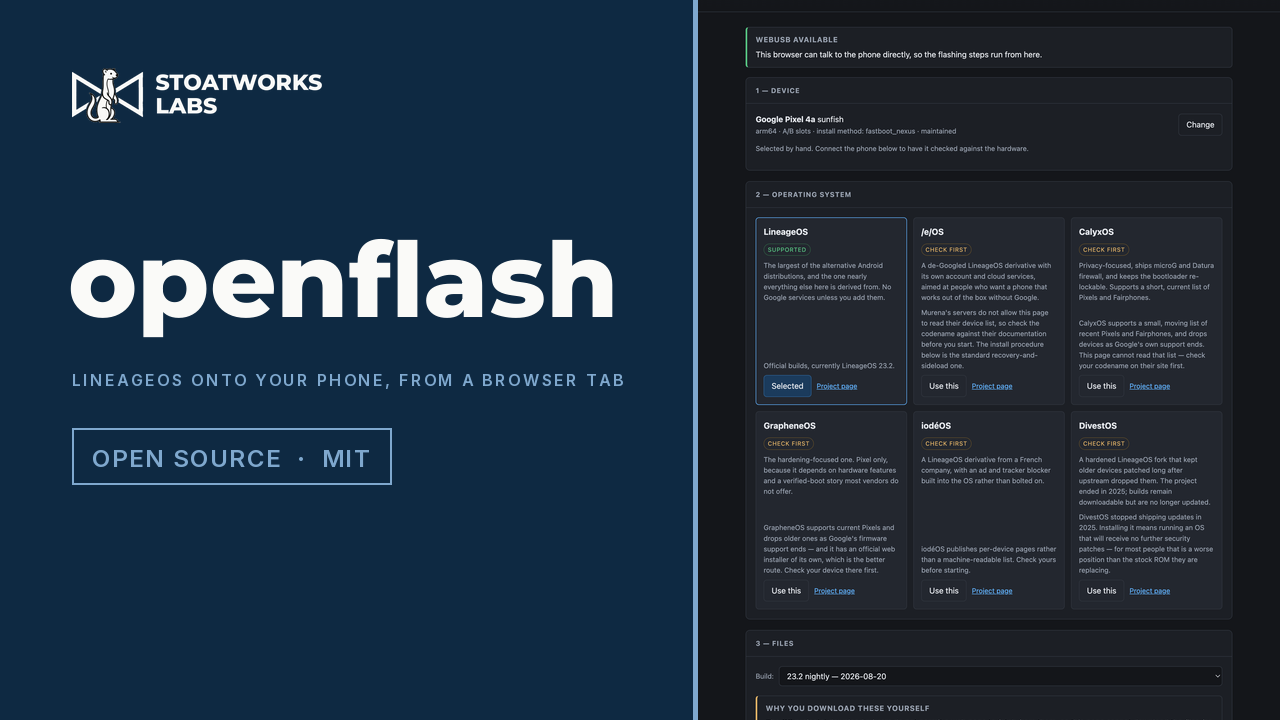
LineageOS onto your phone, over USB, from a browser tab

In developmentRuns in a browser tab

The instructions aren't wrong. They're just seventeen steps long, and step eight is irreversible.

Installing LineageOS on a Pixel 4a is seventeen steps: a codename you have to look up, a stock firmware version that has to be exactly right, four fastboot commands, a recovery menu navigated with the volume keys, and a sideload. Miss one and the failure usually turns up several steps later, by which time the phone is already wiped. This reads the handset over USB, works out which of the seventeen apply to it, does the ones a machine should do, and waits on the ones only you can.

It speaks fastboot and ADB directly from the browser over WebUSB, so there's nothing to install and no platform-tools sitting three years out of date. Chromium browsers only: in Firefox and Safari it becomes an ordered, device-specific list of the exact adb and fastboot commands instead, which is still a good deal better than a generic one. The device data is generated from the LineageOS wiki rather than transcribed from it, so all 733 devices the wiki documents are covered: 554 get a full procedure, and the other 179 are told straight out that this can't flash them. The source is on GitHub, and it's worth a read before you point this at a phone you rely on. Verified end to end on a Pixel 4a, from bootloader unlock through to a booted LineageOS.


openflash — LineageOS onto your phone, over USB, from a browser tab

What it does

01

It knows which phone it's talking to

The point

Plug it in and it reads the codename, model, Android version, security patch level, bootloader version, slot layout and lock state, over ADB if the phone is booted or fastboot if it's in the bootloader. If the codename doesn't match the procedure on screen it stops there. Flashing one device's build onto another is the most reliable way there is to end up with a paperweight.

02

The procedure is for your phone, not for phones

A Pixel 4a is told about its dtbo partition and its stock-Android-13 requirement, because it has both. A Xiaomi is told that Mi Unlock, a Mi account and a seven-day wait stand in front of everything else on the page. A Samsung is told this tool can't flash it at all, because Odin isn't fastboot and no browser speaks it.

03

It checks the files before it flashes them

LineageOS publishes a machine-readable manifest for every build, so a file you drop in is hashed in the page and checked against the SHA-256 for that exact build. A file that doesn't match is refused rather than flashed, which is why it gets hashed in the first place.

04

It shows its working

Every automated step prints the adb and fastboot commands it stands in for, whether or not you let it run them. That's what makes the page useful without WebUSB, and it's how you check what it's about to do before you allow it.

What to check before a show

  1. 01

    Verified end to end on a Pixel 4a, which is one device out of 554

    A complete run: device detection, bootloader unlock, the dtbo partition, Lineage Recovery, format data, LineageOS 23.2 sideloaded, MindTheGapps sideloaded, and a first boot into a working system, every step driven from the page. That first contact with real hardware also turned up two faults inside an hour that no amount of checking without a handset had caught, which is worth knowing about the parts that still haven't met one. This is one device, one vendor, one install method and one OS. The other 553 recovery procedures come out of the same code, which is a reason for some confidence rather than a substitute for trying it, and the factory-image path that GrapheneOS and CalyxOS use has never been run at all.

  2. 02

    It can't download the ROM for you, and that isn't laziness

    The OS projects' mirrors send no CORS headers, so a web page isn't allowed to fetch from them, and no setting changes that. So you download the files and drop them back in, and the page verifies them. For LineageOS that check is a real one, as it has the official SHA-256 to compare against. For the others it shows you the hash and tells you to compare it yourself, because a made-up checksum would be worth nothing.

  3. 03

    It won't pretend a locked bootloader is one command away

    Of the 554 devices it can generate a procedure for, 328 can't be unlocked by any command. They need Mi Unlock, a Motorola unlock code, a Sony key against your IMEI, an HTCdev token, or in Huawei's case nothing at all, since they stopped issuing codes in 2018. Each of those says so, with the reason and a link, instead of offering a button that fails at the exact point where the next wrong move wipes the phone.

  4. 04

    The LineageOS wiki is the authority, not this page

    The device data and the steps are generated from the wiki's own files, and every screen links back to the wiki page for the device you've selected. Where the two disagree, the wiki is right and this is a bug. Not affiliated with or endorsed by the LineageOS project.

Run your own copy

openflash is also published as a Docker image, ghcr.io/stoatworks-labs/openflash, serving the same files as the hosted copy. On a laptop or a box in the rack it keeps working when the venue's internet doesn't.

Docker

docker run -d --name openflash --restart unless-stopped -p 8536:80 ghcr.io/stoatworks-labs/openflash:latest

Then it's at http://localhost:8536/. The repo's docker-compose.yml does the same with docker compose up -d.

Unraid

Search Community Applications for openflash and install it. The template sets the port to 8536 for you.

Self-hosting the web tools, and which ones you can