Press record, and the last thirty seconds are already in the file.
A multitrack recorder in a browser tab: one track per input on your interface, mapped 1:1, named and armed individually, streamed straight to a folder on your disk as mono WAVs.
The audio goes from the converter to the folder you chose and stops there, with no backend to send it anywhere. The browser's echo cancellation, noise suppression and automatic gain are all switched off on the input, so what lands on disk is what the interface converted rather than the voice pipeline the browser would otherwise hand you.
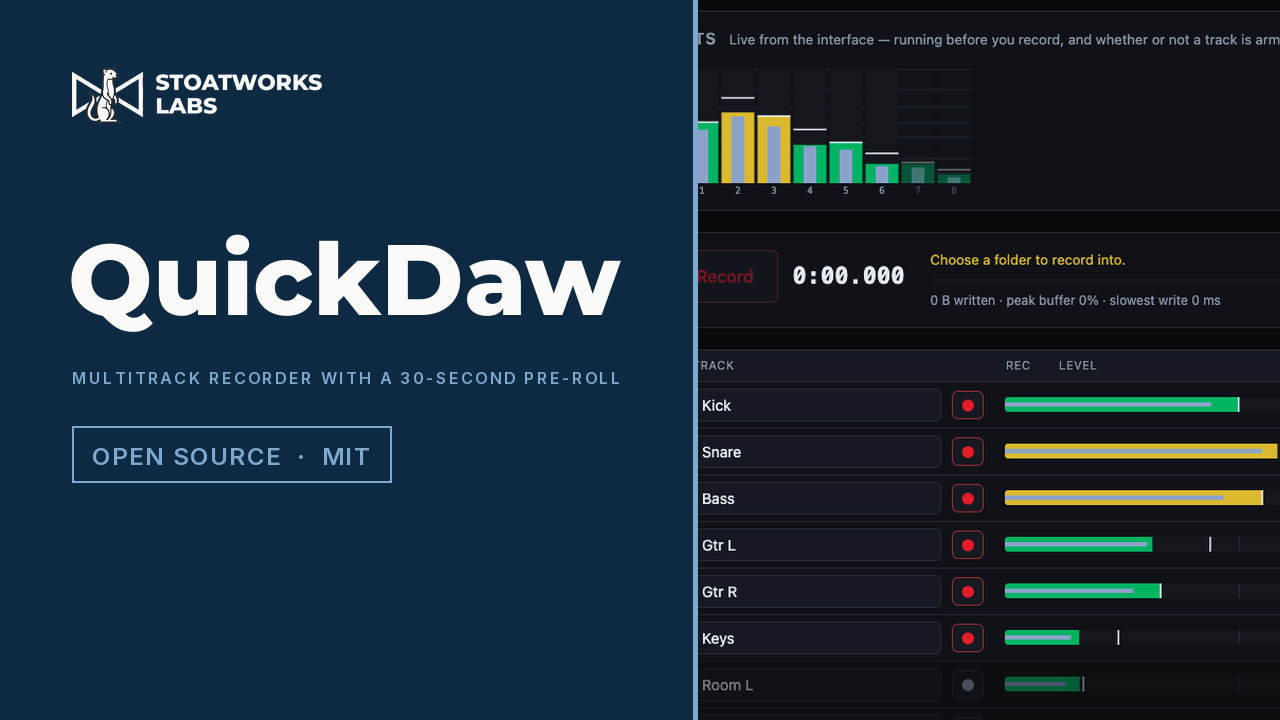
Eight inputs from the built-in test signal, so this is the app metering audio it generated itself through the same worklet, ring and writer a live interface uses. Input 1 reads -18.0, because the generator's channel 1 is a 1 kHz tone at exactly -18 dBFS. That's the app agreeing with a number, which is the bit worth photographing.
What it does
01
One track per input, mapped 1:1
The interface is asked how many inputs it has and the track list is built from the answer, so there's no channel picker and no mapping to get wrong. Name each track, disarm the ones you don't want, and every armed input becomes its own mono WAV in a folder named for the take. Alongside them goes a take.json recording the sample rate, the format, the length, how much of the head is pre-roll, and any gaps.
02
The take starts before the button
The point of it
Every input is held continuously, for anything from ten seconds to two minutes, so pressing record puts the audio from before the press at the head of the file. The soundcheck that turned out to be the performance is already on disk. It costs nothing to leave armed, because the pre-roll isn't a second buffer: there's one lock-free ring shared with the worker writing to disk, and recording just starts the writer at a read position that's already thirty seconds behind. Nothing is copied at the moment the take begins.
03
A gap costs content, never time
No hiding it
If the disk stalls for longer than the buffer holds, frames are lost and nothing can prevent that. What this won't do is hide it: the hole is filled with exactly as many frames of silence as were lost, and its position goes into the take.json. Writing the surviving frames end to end instead would shorten every track by the same amount, perfectly in sync with itself, wrong against picture and clock, and impossible to find afterwards. The buffer readout during a take shows the fill, the worst fill, the slowest single write and any frames lost, so you can watch the disk coping rather than hope it is.
04
A signal to check it with
A generated eight-channel test source that needs no interface and no microphone permission, running through the whole real chain. Input 1 is a 1 kHz tone at exactly -18 dBFS, so the meters can be checked against a number rather than admired, and a take recorded from it exercises the ring, the writer and the files exactly as a live one does. Three seconds, and it's the difference between believing this works and having seen it.
What to check before a show
01
No real multichannel interface has ever been connected to it
The buffer arithmetic is pinned by 80 tests (the ring across its 32-bit wrap and through a deliberate overrun, the WAV headers byte by byte, the 24-bit conversion against its own quantisation step), and the rule that a take is the same length as the time it covers is tested by driving a producer and a consumer against each other through stalls. That's arithmetic. The channel mapping, the sample-rate matching, the disk throughput across many files at once and the behaviour of hours-long takes are unproven against hardware. Record the test signal, then record something you can afford to lose, before you record something you can't.
02
The files appear when the take stops, not during it
The browser stages a streamed write and moves it into place at close, so the take is on disk the whole time but isn't visible as the file until you press stop. A tab that's killed part-way through leaves nothing behind. That's the price of the single-pass write that keeps the throughput up, and it's the same for anything that streams to a folder from a browser.
03
Chrome or Edge, on a desktop
Two things gate it. Streaming a take into a folder you choose needs the File System Access API, which Firefox and Safari don't have. And the recorder is built on a shared buffer, which a browser only grants to a cross-origin isolated page. The site sends the headers for that, but there's no version of this that works without it. Multichannel input above two channels is a Chrome capability, and how many channels a given interface offers a browser is up to its driver.
04
Levels are dBFS, and nothing here is calibrated
Peak, RMS and peak hold are all relative to full scale on the convention that a full-scale sine reads 0 dB. There's no SPL, no reference and no correction curve anywhere in it. The one number you can hold it to is the test signal, which is exact by construction.
05
It records and plays back, and that's it
No editing, no arrangement, no plugins, no overdubbing onto an existing take, no punch-in, no loop record. The armed set is fixed for the length of a take, because changing it means opening a file mid-recording and that track starting late against every other one. Playback is there so you can hear what you got: streamed from the files, with gain, pan, mute and solo per track.
Run your own copy
QuickDaw is also published as a Docker image, ghcr.io/stoatworks-labs/quickdaw, serving the same files as the hosted copy. On a laptop or a box in the rack it keeps working when the venue's internet doesn't.
Docker
docker run -d --name quickdaw --restart unless-stopped -p 8542:80 ghcr.io/stoatworks-labs/quickdaw:latest
Then it's at http://localhost:8542/. The repo's docker-compose.yml does the same with docker compose up -d.
Unraid
Search Community Applications for quickdaw and install it. The template sets the port to 8542 for you.