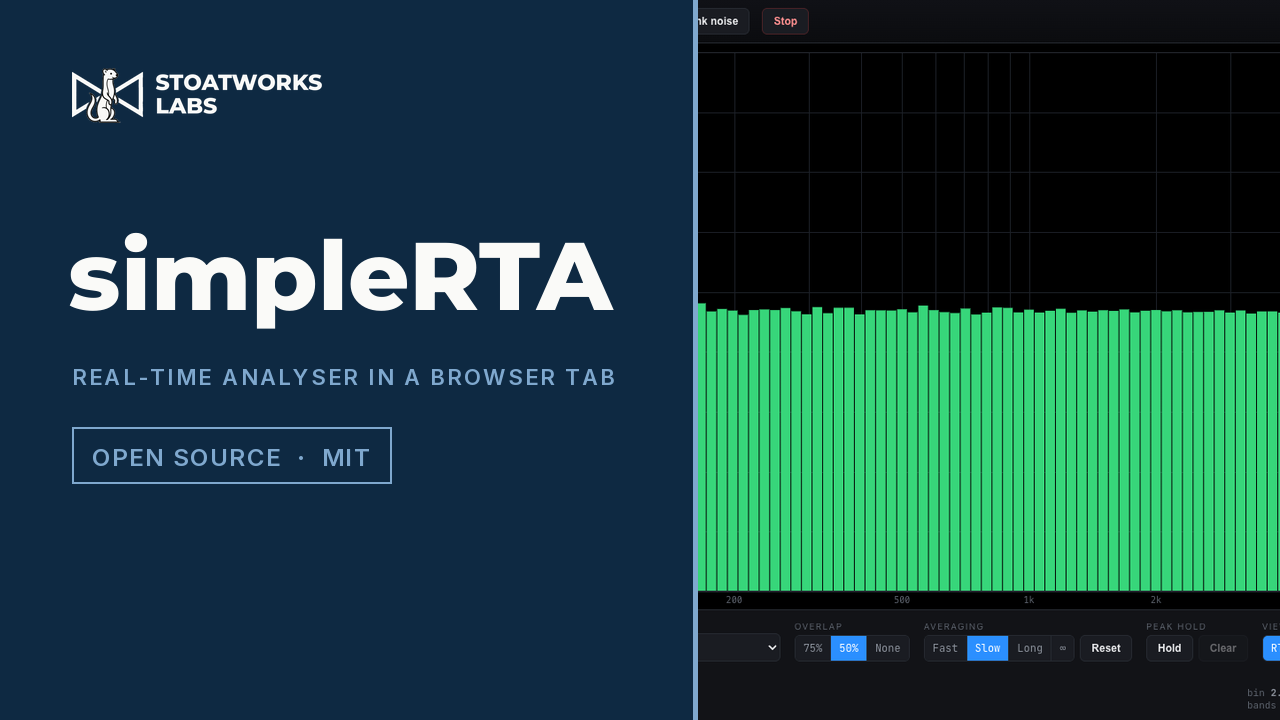
Pink noise is flat, or the analyser is lying to you.
A real-time analyser in a browser tab: an RTA from 1/3 to 1/48 octave, a spectrograph on the same frequency axis, and a full-height meter with peak, RMS, peak hold and broadband Z, A and C.
The audio is analysed in the page and never leaves the browser, and there's no backend to send it to anyway. The browser's echo cancellation, noise suppression and automatic gain are all switched off on the input, so what you see is the signal rather than the voice pipeline the browser would otherwise hand you.
The built-in pink noise source read at 1/12 octave: flat, which is what a constant-percentage-bandwidth display must show. That's the app checking itself, and it's the screenshot because it's falsifiable.
What it shows
01
The transform, on your terms
1/3, 1/6, 1/12, 1/24 or 1/48 octave; a transform from 2048 to 65536 points; Hann, Hamming, Blackman-Harris, flat-top or rectangular; 75%, 50% or no overlap. Blackman-Harris to see a quiet tone beside a loud one, flat-top when the amplitude of a tone matters more than its frequency.
02
It shades what it can't resolve
No hiding it
At fine resolutions the low bands are narrower than the transform can actually resolve, so neighbouring bands report shares of one measurement rather than separate ones, and the RTA shades that region rather than drawing it as if it were real. A 341 ms transform just can't give 1/48-octave detail at 30 Hz. Lengthen it and the shading recedes.
03
Spectrograph on the same axis
The spectrograph shares the RTA's exact frequency axis, so in split view the two line up vertically and a feature in one is directly above the same feature in the other. Peak hold per band, and Fast, Slow, Long or infinite averaging for noise measurements.
04
Three ways in
An input: a microphone, a measurement mic on an interface, a return from a console. Tab audio, which captures what another tab is playing. Or the pink noise generator, which runs in the page and is analysed without going anywhere near the speakers.
What to check before a show
01
It has never been checked against a calibrated microphone
The analysis chain is pinned numerically: the power normalisation at every transform size and through every window, the band-integration invariants, and the agreement between the band levels and the spectrum they come from. That's arithmetic rather than metrology. No reference analyser and no calibrated measurement mic has been near it.
02
The dB scale is dBFS, and the offset is your number
Levels read in dBFS on the convention that a full-scale sine is 0 dB. The offset field adds a constant so you can dial the scale into SPL against a reference of known level, but nothing checks that number, and no microphone correction is applied anywhere. Don't quote an SPL off this.
03
Tab audio is Chrome and Edge only
And it has to be a tab: whole-window and full-screen shares carry no audio on most platforms, so the picker will succeed and the analyser will sit at silence. Tick "Share tab audio" in the picker.
04
Check it against its own pink noise first
Pink noise is flat on a constant-percentage-bandwidth display, so the built-in generator is a one-click proof that the analyser reads level correctly before you believe anything it tells you about a room. It costs three seconds and it's the difference between a measurement and a picture.
Run your own copy
simpleRTA is also published as a Docker image, ghcr.io/stoatworks-labs/simple-rta, serving the same files as the hosted copy. On a laptop or a box in the rack it keeps working when the venue's internet doesn't.
Docker
docker run -d --name simple-rta --restart unless-stopped -p 8525:80 ghcr.io/stoatworks-labs/simple-rta:latest
Then it's at http://localhost:8525/. The repo's docker-compose.yml does the same with docker compose up -d.
Unraid
Search Community Applications for simple-rta and install it. The template sets the port to 8525 for you.