

PatchFerret turns a mixing console show file into paperwork an engineer can actually use: a patch list, a specification sheet and a wiring topology diagram, as PDFs.
It runs in the browser or on the command line. The browser build parses and renders entirely in WebAssembly, so a show file never leaves the machine. There’s no upload and no server.
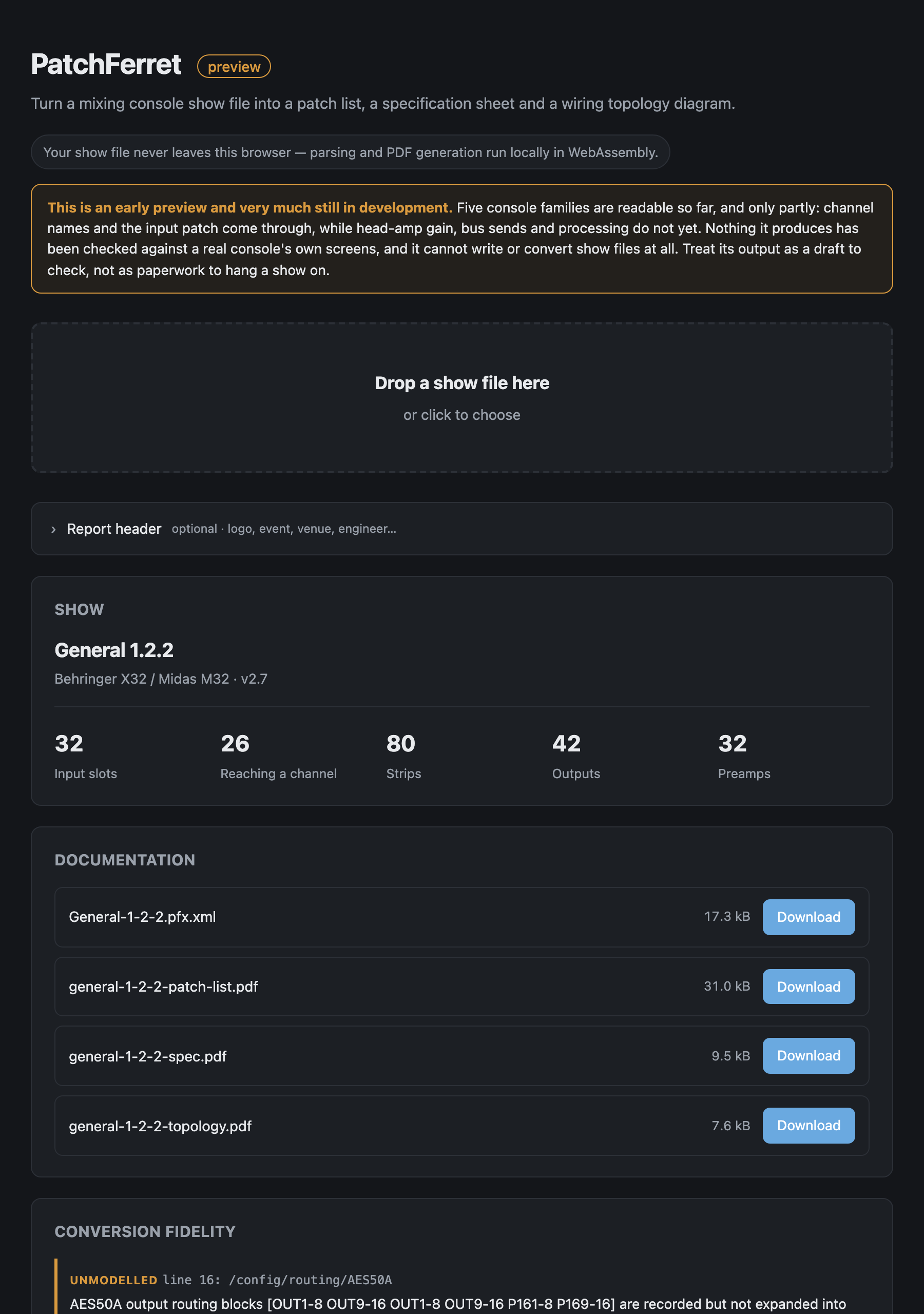
The hosted tool with the repo’s own X32 fixture loaded. It’s identified the show as a Behringer X32 / Midas M32 scene, counted its 32 input slots, 80 strips and 42 outputs, and lined up the four documents it makes ready to download, along with the conversion-fidelity list naming the lines of the file it didn’t model. Parsed in the browser, and nothing was uploaded.
Before you rely on this: the X32 adapter is written against a real 2,104-line scene file saved by an actual console and is asserted against it in CI. No output has ever been loaded back into a console, and no conversion between consoles exists yet.
The per-format caveats matter here, and they’re in the table below. The Yamaha MMS adapter’s patch-source encoding has never been confirmed against a console’s patch screen, and on TF no connector resolves at all; the tool tells you so rather than guessing. The X32 signal-source enumerations are derived from community documentation and corroborated against real files, not from a running desk.
This codebase was created with AI assistance, directed and reviewed by a human author.
What it reads today
| Console | File | Status |
|---|---|---|
| Behringer X32 / Midas M32 / X-Air | .scn |
Supported on X32 / M32. An X-Air file opens through the same adapter, but none has ever been tested and the I/O differs, so it’s read as an X32 and may be quietly wrong |
| Yamaha DM3 / DM7 / TF | .dm3s .tfs .dm7s |
Supported — names and input patch; head amps and sends not yet |
| Yamaha CL / QL | .CLF |
Supported — input patch and channel names |
| Allen & Heath Avantis / dLive | .tar.gz |
Supported — input patch and strip inventory; names and preamps not yet |
| Allen & Heath SQ | NVDATA.DAT |
Supported — input patch; names and socket class not yet identified |
| DiGiCo, Avid VENUE | — | Planned |
show file  →  format adapter  →  PFX model  →  ├─ patch list PDF
                                               ├─ specification PDF
                                               ├─ topology PDF
                                               └─ PFX interchange XML
Run info first, and read the fidelity list
patchferret info myshow.scnIt prints a summary and, more importantly, the fidelity list: everything the adapter read but couldn’t carry into the model, which would therefore be lost in a conversion.
That list is the honest measure of how much of your show this tool understands. Read it before you hand a PDF to anybody.
Why the patch list is not obvious
On an X32, getting from an XLR to a fader takes three hops, and all three have to be composed:
- The routing block maps blocks of eight physical connectors onto the 32 input slots.
- The channel config selects which input slot feeds each channel, and that’s a free mapping.
- The head-amp table holds the gain for a connector, in a flat index across local and both AES50 links.
Assume channel N is fed by XLR N and you get a patch list that’s confident and wrong. In the test fixture, slots 25–32 are AES50-B connectors 1–8 while channels 25–32 carry them, and six channels reach no connector at all.
PatchFerret composes the chain and marks the dead rows rather than inventing a connector for them.
The report header comes from you
Reports carry a header with your logo, the event, the venue, the engineer and so on.
None of that is in a show file (a console stores a mixer state, not the job it was built for), so it comes from a job sheet you supply:
patchferret job-template -o job.txt
patchferret report myshow.scn -j job.txt -o ./docs
The sheet is key: value lines, and any key it doesn’t recognise becomes an extra header
field, so “Truck call” or “Rider rev” work without the tool knowing about them:
Event: Summer Live 2026
Venue: Old Granada Studios
Engineer: A. Sargeant
Truck call: 06:00
logo: ./logo.jpg
The browser version has the same fields as a form and accepts any image for the logo, converting it on a canvas before handing the bytes over. The CLI takes JPEG, or PNG without transparency. Embedding a transparent PNG would mean decoding pixels, which the dependency-free PDF writer doesn’t do on purpose, and it tells you so rather than silently dropping the logo.
In the browser
Module scripts and WebAssembly won’t load from file://, so the local build has to be
served over HTTP. The hosted version needs nothing.
If something is wrong
| Symptom | Cause |
|---|---|
| Rows are marked dead | Those channels reach no connector. That is the console’s patch, faithfully reported. |
| A patch list disagrees with the desk | Read the fidelity list from info — the adapter may not carry that field yet. |
| No connector resolves on a TF file | Known: the tool reports it rather than guessing. |
| The logo was refused | A transparent PNG on the CLI. Use JPEG, or the browser version. |
| The page will not load locally | It is being opened from file://. Serve it over HTTP. |