

What it does
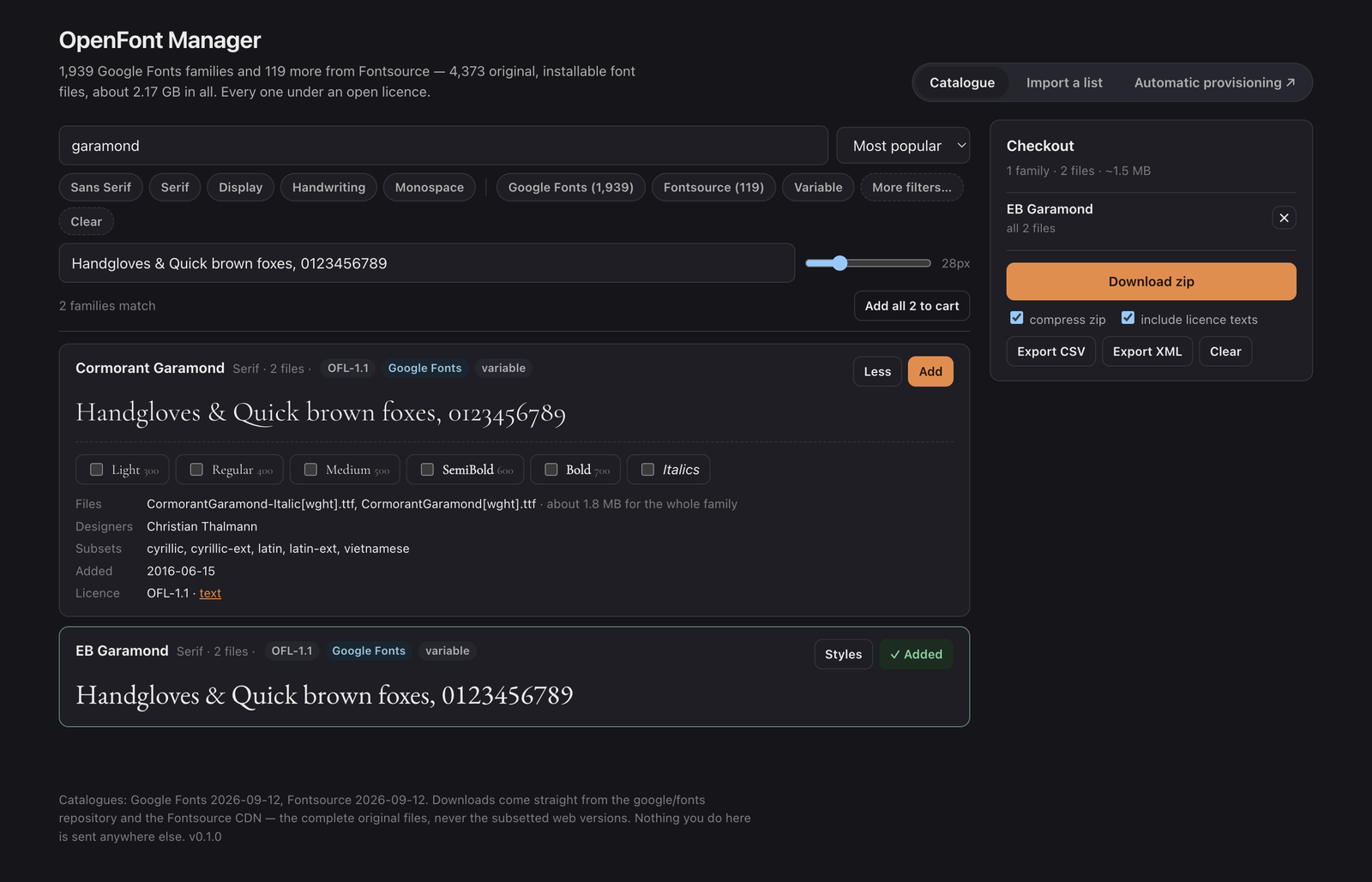
The sibling of PowerPoint Font Manager, for the other half of the job. That one tells you which fonts a deck needs, and this one gets fonts onto machines in bulk: a catalogue of 2,058 families to browse with your own sample text in each face, a checkout that downloads as one zip, and a list format, so a show file's fonts can be written down once and fetched anywhere.
Downloads come from the google/fonts repository on GitHub and the Fontsource CDN as the original, complete font files, not from the Google CSS API. That serves woff2 files subsetted by unicode-range, and a subsetted font installs perfectly well and then renders blanks outside its subset. The CSS API is only used for the previews, where a small subsetted file is exactly what you want.
The desktop app is the same page plus what a page can't do. It installs into the per-user font folder with no administrator password and tells the OS straight away: CoreText registration on macOS, the per-user registry key plus AddFontResource on Windows, fc-cache on Linux. It runs at login in the tray, reads a watched folder for lists, and scans network sources: an SMB, NFS or WebDAV share the OS has mounted, or a WebDAV URL it talks to directly with the password in the keychain. Font files it finds there are installed as they appear, and lists are processed once and remembered by content hash. It never overwrites anything and never removes anything.
- 1,939 Google Fonts families and 119 more from Fontsource, searched by name or designer and filtered by category, licence, script subset, variable axes and italics
- Inline previews in the actual face, loaded lazily as cards scroll into view, with your own sample text and size
- A checkout that takes whole families or picked weights, and downloads as one zip streamed to disk — the entire catalogue fits
- Per-family folders with licence texts, a manifest of provenance and licence for every file, and installer scripts for macOS, Windows and Linux
- CSV, XML and plain-text lists in and out, with loose name matching and open stand-ins for Calibri, Arial, Times New Roman, Cambria, Courier New and Georgia
- Desktop: install from the checkout, start at login, sync on a timer, a watched folder, and SMB/NFS/WebDAV sources — headless --sync and --install for scripts
Where it stands
An early preview. The browser zip, the list import, the desktop install, the watched folder, a mounted-folder source and a WebDAV source with basic auth have each been run end to end on macOS against real downloads. The installers the release workflow builds were then run on a Windows 11 VM and an Ubuntu 24.04 VM: a silent install, a headless install that put the files in the per-user font folder with the registry values Windows expects (fontconfig on Linux), an install from the checkout in the running app, the login item on and off, and a background launch that stays in the tray and runs its startup pass. Not run yet: a real login with the item enabled, and a real SMB or NFS share. Try it on a spare machine before a show depends on it.