

Presentation Converter
Slides to PDF, notes intact
What it does
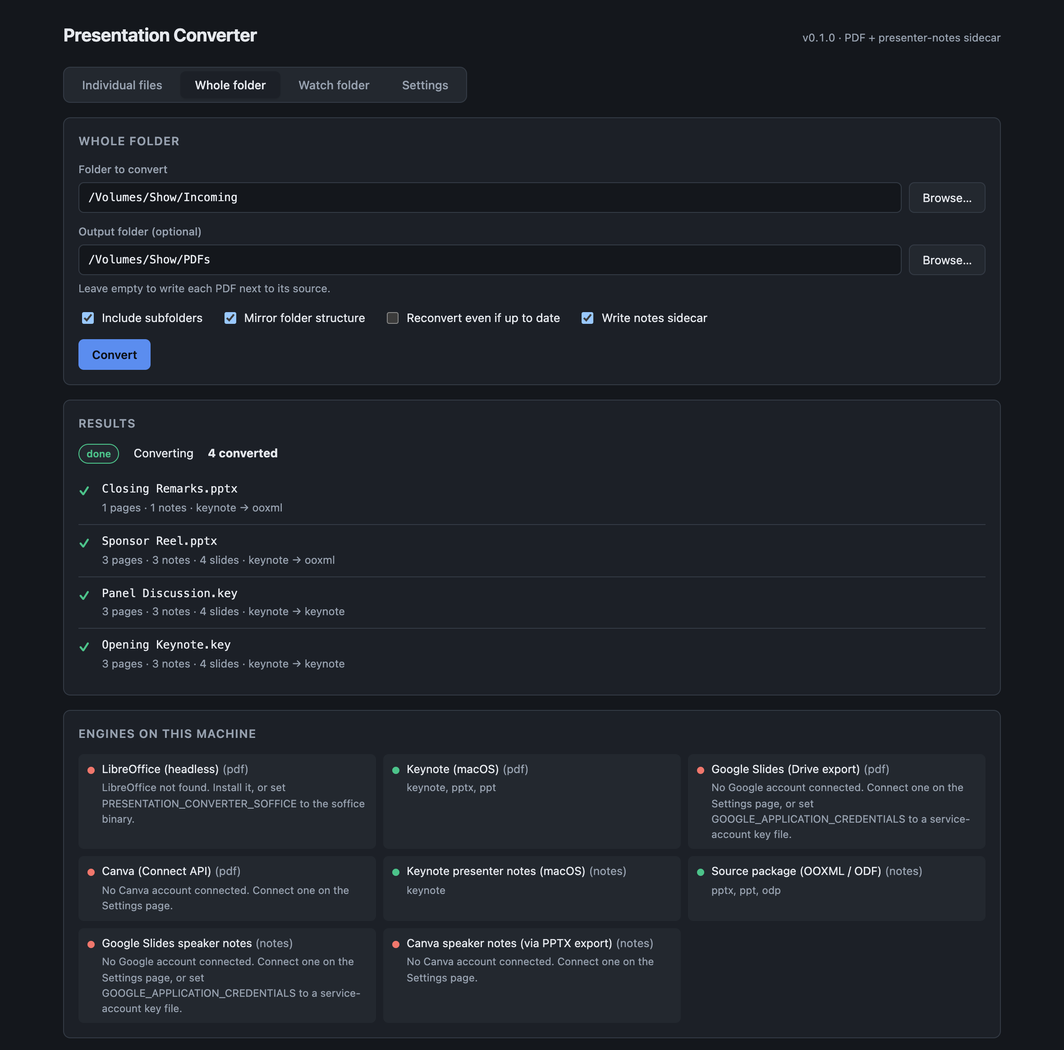
Exporting a deck to PDF is easy. Every tool that does it throws the speaker notes away, which is a nuisance when the PDF is what you're presenting from. This converts Keynote, PowerPoint, Google Slides, Canva and OpenDocument decks to PDF and recovers the notes into a .notes.json sidecar next to each file, mapped to the right page.
The notes are parsed from the source XML rather than read back off the renderer, because exporters drop hidden slides without telling you, so the slide count and page count don't match and the mapping has to cope with that.
- A desktop GUI: pick files, convert a whole folder, or leave a watch folder running
- A CLI and library — the backend other programs drive, including Presentation Commander, which reads these sidecars
- A Nextcloud app that keeps PDF versions of a folder and its subfolders up to date automatically
- Google and Canva accounts connected from the Settings tab
- An engine availability grid, so you can see what each format will actually convert with
Where it stands
Field testing, released at v0.2.3, a dependency release with a security fix in the server (proxy-addr 2.0.8). v0.2.2 was a version-labelling release: the Nextcloud app tarball on v0.2.1 was still named 0.1.2, and the version every sidecar names had stayed at 0.2.0. No conversion behaviour has changed since v0.2.0. The screenshots are captures of the running app, made by its own screenshot script, which converts a demo folder and photographs the result: six slides with one hidden come out as a five-page PDF with five correctly mapped notes. Three things have never met a live service: the Nextcloud app is written but has never been run, the LibreOffice engine has never been exercised because there's no LibreOffice on the development machine, and no full OAuth round trip has been done for Google or Canva.
Watch it running
Nothing loads from YouTube until you press play.Watch it there instead