

Resolve Configurator
A whole Resolve project from one CSV
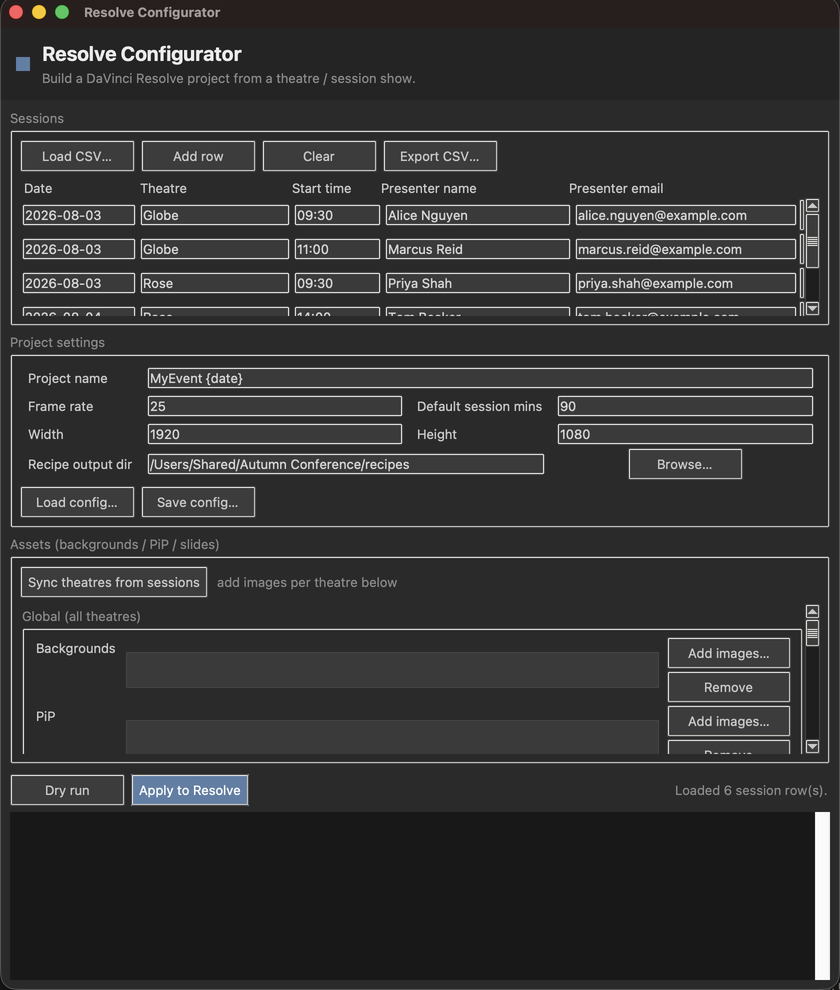
What it does
Sets up a DaVinci Resolve project for a multi-theatre event from the same session CSV that File Drop Batch uses to collect presenter uploads, so one show file drives both the uploads and the edit.
Point it at a sessions list and a small config (frame rate, resolution, record-drive map and asset manifest) and it builds the project format, the media pool structure, a timeline per session, the prepopulated assets and a smart-bin recipe.
- A media-pool bin per theatre and per day (Theatre / Date)
- An empty timeline per session inside each day's bin (Start Time - Presenter)
- Prepopulated backgrounds for PiP looks and holding or title slides, global or per theatre
- A smart-bin recipe: the exact rule set that filters a day's recordings down to one session by record drive, date and timecode window
- An editable sessions table, and a dry run that previews the whole tree before anything touches Resolve
Where it stands
Released at v0.1.6, where the version numbers finally agree with each other again. v0.1.5 shipped an app that said 0.1.4 from --version and About, in a bundle stamped 0.0.0, with a wheel named 0.1.4. The macOS build is now universal, so Intel Macs get a build that actually runs, and the tests are green. The dry run in the screenshots is real output on the bundled sample data, and the dry run is the half that's verified. Applying a build to Resolve has never been run. Doing it from outside Resolve needs Resolve Studio, because external scripting is a Studio feature; the free version can only run the same code from Resolve's own Workspace → Scripts menu.