

cartridge is a console emulator as a live Resolume source. It is a libretro frontend that runs inside Arena or Avenue as an FFGL generator: point it at a core and a game and the console becomes a layer — composite it, key it, run it through other effects, and MIDI-map the joypad onto whatever controller is already on the desk.
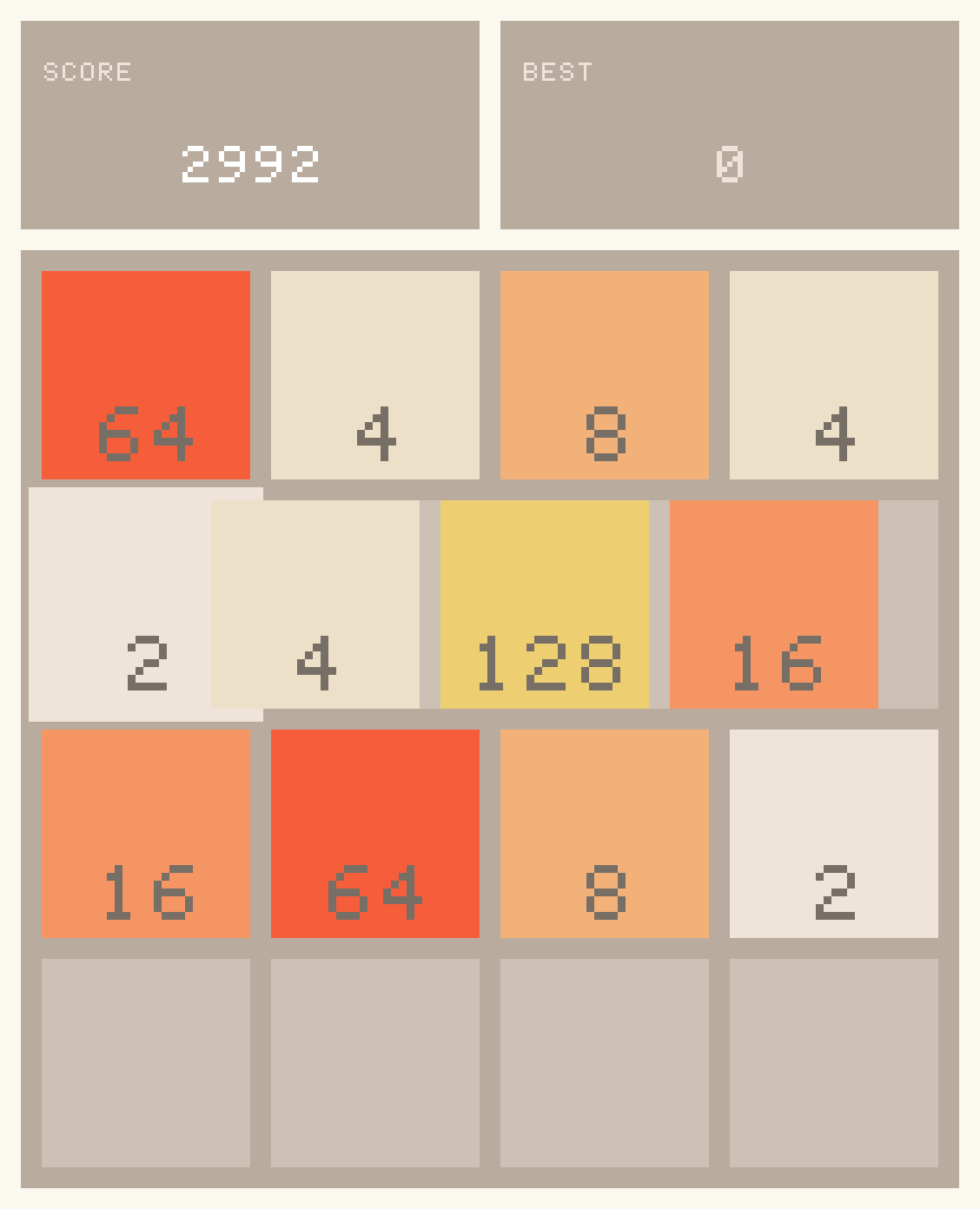
A real third-party libretro core through the plugin’s own frame path: 2048 from the libretro buildbot, played by a scripted joypad in the offline harness to a score of 2992, the last frame written out and scaled ×3 with no filtering. Not a Resolume screen capture, and not an emulated console.
It was built as a companion to old-cathode. A 240p Mega Drive frame through a real composite encoder, with dot crawl and cross-colour that are consequences rather than decoration, is the thing this exists to make possible.
No emulator core, BIOS image or game is included, and none ever will be. You supply your own, exactly as you would with RetroArch. CORES.md is how to get them — where to download, which core for which console, and the two macOS traps that otherwise cost you an afternoon.
Before you rely on this: the macOS build is verified end to end — against a synthetic libretro core, against real third-party cores from the buildbot (2048 was played to a score of 1216 by a scripted joypad, which exercises input, pixel format, padded pitch and the triple buffer against code this project did not write), against mGBA running a real GBA cartridge image for 1800 consecutive frames, and inside Resolume Arena 7.27.1 with three cores swapped live on a running layer.
One thing is still unconfirmed and needs hardware rather than a session: whether a controller actually MIDI-maps onto the pad. The buttons are ordinary boolean parameters, so Resolume should map them like any other, but nobody has put a real controller on them. The Windows and Linux branches have never been built or tested, and no binary is published for either.
This codebase was created with AI assistance, directed and reviewed by a human author.
Choose a build before you choose a core
The same frontend ships twice, differing only in which process the core runs in. Which one you want depends entirely on what happens when a core crashes.
| In process (the plugin) | Out of process (the helper) | |
|---|---|---|
| Latency | Same frame it was produced | One composition frame later |
| A core crashes | Resolume goes down with it | The helper dies, the show continues |
| Two of one core | Needs a private-copy workaround | Free — separate processes |
| Setting up | Drop the plugin in, pick a file | Run a second program first |
Rehearsal and studio work: in process. Anything with an audience: the helper. One frame of latency is a cheap insurance premium against a core taking the whole show down mid-set.
Running it
In process — add Cartridge as a source, set Core to a libretro core (.dylib / .dll)
and Content to a game. That is all.
Out of process — start the helper first, then point the plugin at it:
cartridge-helper --core /path/to/mgba_libretro.dylib --content game.gbaSet the plugin’s Source to Helper and leave Channel at default.
No game to hand? python3 tools/testrom/build.py builds a 1 KB GBA test card — animated bars,
crosshatch, a sweeping edge and a checkerboard — so you can prove the whole path works without
obtaining anything. It ships as source, not as a ROM.
Making it look right
Integer scaling with Smoothing off is the combination you want for pixel art. Anything else resamples a 240p picture onto a 1080p layer and turns crisp pixels into mush.
Pixel Aspect honours the core’s declared display aspect. 320×224 on a Mega Drive is a 4:3 picture, and showing it 1:1 makes it visibly too tall — this is the control that fixes the most common “why does it look wrong” complaint.
Speed runs ¼× to 4×, centred on the console’s own rate.
The joypad
Twelve pad buttons live in a Controller group, and they are ordinary boolean parameters. That is the whole trick: Resolume will MIDI-map them, keyboard-map them and automate them off the timeline with no help from this plugin. A hardware controller becomes a joypad, and a game becomes something you can keyframe as a visual.
What it deliberately does not do
- Hardware-rendered cores are refused. Dolphin, Flycast and friends need a GL context and an FBO on the emulator thread; giving them a half-kept promise makes them render into Resolume’s own framebuffer. Software cores only — NES, SNES, Mega Drive, Master System, Game Boy, GBA, PC Engine.
- There is no audio. FFGL gives a plugin no way to hand audio to the host, so the samples are decoded and dropped. Sound from our own device would not be on Resolume’s clock or in its mixer, which is worse than silence for a show.
- No core options and no save states, yet.
Licensing, and why nothing is bundled
cartridge is MIT. Emulator cores are not, and that is why none ship with it:
- mGBA is MPL-2.0 — permissive.
- Genesis Plus GX is under a non-commercial licence.
- Several cores in the Snes9x lineage carry custom non-commercial terms.
- Dolphin and VBA-M are GPL.
Cores are loaded at runtime and never redistributed, so their terms are between you and their authors — the same arrangement RetroArch uses. Supplying your own game images is likewise your responsibility, and matters commercially: a core under non-commercial terms is not one to put in front of a paying audience without reading it.
If the layer stays black
Check the log first. ~/Library/Logs/cartridge/. A core built for the wrong architecture and
a core still carrying a Gatekeeper quarantine flag both fail silently otherwise, and the log
names which one it was and how to fix it. CORES.md covers both traps in full.
“content load failed: core X requires content”. The core needs a game and none is selected.
Some cores negotiate SET_SUPPORT_NO_GAME and run without one; most do not.
The picture is too tall. Pixel Aspect is off. See above.
Everything is blurry. Scaling is not Integer, or Smoothing is on.
Resolume disappeared. A core crashed, in process. Move to the helper.