

Coinop is fourteen playable arcade games for Resolume Arena and Avenue, as a pair of FFGL plugins. Driven by MIDI or OSC, or left to play themselves.
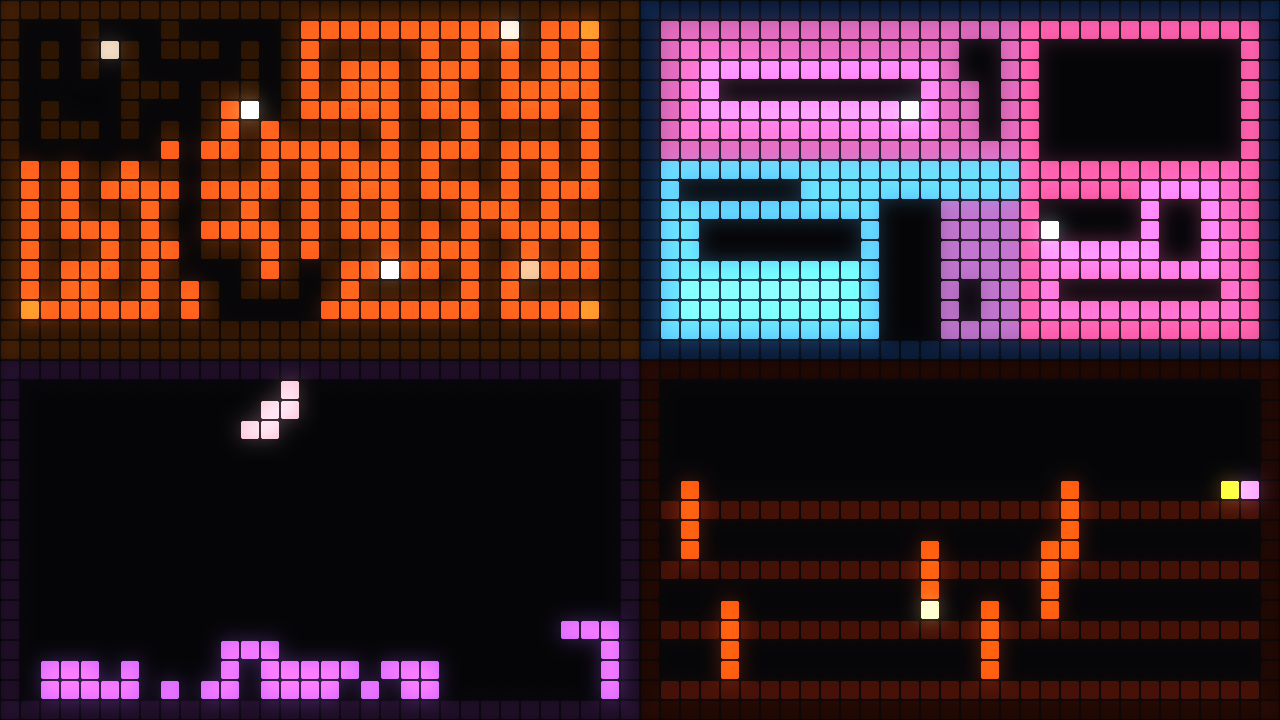
Four of the fourteen, on four of the six palettes — Chase on Amber, Trails on Ice, Stacker on Candy, Girders on Fire.
Before you rely on this: the games are verified by a harness that drives the real game classes with no graphics API present and asserts on simulation state — 243 checks covering per-game determinism, the three host-timing defences, and each game’s own invariants: Snake’s turn queue, Bricks’ tunnelling and its two degenerate-angle locks, Chase’s maze loops and reversal ban, Flapper’s swept collision. A second harness compiles the shaders in a headless GL context and measures what they draw (31 checks). The browser demo re-implements all fourteen in JavaScript and agrees with the C++ byte for byte on a playfield digest.
It has never been loaded into Resolume. The FFGL parameter and clock plumbing is the part no harness here reaches. The Windows build does compile and ships — it has just never been run in a Windows host either. Try it on a spare layer first.
This codebase was created with AI assistance, directed and reviewed by a human author.
Installing
Drop both plugins into ~/Documents/Resolume Arena/Extra Effects (or the Avenue equivalent) and
restart Resolume. The macOS builds are signed and notarised; the Windows builds are unsigned, but
only the installer trips SmartScreen.
Coinop is a source. Coinop Over is an effect — and in the effect, the brick field can
be built out of the incoming clip, so breaking a brick punches a hole through to the layer below.
The two things it is for
A generator that is genuinely never the same twice. A seeded game that plays itself, resets when it loses, and has an intensity that climbs through a run and drops when it restarts. That is a different shape from a loop, and it is why Autoplay is on by default and why the autopilot loses on purpose.
Pixel mapping. The composition is the fixture layout, Resolume’s pixel mapper samples it, and the playfield is what the lights do.
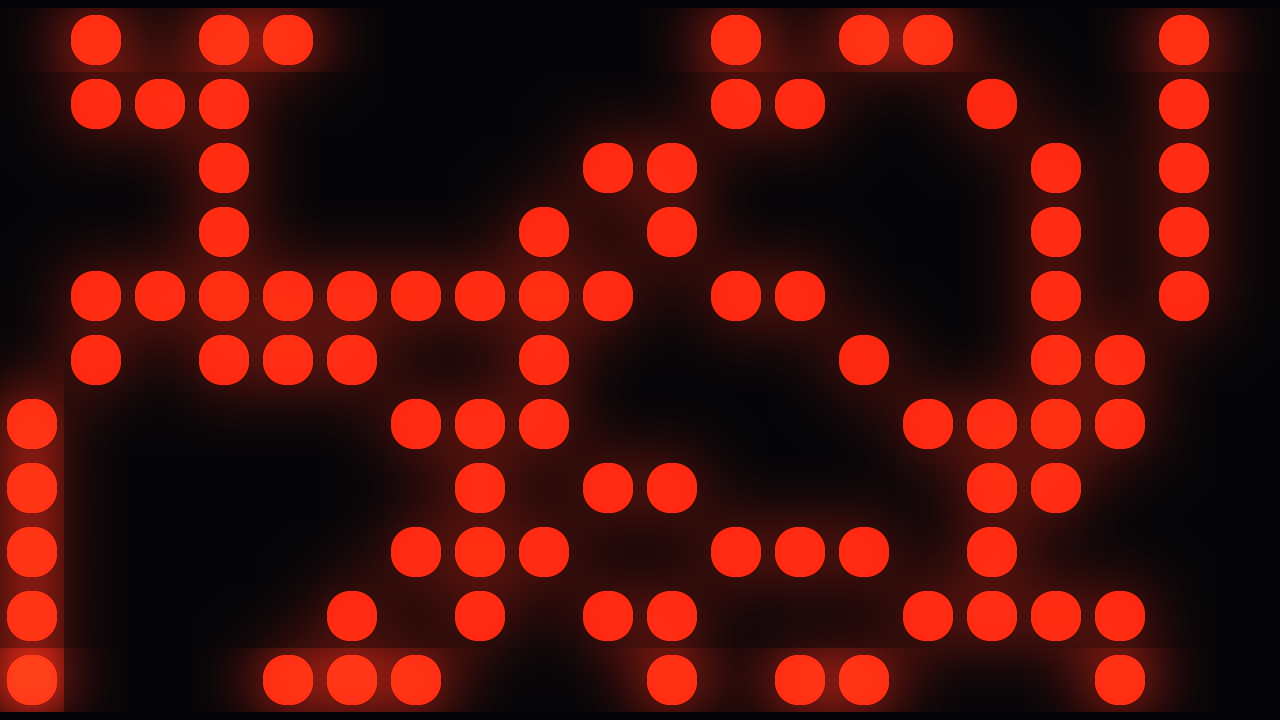
The same Drift, with the grid coarsened to nineteen cells and the gaps opened.
That second job is why everything is drawn as cells, why the grid size is a parameter, and why even the vector game is rasterised: a hairline vector lands between fixtures and disappears.
Playing it
FFGL has no keyboard and no gamepad — it has parameters, and Resolume will MIDI- or OSC-map any of them. So every control is a parameter:
| Parameter | Good for |
|---|---|
| Paddle | A fader or an OSC float. The nicest way to play Bricks and Rally. |
| Left / Right / Up / Down | Four pads. Steering, Rally’s second player, Stacker’s rotate, Duel’s block. |
| Fire | One pad. Shoot, launch, thrust, hard-drop, strike — and in Snake, “turn right”. |
| Autoplay | On by default. The autopilot plays, and loses on purpose. |
| Skill | How competent the autopilot is. At 1.0 it plays a long game. |
| Seed | Same seed, same game. |
Rally is two players in one plugin instance — one on the Paddle, one on Up/Down.
The fourteen
| Game | What it is |
|---|---|
| Snake | Grows, turns, traps itself. Two buttons or four. |
| Bricks | Ball, paddle, brick field. Best played with a fader. |
| Marchers | A formation that steps down the screen and shoots back. |
| Rally | Two paddles, one ball. Two players, one plugin instance. |
| Drift | Rotating ship, splitting rocks, wrapping playfield. |
| Stacker | Falling polyominoes. Contiguous runs clear, not full rows. |
| Chase | A maze carved fresh each level, pellets, four pursuers. |
| Girders | Climb the floors while the hazards cascade back down them. |
| Swarm | A formation attackers peel out of, dive from, and rejoin. |
| Trails | Riders that never stop, leaving walls. Last one alive. |
| Reflex | A prompt, a closing window, and the right button or nothing. |
| Rafters | Hit the floor from below to flip what is standing on it. |
| Duel | Two fighters. Wind-up, active, recovery. Best of three. |
| Flapper | One button against gravity, through the gaps in a moving wall. |
The mechanics are the public domain part; the names are not. None of these is named after what it descends from, and none copies the parts a court has held to be protected expression — the playfield is whatever the Grid parameter says, and colour comes from the palette by role.
Setting it up as a generator
- Autoplay on, Skill around 0.6. High enough to be watchable, low enough that it loses often enough for the run to have a shape.
- Set the Seed if you want the same run every night, and leave it alone if you do not. This is the control that decides whether the piece is repeatable.
- Coarsen the Grid until the cells read at the distance the audience is at. For a pixel map, set it to the fixture count and stop thinking of it as a picture.
- Pick a palette. Six of them, applied by role rather than by literal colour, which is what lets the same game read on Amber and on Ice.
If it looks wrong
It plays too well and never resets. Skill is at 1.0 — the autopilot plays a long game there, which is the opposite of what a generator wants.
Nothing moves. Autoplay is off and nothing is mapped. Map Fire to a pad, or turn Autoplay back on.
The picture is a mush on the pixel map. The Grid is finer than the fixture count. Coarsen it until one cell is one fixture, and open the gaps.
Bricks feels unplayable. Use the Paddle float from a fader rather than Left/Right pads. The game was tuned for a continuous control.