

Downlink is analogue FM satellite television for Resolume Arena and Avenue, as an FFGL effect. It does not paint sparkles or noise onto a clip. It sends the clip over a satellite link and shows what the receiver made of it: a PAL encoder, CCIR 405 pre-emphasis, an FM carrier swept by an energy-dispersal triangle, Gaussian noise in a Gaussian IF filter, a discriminator, the video lowpass, de-emphasis, a back-porch clamp and a PAL decoder. The grain, the sparklies, the lines that jump and the picture that rocks are all what that chain does. None of them is drawn.
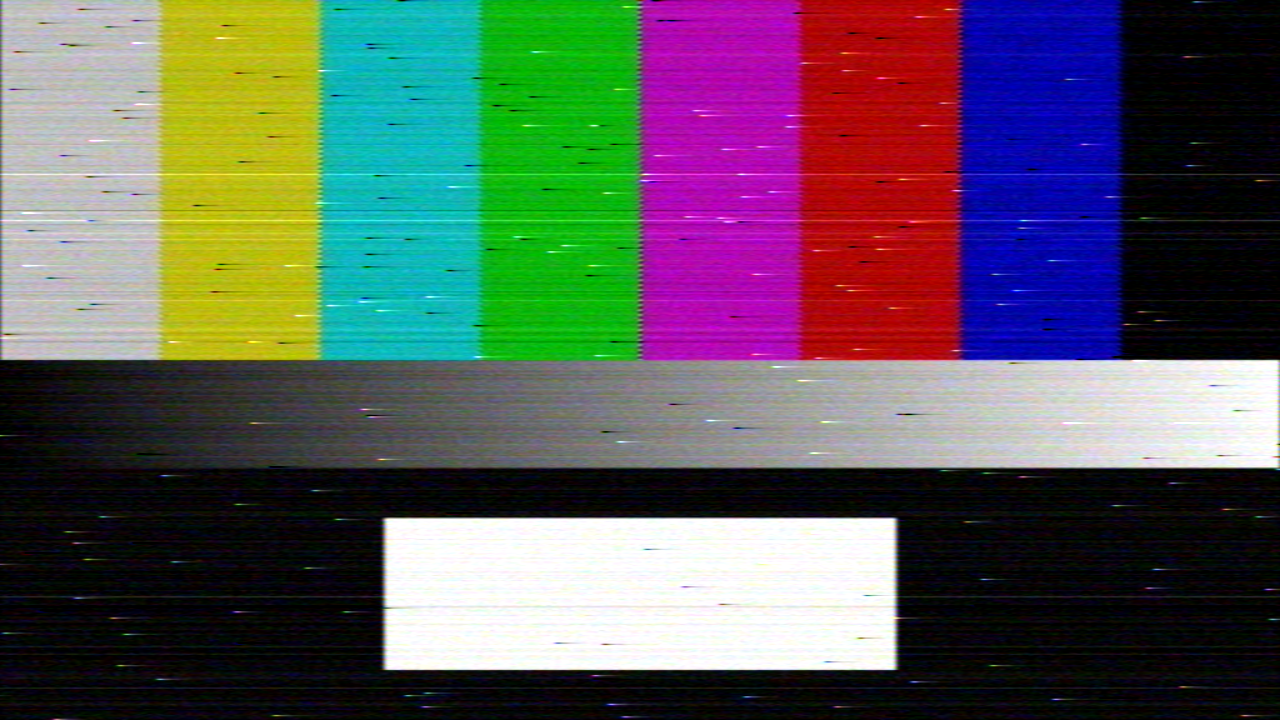
The harness’s test card through the plugin, rendered by the offline harness rather than captured from Resolume. CNR 7.5 dB, just under the knee, with the defaults otherwise: PAL, 13.5 MHz/V, a 27 MHz IF, Clamp Good.
Before you rely on this: released at v0.1.0, and honestly early. The link is measured rather than asserted, by a harness that drives the real plugin class and the real shaders: the discriminator’s clicks, counted in its own output, land on the exact slip rate of a sampled discriminator at 4, 6, 8 and 10 dB (9,115 / 3,407 / 2,031 / 257 against 8,983 / 3,378 / 1,975 / 257); near white, positive to negative clicks run 0.279 against a predicted 0.268; above the knee the output SNR tracks CNR one dB for one, 20.59 dB above it, and the knee sits at 8.71 dB against 8.57 predicted; Threshold Ext. moves it 3.84 dB against 3.90; both emphasis networks are within 0.019 dB of ITU-R F.405; and eight deliberately broken models are shown to make those checks fail. All 14 controls that act on the picture are shown to change it. It has not been loaded into Resolume on macOS yet. The one host it has run in there is the fleet’s own test host,
oxbow, for 120 frames. On Windows, a build of v0.1.0 loads, registers and renders in Resolume Arena 7.27.1, with every control matching what the plugin declares — on software rendering, so that says nothing about a GPU. The two controls that follow the music, Audio and Audio Fade, could not be tried there, because the test machine has no sound device. Try it on a spare layer before you put it in a show.This codebase was created with AI assistance, directed and reviewed by a human author.
Installing
Every download carries one effect, SW Downlink. Drop it into Resolume’s effects folder and restart Resolume:
macOS    ~/Documents/Resolume Arena/Extra Effects/
Windows  %USERPROFILE%\Documents\Resolume Arena\Extra Effects\
Avenue uses the same layout under its own folder name. The effect then appears in the effects browser as SW Downlink.
The macOS download is a universal build (Apple silicon and Intel), as a .dmg or a .zip. It is
Developer ID-signed and notarised, so the bundle simply loads. The Windows download is an x64
installer or a .zip. It is not code-signed, so the installer trips SmartScreen once: More
info → Run anyway.
FM trades bandwidth for noise, and the trade has a cliff
Analogue satellite TV sent its composite video as frequency modulation of a carrier. The picture moves the carrier’s frequency, the receiver’s discriminator reads the frequency back, and noise on the carrier becomes much smaller noise on the picture: at the defaults the output signal-to-noise ratio is the carrier-to-noise ratio plus 20.6 dB, one dB for one.
That holds only above the FM threshold. Below it, the noise is now and then big enough to swing the received carrier right round the origin, and the discriminator reads a whole extra cycle of phase: a click. Each click is a short impulse, which the de-emphasis and the video lowpass smear into a short horizontal streak, white or dark. Those are the sparklies a dish slightly off-pointing, or a rain fade, filled the picture with. The number of clicks does not grow gently; it runs away. At the defaults the knee is at about 8.7 dB of CNR, and from the knee to 3 dB under it the picture loses 9.7 dB of signal-to-noise.
So the one control that matters most is CNR. Everything else changes what the link does near that cliff.
Start here
Put SW Downlink on a layer with something in it and leave every control alone. The defaults are a full-transponder PAL link a little under par: 13.5 MHz/V of deviation, 2 MHz of energy dispersal, a 27 MHz IF, a CNR of 9 dB, a keyed clamp. The picture is clean but for a sprinkling of sparklies and some fine coloured grain.
Then, in this order:
- CNR. Bring it down. By 7 dB the sparklies are everywhere; by 5 the picture is torn into streaks. Push it up past about 11 dB and the sparklies stop; what is left is fine grain.
- Look at what the streaks do. On black they are white; on a bright picture they are dark. A click is a whole cycle either way, and the output clips at black and at white, so a click that pushes a black pixel down or a white one up is invisible. A bright picture also holds the carrier off the IF’s centre, and the extra clicks that brings are all of the sign that pulls it back: dark ones.
- Demodulator → Threshold Ext. With CNR at about 6.5 dB, switch it. The sparklies all but go: the knee moves down 3.9 dB.
- Rain Fade or Audio Fade. Both take dB off the link. Rain Fade is a slider; Audio Fade follows the level of the audio Resolume feeds the effect.
The one idea to carry: CNR, minus Rain Fade, minus Audio Fade, is the link, and the knee is near 8.7 dB (near 4.9 with Threshold Ext.). Keep the total above that for grain, around it for a sprinkle, below it for a storm.
Clamp Off and Clamp Slow flicker. They let the 25 Hz dispersal triangle through, and it reverses every field. With Clamp Off a picture ramps from dark to bright down the frame and inverts every field; with Clamp Slow the whole frame lifts and drops field against field. The offline harness measured Clamp Slow moving a mid-grey clip’s whole-frame mean between 0.13 and 0.28 of full scale, several times a second, on a 30 fps render. That is a large-area flash. Treat it as you would a strobe on a big screen.
Time comes from the host
The effect shows the PAL field on air at the host’s time: one field every 20 ms, counted from the host’s clock. The dispersal triangle is locked to the fields, as uplinks locked it, and the noise is redrawn once a field. A re-render of the same composition time gives the same noise and the same sparklies.
At 50 fps every composition frame is a new field. At 60 fps a field lasts 1.2 frames, so about one frame in six shows the same noise as the frame before, as a 50 Hz receiver on a 60 Hz display would. At 30 fps each frame skips a field or so, and the noise never repeats.
For the first few frames after it loads, the effect runs on its own steady clock while it works out whether the host counts time in seconds or milliseconds. Then it switches to the host’s.
The picture is carried at the link’s own raster, whatever the composition: 921 samples by 576 rows, one field drawn from the clip’s own rows, and scaled back to the composition’s size at the end. So the effect softens a 1080p or 4K clip to what a PAL receiver could show, which is part of the look and cannot be turned off.
The Uplink group
What the broadcaster did before the signal left the ground.
Deviation — how far the picture swings the carrier, as peak-to-peak megahertz for a 1 V peak-to-peak signal at the pre-emphasis crossover, from 4 to 24 MHz/V, linear. The default is 13.5, Intelsat’s figure (Astra used 16). More deviation means a bigger FM improvement, so a cleaner picture at the same CNR; less means more grain. The harness measured the grain at 9 dB rising about threefold from the default to 4 MHz/V, and falling by about half at 24.
Dispersal — the energy-dispersal sweep, 0 to 8 MHz peak to peak, linear, default 2. Uplinks swept the carrier with a 25 Hz triangle so that its power did not sit on one frequency. The receiver’s clamp is what takes it back off the picture. With Clamp Good you will not see it; with Slow or Off you will (see the flicker warning in Start here). It also moves the carrier off the IF’s centre: at 8 MHz and 9 dB the harness counted slightly more click pixels than at the default.
Pre-emphasis On — the ITU-R F.405 (CCIR 405) 625-line pre-emphasis network, on by default. It turns the low frequencies down 11 dB and the top of the band up about 3 dB before the carrier, so the de-emphasis at the other end can take the high-frequency noise down with them. It has to match De-emphasis On at the receiver:
- both on (the default) — a flat picture;
- Pre-emphasis off, De-emphasis on — the receiver lifts the low frequencies 11 dB that nobody cut: a washed-out, blown-white, soft picture;
- Pre-emphasis on, De-emphasis off — the low frequencies arrive 11 dB down and the top of the band lifted: a dark, harsh, edgy picture with its colour pushed;
- both off — a flat picture again. At the same CNR it is not grainier, as you might expect, but cleaner: the low frequencies are no longer cut 11 dB before the carrier, so the picture swings the carrier further. The harness measured about half the noise at 9 dB, and fewer clicks.
The Link group
The path between the dish and the satellite.
CNR — carrier-to-noise ratio in the IF, 0 to 25 dB, linear, default 9. The noise is all the noise in the IF filter, so this is the number a link budget would give you. See the first two sections for what it does; it is the main control.
Rain Fade — 0 to 10 dB taken off the CNR, linear, default 0. It subtracts from whatever CNR is set to, so a fade can be ridden or mapped on its own without losing where the link was set.
Audio Fade — up to 12 dB taken off the CNR, times the level of the audio Resolume feeds the effect, default 0. The level is the RMS of the host’s 64 audio bins, clamped to 1: the total level only, not bass or treble, because nobody has measured how Resolume lays those bins out. It follows the level instantly, with no smoothing, so a kick drum makes the picture break up on the beat. In the offline harness, whose synthetic spectrum with a kick sits between an RMS of 0.24 and 0.39, full Audio Fade took 2.9 dB off between kicks and 4.7 dB on each. What Resolume’s own audio does to it has not been measured.
CNR, Rain Fade and Audio Fade simply subtract. The effective CNR can go below 0 dB, and the picture then goes the way you would expect.
IF Bandwidth — the −3 dB width of the receiver’s Gaussian IF filter, 18 to 36 MHz, linear, default 27 (a full transponder). Because CNR is measured across the IF, changing the width at the same CNR spreads the same noise power over more or fewer megahertz rather than adding any. At 9 dB the harness measured almost no change in grain across the whole travel. Near the knee it matters more: at 7 dB the harness counted about a third more click pixels at 36 MHz than at 18.
Noise Seed — 0 to 999, default 1. The noise is a function of the seed and the field only, so the same seed at the same host time gives the same noise, bit for bit. Two layers with different seeds get independent noise.
The Receiver group
Demodulator — Discriminator (the default) or Threshold Ext.
- Discriminator — a plain FM discriminator, sampled at 283.75 MHz, sixteen times the video rate. The knee is at about 8.7 dB.
- Threshold Ext. — a threshold-extension demodulator: a tracking filter that follows the carrier and narrows the noise the discriminator sees by 3 dB. The knee moves down by 3.9 dB, to about 4.9, and the grain above it is 0.7 dB lower. It is an ideal tracking filter, not a PLL, so a bright picture does not make it any clickier.
Clamp — Off, Slow or Good (the default). The clamp puts each line’s black level back where it belongs, which is what takes the dispersal triangle back off the picture.
- Good — a keyed back-porch clamp: each line is corrected by the mean of 32 samples (1.8 µs) of that line’s own back porch. It removes the dispersal from every line. A click that lands on the porch moves the whole line up or down, which is what keyed clamps did: below threshold, you will see whole lines a shade brighter or darker.
- Slow — a DC restorer on a capacitor, with a 2 ms time constant. It lags the triangle, so the whole picture lifts and drops field against field. This is the look people remember from cheap receivers. It flickers: see the warning in Start here.
- Off — no clamp. The whole dispersal comes through: every field the picture ramps from dark to bright down the frame, and the next field it ramps the other way. At the default 2 MHz that swing is about three quarters of the picture’s range. It flickers hard.
De-emphasis On — the F.405 de-emphasis, on by default. See Pre-emphasis On for the four combinations.
Video Bandwidth — the receiver’s video lowpass after the discriminator, 2 to 6 MHz, linear, default 5. Narrower means a softer picture and less of the high-frequency noise. In PAL, the colour travels on a subcarrier at 4.43 MHz, so this control also sets whether there is any colour: the harness measured the picture’s saturation halving by 4.5 MHz, down to a fifth by 4 MHz, and gone by 3.5. In Component the colour has carriers of its own and survives at any setting.
The Signal group
Composite — PAL (the default) or Component.
- PAL — one carrier carrying a PAL composite signal: luma plus a colour subcarrier at 4.43361875 MHz, decoded at the other end. The FM noise rises with frequency and lands worst at the top of the video band, where the subcarrier is, so the PAL decoder turns it into coloured grain. The decoder’s colour filters also soften the picture a little.
- Component — Y, U and V each on an FM carrier of its own, with its own noise and its own dispersal: an idealised MAC. No subcarrier and no PAL decoder, so the picture is sharper and its colour cleaner, and a click on the U or V carrier comes out as a coloured sparkly. It costs about twice as much GPU time: three links instead of one.
Mix — the received picture against the untouched clip. 0 is the clip as it arrived, and the default is 1. The alpha is always the clip’s, and the received colour is multiplied by it.
How it works
Once a frame, in ten passes, at the link’s own raster:
- Resample the clip to the active line at eight times the subcarrier, 576 rows.
- Encode PAL (or Y, U and V), with the porches at blanking.
- Pre-emphasis, as a causal filter along each line.
- The link. The carrier’s phase, the dispersal, noise filtered by the Gaussian IF, and the discriminator, sixteen samples per video sample. The noise is drawn in the carrier’s own frame from local phase differences, so every part of every line can be computed in parallel and nothing drifts.
- Detect: the video lowpass.
- De-emphasis.
- Porch: each line’s back-porch mean.
- Clamp: what comes off each line, Good, Slow or Off.
- Decode: the clamp applied, then PAL (or the component matrix) back to RGB, 921 × 576.
- Output: scaled to the composition, and the Mix.
Nothing in it is a picture of noise. The clicks are the discriminator reading a wrapped phase, and their number follows the exact slip rate of a sampled discriminator. The effect keeps no picture from one frame to the next: the Slow clamp’s history is computed in closed form.
Performance
Measured by the offline harness on an M4 Max at the default controls, best of three runs of 30 frames after a warm-up, on a GPU shared with other work:
| PAL ms/frame | % of a 60 fps frame | Component ms/frame | |
|---|---|---|---|
| 1280×720 | 3.1 | 18.5% | 5.8 |
| 1920×1080 | 3.2 | 19.0% | 5.9 |
| 3840×2160 | 3.7 | 22.3% | 6.5 |
The link runs at its own raster whatever the composition’s size, so the size hardly matters. The discriminator is most of the cost: about 1.5 ms of it for PAL, and 4.2 ms for Component’s three carriers. A fifth of a 60 fps frame is a lot for one effect; stack it with care.
Nothing was timed inside Resolume, and nothing was timed on Windows.
If it looks wrong
Nothing seems to happen. Check Mix. At the default 9 dB the picture is nearly clean; pull CNR down to 6 and it should be full of sparklies. If even that does nothing, see The effect does nothing at all below.
The picture is softer than the clip. It is carried at 921 × 576, a PAL field. That is part of the effect. Video Bandwidth softens it further.
The colour has gone. Composite is PAL and Video Bandwidth is below about 4 MHz, under the colour subcarrier. Raise it, or switch to Component.
The picture is blown out and soft, or dark and harsh. Pre-emphasis On and De-emphasis On disagree. Set them the same.
The picture flickers or rocks. Clamp is Off or Slow. Set it to Good.
Whole lines jump brighter or darker. That is Clamp Good catching a click on the back porch, below threshold. It is correct. Raise CNR, or use Threshold Ext.
Audio Fade does nothing. No audio is reaching the effect, or the level is low. It reads the total level only.
The noise repeats on every sixth frame or so. The composition runs at 60 fps and the link at 50 fields a second. That is what a 50 Hz receiver on a 60 Hz display does.
The effect does nothing at all. A shader that will not compile looks exactly like that. The real message is in the log:
macOS    ~/Library/Logs/downlink/downlink.YYYY-MM-DD.log
Windows  %LOCALAPPDATA%\downlink\logs\downlink.YYYY-MM-DD.log
It records which shader failed, if one did, with the compiler’s own message.
Known limits
- Not loaded into Resolume on macOS yet, and nothing has driven the controls in a show. On Windows it loads and renders in Arena, on software rendering, with every control as declared. How 15 controls in four groups read in the inspector on a Mac, how the audio input is routed, what Resolume’s 64 audio bins hold, and what a long session’s clock does are all untested.
- The receiver is one design. The IF is Gaussian rather than any real SAW filter. Threshold Ext. is an ideal tracking filter, not a PLL. The decoder’s colour reference is perfect: there is no colour burst, so noise never shifts the hue.
- The discriminator is sampled, and a sampled discriminator misses clicks that come and go within one sample: 3.6% of Rice’s continuous-time rate at 4 dB, 11% at 10 dB. The harness predicts exactly those, and the misses are the shortest clicks, which the video lowpass would all but cancel anyway.
- Component is three separate carriers, an idealised MAC, not MAC’s time-compressed single carrier.
- Audio Fade reads the total level only.
- The coloured grain falls out of the chain and is visible, but no check measures the noise spectrum’s shape.
- The picture is always a PAL field, 921 × 576, whatever the composition.
- No presets and no OpenFX version.
About
The last group, About, carries the plugin’s name, version, licence and maker, and buttons that open this guide, the project page, the source on GitHub and the support page in your browser.
Reporting something
github.com/stoatworks-labs/downlink/issues. A screenshot, the CNR, Clamp and Composite settings, and the composition’s resolution and frame rate are usually enough.