

Downpour draws falling columns of characters — digital rain — for Resolume Arena and Avenue, as a pair of FFGL plugins, and again as an OpenFX plugin for Resolve, Vegas, Nuke and Natron.
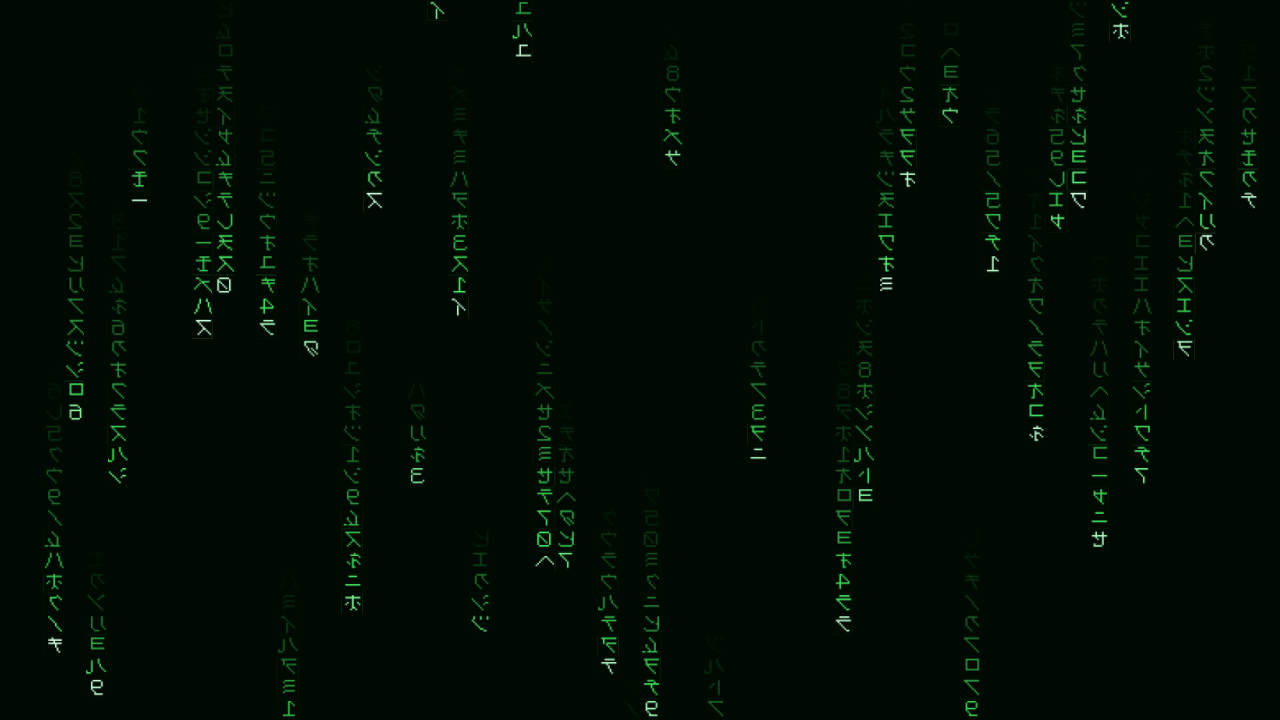
The default: mirrored half-width katakana, green on black, sixty columns.
Before you rely on this: the rain is verified numerically against an independent implementation of the same maths over ~40,000 rendered cells — every direction, three resolutions, mutation on and off, and a drop that has wrapped, with a worst disagreement of ~3e-6. Separately, a rendered frame of Alice is read back character by character out of the pixels and reassembled at 100%, which covers the UTF-8 decode, the atlas build, the slot mapping, the stream texture and the glyph fetch in one go. All 30 controls demonstrably move the picture.
It has never been loaded into Resolume — only compiled, rendered and measured offline. The FFGL parameter and clock plumbing is the part no harness here reaches. Try it on a spare layer before you put it in a show.
This codebase was created with AI assistance, directed and reviewed by a human author.
Installing
Both plugins are in every download. Drop them into ~/Documents/Resolume Arena/Extra Effects (or
the Avenue equivalent) and restart Resolume.
The macOS builds are Developer ID-signed and notarised, so they load with no Gatekeeper step. The
Windows builds are unsigned, but plugin files are not gated the way .exe files are — only the
installer trips SmartScreen, once.
OpenFX hosts
Copy Downpour.ofx.bundle from the -ofx- download into /Library/OFX/Plugins (macOS),
C:\Program Files\Common Files\OFX\Plugins (Windows) or /usr/OFX/Plugins
(Linux). Both plugins are in the one bundle. It
is the identical rain — the OpenFX build calls the same code the shader is measured against.
There is no Audio group there; OFX hosts have no audio analysis.
Two plugins
| Downpour | A source. Draws rain over its own background, on its own layer. |
| Downpour Over | An effect. The same rain over the incoming clip, so the controls live on the clip rather than a layer above it. |
Both are the same code with one flag different, which is what stops them drifting apart.
It reads whatever you give it
The rain does not know the difference between an alphabet and a book. Both are a list of characters; the only question is whether it picks from them at random or reads them in order — and the Source control decides that.
It rules out the other two combinations on purpose, because both are traps: scattering a novel is an expensive way to make noise, and sequencing a six-character alphabet is a marquee that repeats every six cells.
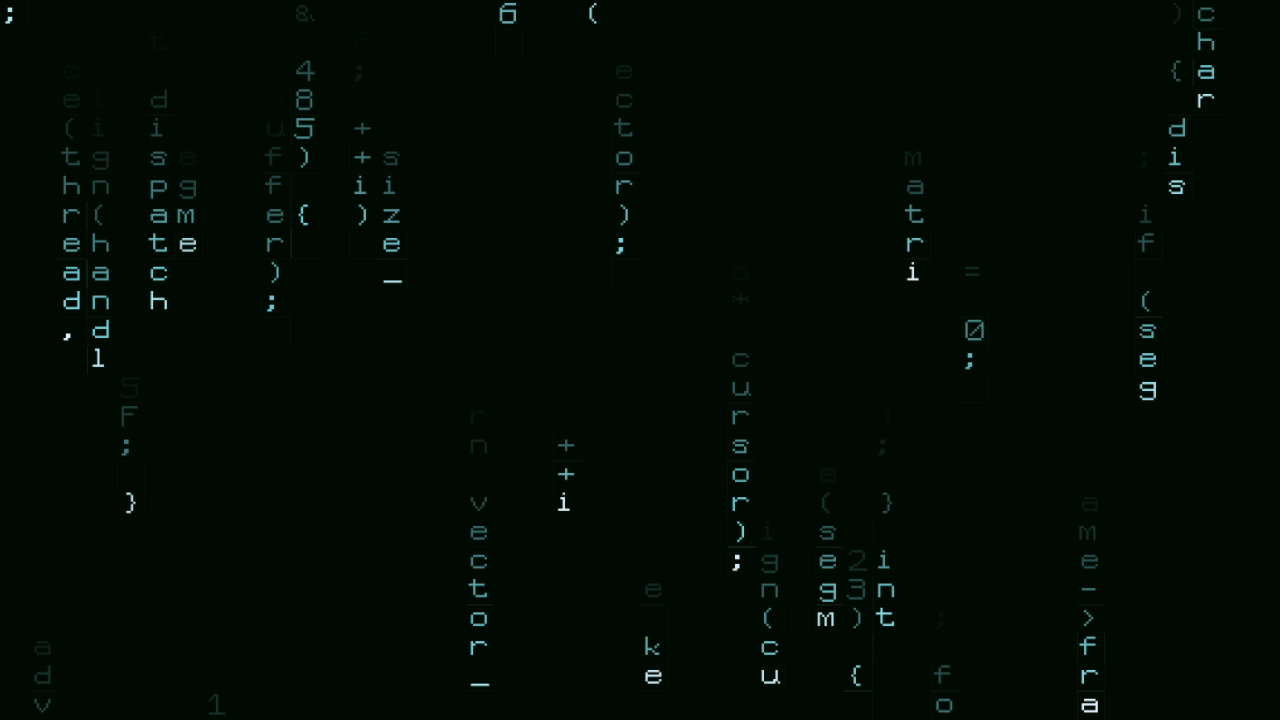 |
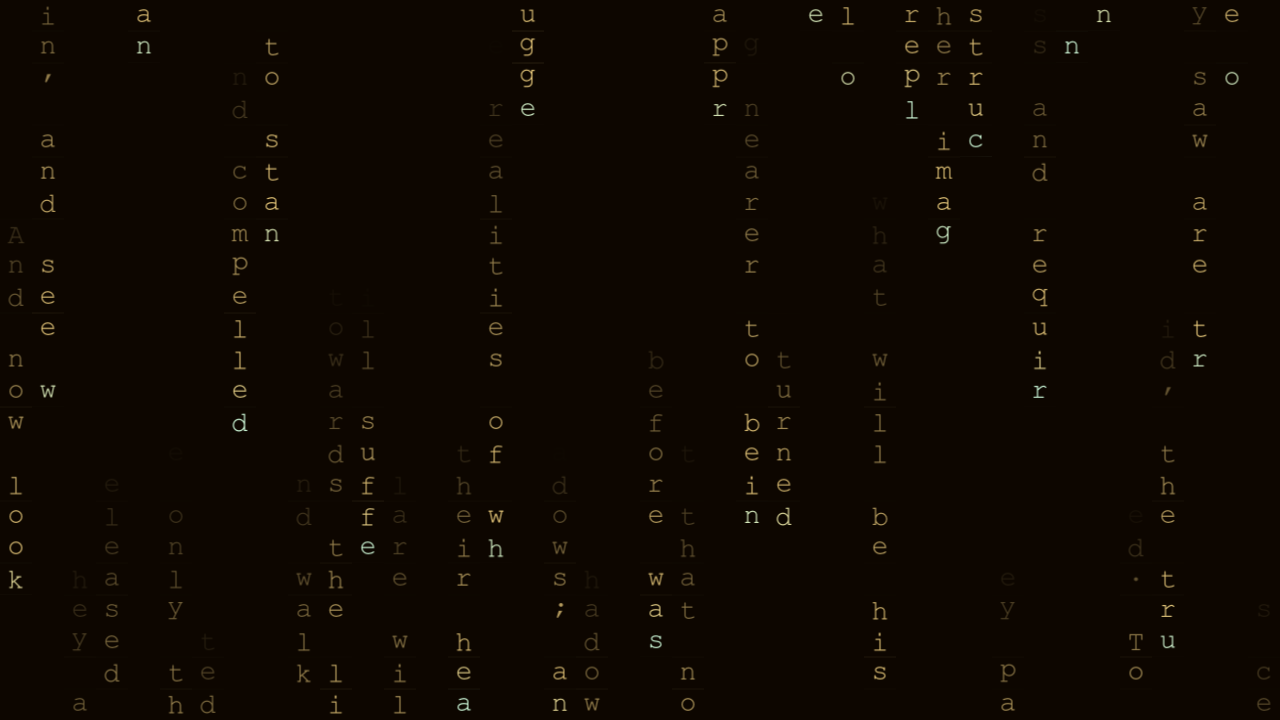 |
| Code — a token grammar, not random characters. What makes text read as code at rain speed is its punctuation density: brackets, semicolons, arrows, hex literals and camelCase. Prose has almost none of them. | A document, played out in order. Consecutive characters down a column, consecutive columns across the frame, advancing by a screenful each time the drops recycle — so the text genuinely streams past rather than being sampled from. |
Junk draws from katakana, katakana with digits, hex, binary, ASCII, digits or latin. Four
public domain works are built in — Alice in Wonderland, Plato’s allegory of the cave, Hamlet’s
soliloquy, and Descartes on the cogito. Or type your own, or point it at any .txt on disk.
Fonts, and why it cannot leave you with a blank frame
Pick from the fonts installed on the machine, or point it at any .ttf, .otf or .ttc. There
is also a bitmap face drawn for this project, and it is the floor rather than a placeholder:
fallback is per character, not per font. Choose a font with no katakana and you get your font
for the latin and the built-in face for the katakana, instead of a grid of empty rectangles.
That matters more than it sounds. A composition stores a font path, and the next machine is a different rig in a different country. Downpour also writes the resolved family name into the composition alongside the index, and prefers the name when the two disagree — names survive the trip between machines; dropdown positions do not.
Nothing about it drifts
A cell is a closed-form function of its column, its row and the host’s clock. There is no simulation state anywhere: no feedback texture, no ping-pong buffer, no “previous frame”.
That is the feature rather than an implementation detail. A state-based rain advances one frame at a time, so its speed is whatever the frame rate happens to be — and Resolume’s frame rate drops when the show gets heavy. This one runs at the speed you asked for whether the host is managing 60 fps or 20, looks identical at 720p and at 4K, and can be scrubbed to any point without playing what came before.
The controls
Rain — Speed, Direction (down, up, right, left), Columns, Trail, Density, Mutation, Fade, Seed. Mutation scales with Speed, so winding Speed down calms the whole picture — glyph churn included — rather than leaving a shimmering wall behind slower heads.
Text — Source, Characters, Custom Text, Text File, Mirror Glyphs.
Font — Font, Font File, Glyph Size.
Colour — Text colour and opacity, Head colour and boost, Background colour and opacity, Glow.
Output — Mix, on the effect variant.
Tempo — Sync: Free, Beat or Bar. Free runs Speed in rows per second. Beat and Bar lock to Resolume’s BPM — Speed becomes rows per beat or per bar, and each interval’s travel is eased in hard at the front, so the rain visibly kicks on the grid rather than merely matching its average speed to it.
Audio — pick an audio source and raise Audio Level. Each column is gated by its own slice of the spectrum, low frequencies at the left, so the bass end flares on the kick and the treble end shimmers with the hats. This is per column: Resolume’s own per-parameter audio link can pump one slider, but it cannot give sixty columns sixty different bands.
Find the head colour early. The bright leading character is most of what reads as digital rain rather than as a screensaver.
If it looks wrong
It reads as a screensaver, not rain. Head colour and Head boost. See above.
A grid of empty rectangles. That should be impossible — fallback is per character. If you see it, the whole atlas failed to build, which is a bug worth reporting.
The text is unreadable noise. Source is set to scatter a document. Switch to sequential, or pick a junk alphabet instead.
The rain speeds up and slows down with the show. It should not — there is no per-frame state. Check you are not on Beat or Bar sync with a wandering BPM.
Everything shimmers even at low speed. Mutation is tied to Speed, so this should also not happen. If it does, Mutation is high and Speed is not as low as it looks.
Licensing note
Downpour ships no recreation of the film’s typeface — the well-known fan font is free for personal use only. Mirrored half-width katakana is a technique rather than something anyone owns, so the built-in face draws its own, unmirrored at their real code points and flipped at sample time. This project is not affiliated with, endorsed by, or connected to Warner Bros. or the makers of The Matrix.