

Gate is a film projector’s gate, shutter and print, for Resolume Arena and Avenue, as an FFGL effect. It does not paint a film look over the clip. It models the machine: a claw that pulls the film down one frame at a time, a shutter whose blades let the lamp through only while the film is still, a gate that holds each frame a little off true, and a print with grit, dust, splices and dyes that fade. The judder, the flicker, the weave, the scratches that stay put and the magenta of an old print are what that machine does.
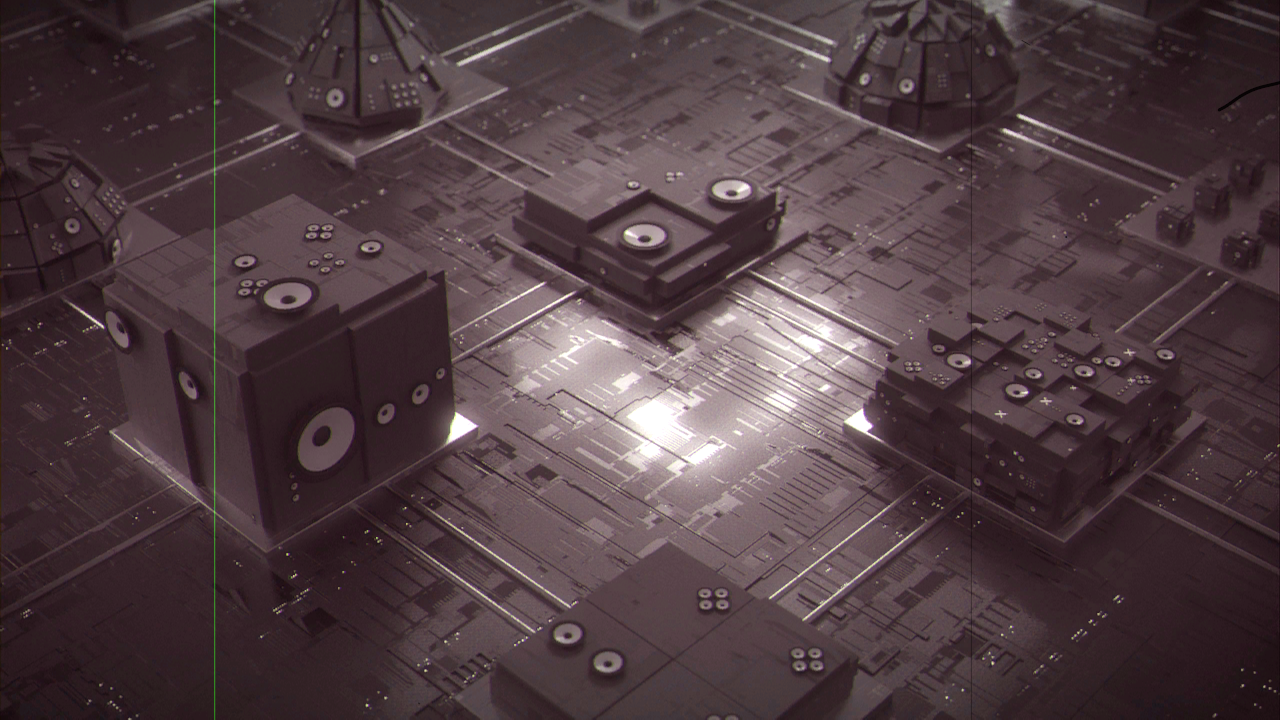
Resolume’s bundled demo clip Beat 001 through the plugin, rendered by the offline harness rather than captured from Resolume, with Hair up: a 24 fps xenon projector, a lightly worn print whose dyes have just started to go.
Before you rely on this: released at v0.1.0, and honestly early. The projector is measured rather than asserted, by a harness that drives the real plugin class and reads every property back out of the picture, at two rasters and on a software renderer: a flat grey’s brightness at 60 Hz has, bin for bin to 2e-8, the spectrum the shutter’s own Fourier series predicts; the picture changes only at pull-downs, 24 times a second at 24 fps, and every pull-down happens in exactly the dark; a scratch holds its position to 2e-5 of a pixel while the picture weaves under it; a thousand frames’ weave has the stated deviation and frame-to-frame correlation; each dye keeps its stated density to 1e-7 and a grey goes magenta; and a resize leaves the print and the previous frame untouched. Eight deliberately broken models are each shown to fail their check, and all 15 controls are shown to change the picture. The checks verify the stated model, not a projector: the weave, the dirt rates and the fading rates are chosen numbers (see Known limits). It has never been loaded into Resolume on macOS; there the one host it has run in is the fleet’s own test host,
oxbow, for 120 frames. On Windows it has: a build of this source loads, registers and renders in Resolume Arena 7.27.1 on software rendering (win-lab, Mesa llvmpipe, no GPU), with all 21 host controls matching what the plugin declares, in the fleet’s Arena gate (9 of 9 checks). The gate’s picture is a still, but the projection never stands still (the weave, the dust and the flicker change every frame, a noise floor of 7.3 levels), so 9 of the 15 valued controls read as moving the picture and six read inconclusive (FPS, Shutter Angle, Scratches, Dust, Hair, Splices); none read dead. Software rendering says nothing about a GPU or about speed. Try it on a spare layer before you put it in a show.This codebase was created with AI assistance, directed and reviewed by a human author.
Photosensitivity. The shutter flickers the whole frame at the beat of the projector’s rate against your display’s, and at a 60 Hz output that beat is 12 Hz (10 Hz at 25 fps), inside the 3 to 30 Hz band that broadcast flash guidelines restrict. The default shutter (3 blades at 270°) keeps it to about ±7–9% of the picture’s light. The classic 35 mm shutter, 2 blades at 180°, beats by about ±25–29%, and 1 blade far more. On a bright LED wall in front of an audience, keep the default or a wider Shutter Angle, and see Flicker below.
Installing
Every download carries one effect, SW Gate. Drop it into Resolume’s effects folder and restart Resolume:
macOS    ~/Documents/Resolume Arena/Extra Effects/
Windows  %USERPROFILE%\Documents\Resolume Arena\Extra Effects\
Avenue uses the same layout under its own folder name. The effect then appears in the effects browser as SW Gate.
The macOS download is a universal build (Apple silicon and Intel), as a .dmg or a .zip.
It is Developer ID-signed and notarised by the release pipeline after publication, so the bundle simply loads; if macOS refuses a download, it predates the signing — download it again. The Windows download is an x64 installer or a .zip. It is not code-signed,
so the installer trips SmartScreen once: More info → Run anyway.
The machine, not the look
| the machine | what comes out |
|---|---|
| the claw pulls down at the projector’s rate, with the shutter closed | the hold: the clip changes only at pull-downs, FPS times a second. A 30 fps clip at 24 judders the way film on television does |
| blades each open for part of their cycle, the light integrated over each frame your display shows | flicker at the beat of the two rates: 72 Hz (24 fps, 3 blades) against 60 Hz is a 12 Hz pulse. Nothing is dimmed on purpose |
| a display frame that spans a pull-down gets light from both frames | double images: two frames blended in the proportions of light each got, each at its own weave |
| clearance at the claw and the sprocket teeth, the same perforations carrying each frame | weave: each frame lands a little off, and like the last. A shrunk print weaves more, and less like the last |
| grit in the gate cuts the strip as it runs | scratches that stay put: a straight line at a fixed place on screen while the picture weaves and moves under it |
| dust sits on the print and rides it | specks that move with the picture, for one to four frames |
| a hair caught at the aperture’s edge | a silhouette fixed in the gate, trembling at each pull-down, until it shakes loose |
| a cement splice | a jump and a flash on one frame |
| the reel-change marks | cue dots top right, four frames, then four more seven seconds later |
| the aperture is smaller than the printed frame | Framing past 2.3% of the height shows the frame line, and past it the neighbouring frame |
| each dye fades at its own rate | the magenta print: cyan first, magenta last; the blacks and the frame line go red |
| a lamp and a lens | a carbon arc, xenon or tungsten colour, and cos⁴ falloff to the corners |
Start here
Put SW Gate on a layer with some brightness and some movement: the bundled Beat 001, NoHopeJustFear_44 or IntoTheGlow_21. Out of the box you get a 24 fps projector with a three-blade shutter at 270° and a xenon lamp, running a lightly worn print: some weave, a few scratches and specks, a hair now and then, three splices a minute, and dyes just starting to go.
Then:
- Mix → 0 and back. The clip against the projection. The projection is a touch pink (Age 0.1) and a touch darker in the corners (Vignette).
- FPS → 16. Watch a pan or any steady motion: the picture now moves in bigger steps, sixteen a second, and every few frames a frame shows two pictures at once (see Double images).
- Weave → 0.9, then Shrinkage → 1. The frame starts to wander; on a shrunk print it wanders more and jumps more from frame to frame.
- Scratches → 0.9. Straight lines down the frame that stay where they are while the picture weaves under them: dark ones on the base side, green, yellow or clear ones on the emulsion side.
- Dust → 0.9, Hair → 1, Splices up. Specks that ride the picture for a frame or a few, a hair caught in the gate, and a jump and a flash at each splice. Press Cue Dots for the reel-change marks.
- Framing off the middle: past 2.3% of the height the black frame line slides into view, with the next frame beyond it.
- Age → 1. An old print: the greys go pink and the blacks go red.
Dark clips show little of the print. Scratches, dust and fading are all changes to what the lamp puts through the film, so on a clip that is mostly black there is little to take away. The bundled clips of thin lines on black (Enter5_12, the AV loops) show the flicker and the weave but hardly any dirt.
Every slider is declared to the host as 0 to 1. The value each position stands for is given with each control below.
The Projector group
FPS (16, 18, 24, 25; default 24). The projector’s running speed: how often the claw pulls down, and so how often the picture changes. 24 is sound speed; 25 is European television’s; 16 and 18 are silent-era speeds. The clip is sampled at each pull-down, so a 30 fps clip at 24 drops one frame in five and judders.
Blades (1, 2, 3; default 3). How many times the shutter interrupts the light per frame. The pull-down always happens behind a blade. Together with FPS it sets the flicker frequency the lamp makes (FPS × Blades), and so the beat against your display (see Flicker).
Shutter Angle (45° to 315°, default 270°, slider 0.833). How long each blade cycle is open. Wider is steadier and closer to the clip; narrower flickers harder and holds each picture more crisply. The light is normalised to the opening, so a steady picture stays at its own brightness at any angle; at 180° the lit moments peak at twice the picture and white clips, at 270° at 1.33 times.
Lamp (Carbon Arc, Xenon, Tungsten; default Xenon). The lamp’s colour against a 6504 K display white: a carbon arc as a 5000 K black body (warm), xenon as 6200 K (nearly neutral), tungsten as 3200 K (orange, as a 16 mm projector with a halogen lamp). A carbon arc and a xenon lamp are not really black bodies.
Framing (±half a frame, default centred, slider 0.5). The framing knob. The aperture is smaller than the printed frame, so the first 2.3% of the height each way is picture; past that the black frame line comes into view, and past it the neighbouring frame: the previous frame above, the current picture below (the next frame has not arrived).
The Gate group
Weave (0 to 1, default 0.25). How far each frame lands off true: a standard deviation of 0.08 mm of film at 1 (about 5.7 px on a 1080-line picture), 0.6 of that vertically, correlated frame to frame at 0.75, because the same perforator punched every hole.
Shrinkage (0 to 2%, default 0.5%, slider 0.25). How much the print has shrunk. A shrunk print’s perforations no longer sit on the teeth, so the weave grows (twice as large at 1%, three times at 2%) and each frame is less like the last (the correlation, 0.75 on a new print, falls to 0.375 at 2%). At the defaults the weave is about 2 px across and 1.3 px up and down on a 1080-line picture.
Hair (0 to 1, default 0.3). The chance that a hair is caught in the gate in each four-second stretch (96 projector frames). It pokes in from an edge of the aperture, trembles at every pull-down and shakes loose. It is in the gate, so it does not weave with the picture.
The Print group
Scratches (0 to 1, default 0.35). How much grit gets into the gate. Each piece sits at a fixed place for its life (one to twenty seconds at 24 fps) and cuts a scratch there on every frame, so the scratch stays put on screen while the picture moves under it. At 1 about six are on screen at once, at the default about two. Base-side scratches scatter light and print dark; emulsion-side scratches take dye off from the top layer down, so a shallow one prints green, a deeper one yellow, the deepest clear.
Dust (0 to 1, default 0.3). Specks on the print: about 8 × Dust new ones a projector frame, each riding the print (and so weaving with the picture) for one to four frames. Most are dark; some are white, dirt printed in from the negative.
Splices (0 to 60 a minute, default 3). How often a cement splice goes through the gate. The splice frame jumps by 4 to 12% of the height and flashes.
Cue Dots (a button). Fires the reel-change marks: dots top right for four projector frames, then four more 168 frames (seven seconds at 24 fps) later, the motor and changeover cues.
Age (0 to 1, default 0.1). How far the dyes have faded. Each dye keeps exp(−k × Age) of its
density, with k = 2.0 for cyan, 0.15 for magenta and 0.8 for yellow, so an old print loses its
cyan first and its magenta last: greys go pink, the blacks and the frame line go red. The rates
are chosen to show the documented order, not fitted to any stock. At 0.2 every black is already
maroon, which is why the default is 0.1.
There is no Stock control. The spec imagined one (Eastmancolor, which fades, against Technicolor dye transfer, which does not). v0.1.0 has Age only, and every print fades the same way.
The Output group
Vignette (0 to 1, default 0.4). The lens’s cos⁴ falloff: at 1 the corners are 35° off axis, at the default 14° (the corners at 89% of the centre).
Mix (0 to 1, default 1). The projection over the clip. At 1 the output is opaque: the projection paints the whole frame, so a transparent pixel of the clip prints as black film. At 0 it is the clip, with its own alpha.
Flicker
A projector’s lamp is interrupted Blades × FPS times a second: 72 Hz at the defaults, 48 Hz for the classic two-blade 35 mm shutter. Your display shows the light integrated over each of its frames, so what you see is the beat between the two rates. At a 60 Hz output:
| shutter | lamp | beat | depth (flat grey; Resolume’s demo clips) |
|---|---|---|---|
| 3 blades, 270° (the default) | 72 Hz | 12 Hz | ±7%; 7–9% |
| 3 blades, 180° | 72 Hz | 12 Hz | ±17%; 14–20% |
| 2 blades, 315° | 48 Hz | 12 Hz | ±5%; 3–6% |
| 2 blades, 270° | 48 Hz | 12 Hz | ±10%; 7–13% |
| 2 blades, 180° (classic 35 mm) | 48 Hz | 12 Hz | ±25%; 18–29% |
(measured through the plugin at 60 Hz, 2026-09-25; the “clips” figure is the 12 Hz line of the picture’s light over four seconds of six clips.) At a 50 Hz output, 24 fps with two blades beats at 2 Hz, a slow pulse, and 25 fps with two blades does not beat at all. The flicker depends on the output’s frame rate, not on anything in the plugin, so a composition at another rate beats differently.
The default was the classic 2 blades at 180° until the release survey measured it: a ±25–29% pulse of the whole frame at 12 Hz is too much for a show default.
Double images
A display frame whose exposure spans a pull-down gets light from both projector frames, in the proportions the shutter let through on each side, and each at its own weave. On a still picture that is invisible; on fast motion it reads as a double image on one display frame in two or three at 24 fps. It is what the machine does (it is what a camera with a 360° shutter films when it films a projector), and it is not a control in v0.1.0. A wider Shutter Angle lights more of each side of a pull-down, so the default shows it more often than the classic 180° shutter did; a narrower one leaves more of those frames dark on one side and so clean.
How it works
- Clock and film (CPU, double precision). The film position advances by the host’s real seconds since the last frame × FPS. The exposure is the whole display period.
- Shutter (CPU, closed form). For each projector frame the exposure overlaps, the light the blades let through in the overlap, normalised to the opening.
- Hold (GPU). When the exposure reaches a new projector frame, the host’s picture is stored (half float) in whichever of two held pictures does not hold the previous frame.
- Gate and print (CPU). Each frame’s weave offset (a stationary AR(1) process), splice jump and Framing; the scratches, dust, hair and cue dots alive on it. Every one is a pure function of the film frame and a fixed seed, so two instances show the same print and a resize changes nothing.
- Output (GPU). Per projector frame: the held picture at its offset, the frame line or the neighbouring frame; the dyes’ densities, faded; the scratches, dust, cue dots and hair; the frames summed by their shutter weights; the lamp, cos⁴, sRGB and Mix.
Resolume’s clock overflows a float, so the film position lives on the CPU in double and the shaders see only weights and offsets. A frame longer than a quarter of a second is clamped.
Performance
Measured by the offline harness on an M4 Max at the defaults, best of three, glFinish both
sides, on a GPU shared with other work: 0.087 ms a frame at 1280 × 720, 0.084 at 1920 × 1080 and
0.27 at 3840 × 2160 (1.6% of a 60 fps frame), holding 14, 32 and 127 MB (two half-float pictures
at the input’s size). Nothing was timed inside Resolume, and nothing was timed on Windows.
If it looks wrong
The whole frame pulses. That is the flicker (see Flicker). Widen Shutter Angle; at 315° it is nearly gone.
Motion looks doubled every few frames. Double images at a pull-down (see above). That is the machine; there is no control for it in v0.1.0.
Motion judders. The hold: the picture changes FPS times a second, and a 30 fps clip at 24 fps drops a frame in five. Choose 25 fps if the clip is 25 or 50 fps.
The blacks are red. Age: the dyes are fading, cyan first. Lower Age to 0 for a new print.
There is a black band at the top or bottom. Framing is past the aperture’s margin.
A scratch does not move with the picture. It should not: it is in the gate, not on the film.
The clip’s transparency is gone. The projection is opaque above Mix 0. Lower Mix to see the clip’s own alpha again.
SW Gate is not in the effects browser. Check the folder under Installing, and that Resolume was restarted.
The effect does nothing at all. A shader that will not compile looks exactly like that, and the real message is in the log:
macOS    ~/Library/Logs/gate/gate.YYYY-MM-DD.log
Windows  %LOCALAPPDATA%\gate\logs\gate.YYYY-MM-DD.log
It records the GL vendor, renderer and version at load, which pass failed if one did, and the host’s clock and the unit the plugin decided it is in.
Known limits
- The machine’s behaviour is chosen, not measured. The geometry is published (the 35 mm frame pitch, the apertures, the cue timing, the dye layer order), but the weave’s size, correlation and shrinkage law, the scratch, dust and hair rates and sizes, the splice jump and the three dyes’ fading rates are numbers picked to show the right thing, not measured from a projector or a print.
- The lamps are black bodies, which a carbon arc and a xenon lamp are not.
- No Stock: every print fades by the same three rates.
- Double images are always on at a pull-down (see above).
- Scratches are straight. Scratches from an earlier projection, printed into the base, that meander and weave with the picture are not modelled; neither is a base scratch’s bright core.
- Two instances show the same print: there is no seed control.
- The frame below the frame line is the current picture, not the next frame.
- The look is judged by eye: the dust shapes, the hair, the cue dots, the splice flash and the lamps’ colours. The harness proves each control moves the picture; nothing measures how it looks.
- Never loaded into Resolume on macOS. Everything numeric was compiled, rendered and measured
offline against the real plugin class in a headless CGL context, plus an
oxbowload. - Never seen on camera footage or film scans, only on Resolume’s bundled CG loops.
- Checked at 320 × 180 and 1280 × 720 in the harness, and only timed at 4K.
- Only ever run on an Apple M4 Max, although the macOS build contains an Intel slice. On Windows, see the note at the top of this guide.
- No presets and no OpenFX version.
- There is a browser demo at gate-demo.stoatworks-labs.com. It is a port to a web page, not the plugin: the shaders run in WebGL2, and the projector and the print (the shutter’s weights, the weave, the dirt, the dyes, the clock) are rewritten in JavaScript. Its flicker beats against your browser’s display rate. The page lists what it does not reproduce.
About
The last group, About, carries the plugin’s name, version, licence and maker, and buttons that open this user guide (stoatworks-labs.com/software/gate/guide/), the project page, the source on GitHub and the support page in your browser.
Reporting something
github.com/stoatworks-labs/gate/issues. A screenshot, the Projector and Print settings, and the composition’s resolution and frame rate are usually enough. If the effect did nothing, attach the log.