

Plotter is a pen plotter drawing the clip, for Resolume Arena and Avenue, as an FFGL effect. It does not sketch the picture with a line filter. It traces the outlines in the current frame and drives a pen along them at a plotter’s pace — a speed limit, an acceleration limit, a rest at each end of every stroke, a full stop at sharp corners, a trip to the carousel to change colour — onto paper the ink stays on. The heavy ends of every stroke, the blot at every pen-down, the darker corners, the staircase a coarse step makes of a shallow diagonal, and a sheet that is a collage of the moments each stroke was drawn, are all what a slow pen does, not what somebody drew.
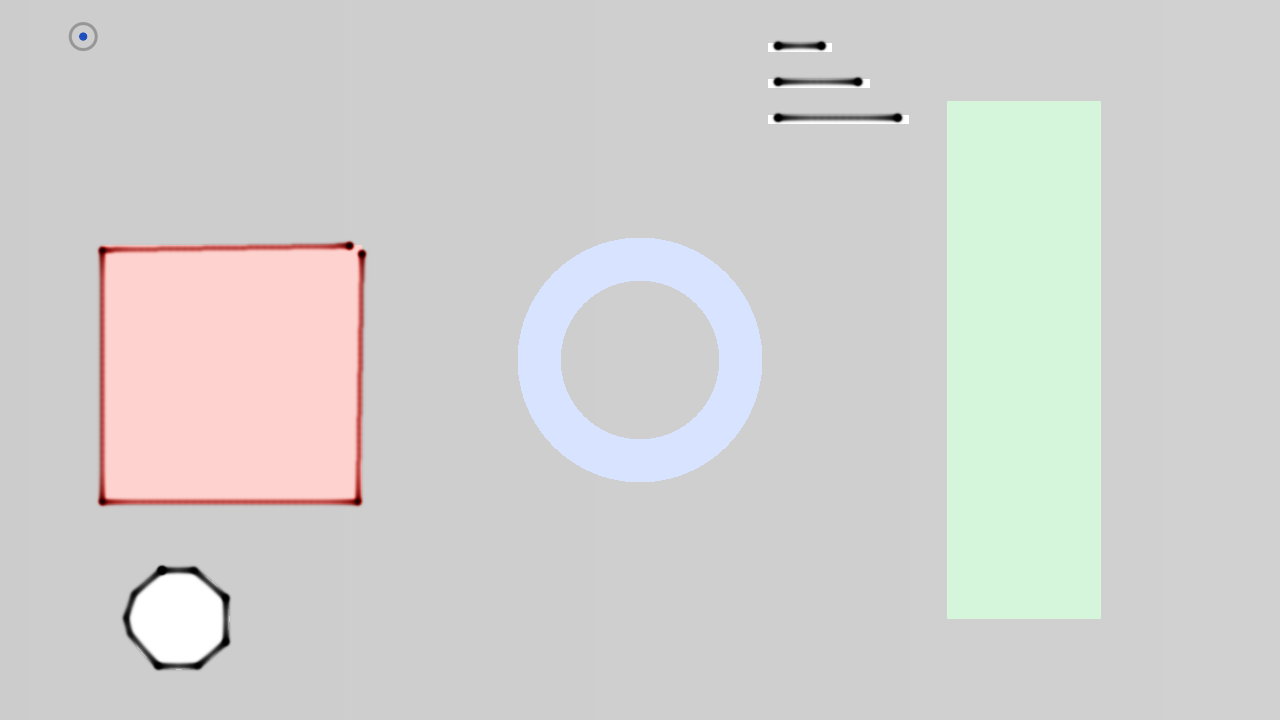
The repo’s test card after twelve seconds at the defaults, rendered by the offline harness rather than captured from Resolume. The corners are heavier than the sides and every stroke starts and ends with a blot; neither is drawn.
Before you rely on this: released at v0.1.0, and honestly early. The machine is measured rather than asserted, by a harness that drives the real plugin class on a synthetic clock and reads each claim back out of the picture it made, at two rasters: a stroke’s pen-down time, read off the ink on the sheet, matches the trapezoid’s closed form (L/v + v/a, or 2√(L/a) when it never reaches cruise) to 0.02%; the column density where the pen is at half cruise is 2.018× the middle’s against 2.0125 predicted; after t seconds exactly the strokes the profile predicts are on the sheet, to a nib’s width plus a pixel; a coarse step pitch draws a staircase whose runs sit on their levels to 0.001 px and whose risers are one pitch apart; eight strokes over four pens make four carousel trips with Optimise and eight without, every stroke in its pen’s colour; the sheet survives thirty idle frames byte for byte and a resize to the bilinear blend of its old texels; and a filled square through the plugin’s own detect passes is one closed stroke, drawn. Six deliberately broken machines each fail their check, and a one-character change to the shipped shader is caught. All 19 controls are shown to change the picture. It has never been loaded into Resolume on macOS — the one host it has run in is the fleet’s own test host,
oxbow, for 120 frames. On Windows, in Resolume Arena 7.27.1 (win-lab, Mesa llvmpipe, no GPU, 2026-09-24), the DLL of this source loads from Extra Effects, registers asSW Plotter/PL01/ effect, all 25 host controls match the declaration, it renders, Arena’s log stays clean and all 19 controls move the picture: 9 of the fleet gate’s 9 checks, in two runs (before and after the tear-off fix). Software rendering says nothing about a GPU or about speed. Try it on a spare layer before you put it in a show.This codebase was created with AI assistance, directed and reviewed by a human author.
Installing
Every download carries one effect, SW Plotter. Drop it into Resolume’s effects folder and restart Resolume:
macOS    ~/Documents/Resolume Arena/Extra Effects/
Windows  %USERPROFILE%\Documents\Resolume Arena\Extra Effects\
Avenue uses the same layout under its own folder name. The effect then appears in the effects browser as SW Plotter.
The macOS download is a universal build (Apple silicon and Intel), as a .dmg or a .zip.
It is Developer ID-signed and notarised by the release pipeline after publication; a download made before that trips Gatekeeper once (right-click → Open), so if macOS refuses it, download it again. The Windows download is an x64 installer or a .zip. It is not code-signed, so the
installer trips SmartScreen once: More info → Run anyway.
A slow pen, and the ink stays
galvo is a laser: a fast mirror redrawing the whole path every frame. A plotter is the opposite machine, and the plugin is built as one:
| stage | what it does | what comes out |
|---|---|---|
| detect | galvo’s edge detector at a 320-pixel trace size, on luma or alpha, with a temporal filter that rises fast and falls slowly | a stable edge mask, so a flickering edge is not re-traced every frame |
| trace | galvo’s tracer, copied rather than rewritten: thin the mask, walk it, simplify | strokes, each with the colour the clip had along it |
| plan | strokes to the nearest pen; sorted by pen, then nearest start first (Optimise); each stroke a trapezoid of travel, settle, draw, settle, with a junction speed at every vertex and a trip to the carousel at every pen change |
a job: a list of timed blocks |
| move | the carriage’s place in the job advanced by the time that really passed, in double; positions snapped to the stepper grid | where the pen is now |
| ink | each interval’s InkRate × dt of absorbance spread over the distance the pen covered in it, into a sheet that is never decayed |
heavy where the pen is slow: the ends, the corners, the blots |
| composite | Beer–Lambert transmission through the ink over the paper, the travel line, the carriage, Mix |
the sheet |
The pen is asked for work only when it has none (or, with Chase, whenever a stroke ends): one
trace per job, from whatever frame is on screen at that moment. By the time it is a few strokes
in, the clip has moved on. That is the whole idea, and everything anybody recognises about a
plotter drawing follows from it.
Start here
Put SW Plotter on a layer or a clip. Out of the box you get a four-pen technical plotter at 0.6 sheet heights a second, drawing black, red, blue and green on white paper with the clip ghosted faintly under it, tearing the sheet off every thirty seconds.
Know what the pen is drawing. It is drawing outlines, and it is slow. On a logo, a title or
a silhouette it finds long clean strokes and you can watch it draw the shape. On footage it
finds a mess of short strokes, and it draws them: a scribble that grows a few strokes a second.
That is the honest result of pointing a plotter at video, and it is the look. A dark clip on a
dark ground has few edges to find; lift it with a brightness effect ahead of the plugin, or lower
Threshold.
Then:
- Max Speed → up. The machine hurries and the line thins, because ink is laid per unit of time. → down, and the whole drawing darkens and the pen becomes something you can watch think.
- Pen Settle → 0.3 s. Every pen-down is a bigger blot. Acceleration → down, and the heavy ends of every stroke grow, because the pen spends longer getting up to speed.
- Step Size → up. Two stepper motors can only stop on a grid: a shallow diagonal becomes runs and risers, k steps by one for a slope of 1/k.
- Show Travel on. Each stroke already goes to the nearest of the four Technical pens by its colour; now the pen-up moves show as faint pencil lines, so every trip to the carousel off the top-left corner is visible. Optimise off, and the driver changes pen far more often.
- Chase on. The pen re-traces at the end of every stroke, so each stroke comes from now.
- New Sheet. Tear the sheet off. Auto Sheet at 0 keeps it for ever.
Every slider is declared to the host as 0 to 1, except Pens, which is an integer. The value each
position stands for is given with each control below. Lengths are in sheet heights (the
frame is one high and aspect wide) and times in seconds, so a plotter set up on a 720p
composition draws the same picture at the same pace on a 4K one.
The Machine group
Max Speed — the pen’s cruising speed, 0.05 to 2 sheet heights a second, geometrically; 0.6 by default. A real A3 plotter does about 0.4 m/s across 0.3 m of paper, 1.3 heights a second, towards the top of the range. Ink is laid per unit of time, so a faster pen draws a lighter line and a slower one a darker line, as on a real machine. Pen-up travel runs at three times this.
Acceleration — 0.1 to 20 heights per second squared, geometrically; 4 by default. At the default speed the pen takes v/a = 0.15 s to reach cruise, over v²/2a = 0.045 heights, which is what makes the heavy ends of a stroke a few pixels long rather than invisible or the whole stroke. Lower it and the heavy ends grow; at the bottom of the range a stroke never reaches cruise at all and is a triangle of speed, dark at both ends.
Pen Settle — 0 to 0.5 s, linear; 0.08 s by default. How long the pen rests on the paper at pen-down before it moves, and at the end of a stroke before it lifts. Every one of those rests is a blot, four times the darkness of the cruising line at the default; a plotter drawing is dotted at every vertex the pen lifted at, and this is why.
Step Size — the stepper pitch: off at the bottom of the slider, then 0.0005 to 0.025 heights, geometrically; 0.001 by default, one pixel at 1080p, where quantisation is invisible. The carriage sits on a grid point until the next step and jumps in one interval, so at a coarse pitch a shallow diagonal is drawn as runs and risers, exactly k steps by one for a slope of 1/k, and the line is beaded at the grid points rather than continuous. At 0.025 the staircase is 27 px at 1080p and anyone can see it.
Corner Angle — 5° to 90°, linear; 45° by default. A vertex whose turn is this sharp or sharper is a corner: the pen comes to a full stop there and leaves again from rest, which is a blot. A gentler turn is taken at a speed that falls linearly from cruise at no turn to zero here, so a gentle bend is only a little darker than a straight. At 5° nearly every vertex is a stop and a circle simplified to a polygon is a ring of dots; at 90° only a hairpin stops the pen.
The Pens group
Pens — 1 to 8 on the carousel, an integer; 4 by default. How many of the palette’s pens the job may use. With one pen there is never a change; with eight, the driver sorts eight groups. A session starts with no pen in the carriage, so the first stroke of every sheet pays one trip to the carousel.
Pen Width — the nib, as a Gaussian sigma of 0.0012 to 0.012 heights, geometrically; 0.0025 by default, 2.7 px at 1080p. The range starts where a line can be seen at any raster this runs at (a 0.1 mm technical pen on A3 is about 0.0003, below a pixel). A wider nib carries proportionally more ink, so the line’s darkness does not change with its width.
Flow — the line’s darkness at the reference speed of 0.35 heights a second, as an absorbance of 0.25 to 8, geometrically; 2.0 by default. An absorbance of 1 transmits 37% of the paper’s light, 3 is black. Ink is subtractive: a red pen absorbs green and blue, and two strokes crossing are darker than either. Because the reference speed is fixed rather than the current Max Speed, changing Max Speed still changes the weight of the line, as it does on a real machine.
Palette — Technical, Black, Neon, Source; Technical by default. Technical is the drawing-office set: black first, then red, blue, green, orange, violet, brown, grey. Black is every pen black, so Pens only changes the sorting and the trips. Neon is a set of markers. Source draws each stroke in the colour the clip had along it, capped at 70% value so a white edge still draws, and sorts it onto the Technical pens for the carousel. The colour is sampled where the edge is, so on a bright shape against a black ground Source is a dark pen: the sample is half background (the project video’s first take drew Resolume’s three coloured rings in near-black, and the Technical pens, which pick the nearest pen by that same colour, drew them in blue, orange and yellow). A grey — chroma under 30% of the value, or a value under 25% — always goes to the black pen before any colour is measured, so most edges in footage, which are bright and unsaturated, are black.
Optimise — on by default. The driver groups the strokes by pen, starting with the pen the carriage holds, and takes each group as a nearest-start tour (open strokes can be reversed, closed ones started anywhere), the way real plotter drivers did. Off, the strokes are drawn in the tracer’s order with the pens interleaved: many more trips to the carousel, and a drawing that appears in the order the tracer found it.
The Path group
Threshold — the gradient magnitude at which a pixel is an edge, 0.02 to 1, geometrically; 0.14 by default. A clean black-to-white step measures 1, so the useful range for footage is below 0.2 and for artwork around 0.3. This is galvo’s control with galvo’s mapping, but a lower default: galvo is for artwork and footage is low in luma contrast. The detector runs on luma or alpha, so a silhouette delivered as transparency has a perfect outline in it.
Detail — mip levels above the trace resolution that the detector runs at, 0 to 3, linear; 0.6 by default. At 0 it detects at the trace buffer’s own pixel and finds every small thing; at 3 it finds only the outer shape of a logo and ignores everything inside it.
Chase — off by default. On, the pen re-traces at the end of every stroke instead of at the end of every job, so each stroke comes from the frame on screen now. On moving footage the sheet becomes a collage of moments; on a busy clip the tracer runs once a stroke, which is the plugin’s worst case for cost.
The Sheet group
Auto Sheet — never at the bottom of the slider, then 1 to 300 s, geometrically; 30 s by default. How long a sheet stays on the machine before it is torn off and the next job starts on a clean one. A finished job on a still clip is re-traced onto the same sheet, the pen going over its own lines, which is what a plotter does; this is what stops it.
New Sheet — a button. Tear the sheet off now.
Paper — White, Cream, Ghost, Clip, Alpha; Ghost by default: white paper with the clip printed on it at 22%, so the frame is never empty while the pen thinks. Clip is the clip as the paper, ink over the picture. Alpha is ink over nothing, premultiplied, for the layer below. The sheet is opaque in every mode but Alpha, whatever the clip’s alpha.
Show Carriage — on by default. The pen carriage, drawn as a ring at the pen’s position: a small one, and where the machine is when it is thinking or on its way to the carousel.
Show Travel — off by default. The pen-up moves, drawn as a faint pencil line at 8% of the pen’s ink rate, so the tour and every trip to the carousel can be seen.
Mix — the sheet against the untouched clip, 0 to 1; 1 by default. Zero is the clip as it arrived, alpha and all.
How it works
Once a frame on the GPU: a copy with a mip chain, a Sobel on luma-or-alpha at the trace mip writing the gradient and the clip’s colour, and the asymmetric temporal filter. When the machine asks for work, one readback of that 320-wide buffer to the CPU, thresholded, thinned, walked and simplified by galvo’s tracer into strokes in sheet units with the colour along them. The planner assigns pens, sorts, and builds the blocks: a trapezoid per stroke with a backward-then-forward pass over the junction speeds, settles at each end, and a travel at three times cruise between strokes and to the carousel. The machine advances its place in the block list by the frame’s real elapsed time, in double, frame-relative — Resolume’s clock is half a billion milliseconds into a session and no float ever sees an absolute time — sub-sampling each interval so the 1/v law holds to 1% inside it, and snaps positions to the stepper grid. The ink pass deposits each interval’s quantum as a Gaussian across the segment with its integral held along it, into an RGBA32F sheet that only ever accumulates (a half-float sheet lost 0.8% of a long stroke and 2.9% of a short one to rounding, systematically, in the blots this plugin is about). The sheet is resampled into a new buffer on a resize and cleared only by Auto Sheet or New Sheet.
Performance
Measured by the offline harness on an M4 Max, 60 frames after a warm-up, glFinish both sides,
on a GPU shared with other work, at the defaults on the test card:
| as shipped, ms/frame | traced every frame, ms/frame | of which the tracer, ms | |
|---|---|---|---|
| 1280 × 720 | 0.19 – 0.21 | 0.73 – 1.69 | 0.59 – 1.44 |
| 1920 × 1080 | 0.20 – 0.22 | 0.77 – 2.05 | 0.64 – 1.72 |
| 3840 × 2160 | 0.53 | 1.15 | 0.98 |
As shipped the tracer runs once a job — a readback stall of one to two milliseconds once every
ten to thirty seconds — and a frame is the detect passes and the composite. The “traced every
frame” column is the worst case Chase can approach on a clip of very short strokes. The test
card has eight strokes; a busy frame of footage has hundreds, and the tracer’s cost there is not
measured. The RGBA32F sheet is 133 MB at 4K. Nothing was timed inside Resolume, and nothing was
timed on Windows.
If it looks wrong
Nothing is being drawn, or only a carriage ring wandering about. The first stroke of every
sheet costs a trip to the carousel (off the top-left corner) and back, about a second at the
defaults. If it stays empty, the tracer is finding no edges: the clip is dark on dark, or
Threshold is too high for it. Lower Threshold, or lift the clip ahead of the plugin.
A scribble of short strokes. Footage. That is the tracer being honest about a picture with no
outlines in it. Raise Detail to keep only the outer shapes, or give it a logo.
The drawing does not follow the clip. It is not meant to: the pen took the path when it asked
for work and is still drawing it. Chase re-traces at the end of every stroke; Max Speed up
finishes the job sooner; New Sheet starts again.
Dots at every vertex. Pen Settle, and a full stop at every corner sharper than Corner Angle. Both are the machine; lower the settle and raise the angle for a smoother line.
The line is beaded or stepped. Step Size is coarse. The default pitch is a pixel at 1080p.
Source palette draws dark lines on a colourful clip. The colour is sampled at the edge, against the background; on a dark ground that is a dark colour. Use Technical, which picks the nearest pen by the same sample, or Neon.
The pen keeps going to the corner of the frame. Pen changes. Fewer Pens, or Optimise on,
or Palette Black.
The sheet vanished. Auto Sheet fired. Set it to 0 to keep a sheet for ever.
The frame is transparent. Paper is Alpha, which is for the layer below. Every other paper is opaque.
SW Plotter is not in the effects browser. Check the folder under Installing, and that Resolume was restarted.
The effect does nothing at all. A shader that will not compile looks exactly like that, and the real message is in the log:
macOS    ~/Library/Logs/plotter/plotter.YYYY-MM-DD.log
Windows  %LOCALAPPDATA%\plotter\logs\plotter.YYYY-MM-DD.log
It records the GL vendor, renderer and version at load, which shader failed if one did, and a buffer that could not be allocated.
Known limits
- Never loaded into Resolume on macOS, and nothing has driven the controls in a host there. On Windows, see the note at the top of this guide.
- The tracer is a tracer, not a vectoriser (galvo’s limit): on footage it finds short disconnected strokes. The trace size is fixed at 320 pixels across, so lines thinner than about a 320th of the frame are not found at all.
- At a coarse Step Size the line is beaded, not the continuous staircase a cheap plotter drags between steps: the pen is modelled as sitting on a grid point and jumping. At the default pitch the beads are under a nib apart.
- Not modelled: pen pressure, ink bleed into the paper, the pen drying, an acceleration limit for travel that differs from the draw, the carriage’s mass (the profile is a pure trapezoid).
- A finished job on a still clip is re-traced onto the same sheet until Auto Sheet fires.
- The tracer’s cost on footage is not measured, and the pen sorting is O(n²) over the strokes of a job; on a very busy clip with Chase on it runs once a stroke.
- Footage has been seen by eye only, through the harness’s
--pipe, on Resolume’s bundled demo clips (the project video). Nothing on footage is measured. - Only ever run on an Apple M4 Max, although the macOS build contains an Intel slice.
- No presets, no audio input and no OpenFX version.
- There is a browser demo at plotter-demo.stoatworks-labs.com. It is a port to a web page, not the plugin: the shaders run in WebGL2 and the tracer, the planner, the machine and the ink deposit are rewritten in JavaScript, which only a reader has checked. The page lists what it does not reproduce.
About
The last group, About, carries the plugin’s name, version, licence and maker, and buttons that open this user guide (stoatworks-labs.com/software/plotter/guide/), the project page, the source on GitHub and the support page in your browser.
Reporting something
github.com/stoatworks-labs/plotter/issues. A screenshot, Max Speed, Acceleration, Pen Settle and Step Size, the clip’s nature (logo or footage) and the composition’s resolution are usually enough. If the effect did nothing, attach the log.