

(re)gauss is electromagnetic interference on a CRT, and the coil that clears it, as an FFGL effect for Resolume Arena and Avenue — and the same thing again as an OpenFX plugin for Resolve, Nuke, Natron and Vegas.
The idea it is built on is one sentence: there is a single magnetic vector field over the tube’s face, and it is read once per electron gun. Three effects everybody recognises fall out of that, and not one of them is drawn as an effect in its own right. The picture leans and bulges — that is the field’s strength. Every edge grows coloured fringes — that is the field’s gradient, because the three cathodes sit in different places and fly different paths. Whole regions turn the wrong colour — that is the field measured in shadow-mask pitches, and displacing a beam by one whole phosphor width lands the red gun squarely on the green stripe.
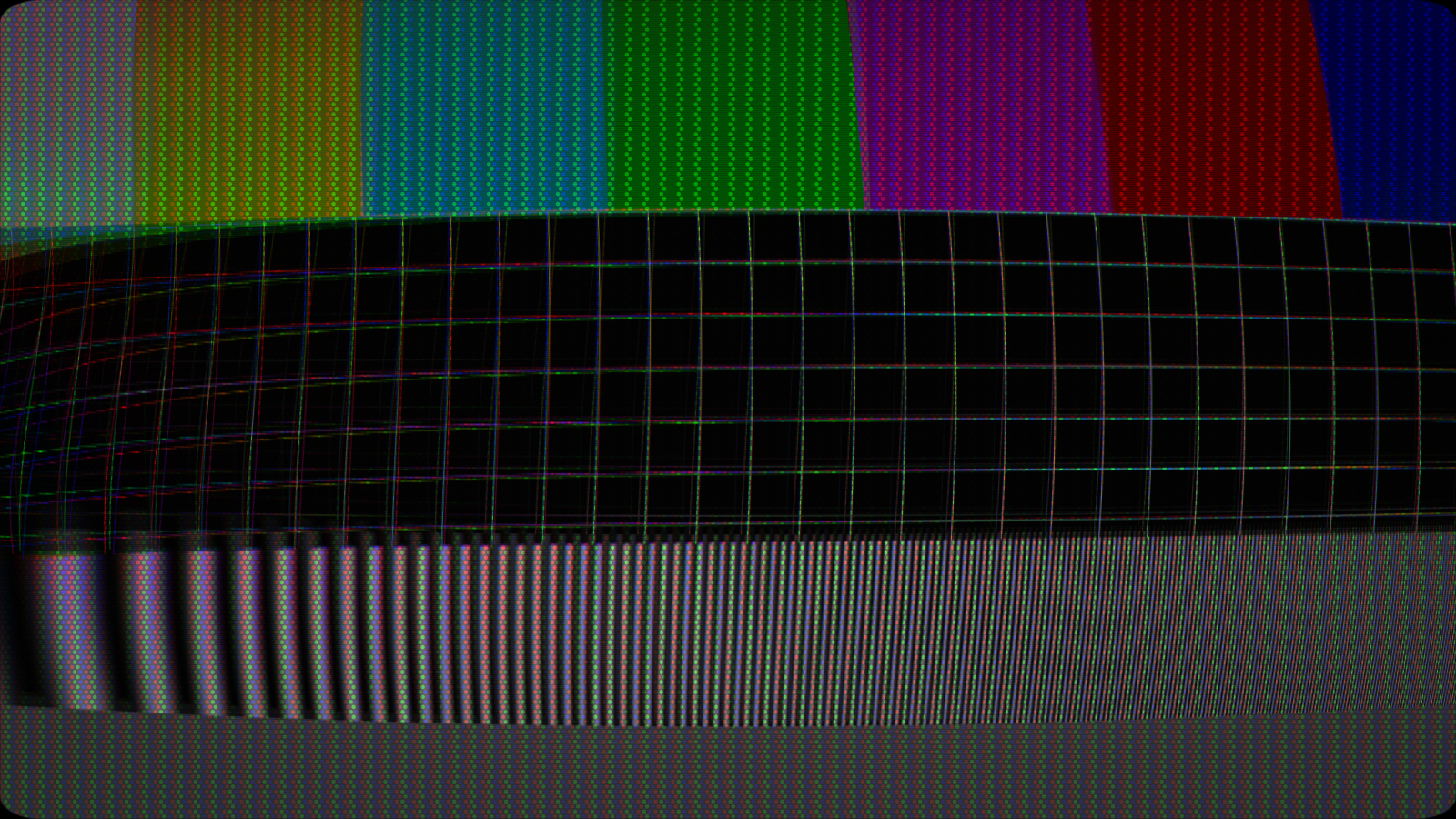
Half a second into a degauss. The coil has pulled the HT down, so the picture has dimmed and swelled — slower electrons are bent further by the same yoke current.
Before you rely on this: the physics is verified numerically by a harness that drives the real plugin class in a headless GL context. The GLSL field matches the C++ field it mirrors to under 1e-6 across all five layouts, the purity model is the identity at rest and rotates cleanly at one whole phosphor, the coil peaks on firing and is down to one per cent after exactly the stated Duration, and all 40 parameters demonstrably change the picture.
It loads into Resolume Arena and renders there, and the Degauss button fires once per press as intended. Still open: Beat and Bar assume Resolume’s transport and have never been checked against real music; the audio path has only ever seen synthetic spectra, never Resolume’s own FFT; the Windows build comes from CI and has never been loaded into Resolume on Windows; the OpenFX bundle loads under a test host, which is not Resolve; and none of it has been run in a live show. Try it on a spare layer first.
This codebase was created with AI assistance, directed and reviewed by a human author.
Installing
Drop the plugin into Resolume’s FFGL folder and restart Resolume:
macOS    ~/Documents/Resolume Arena/Extra Effects/
Windows  %USERPROFILE%\Documents\Resolume Arena\Extra Effects\
Avenue uses the same layout under its own folder name. There is also a macOS disk image and a Windows installer in the release, which put it there for you.
The macOS builds are Developer ID-signed and notarised, so there is nothing to clear. The
Windows builds are unsigned; plugin files are not gated the way .exe files are, so Resolume
loads them normally, and only the installer trips SmartScreen — once.
OpenFX hosts (Resolve, Vegas, Nuke, Natron)
Copy Regauss.ofx.bundle from the -ofx- download into the OpenFX folder and restart the host:
macOS    /Library/OFX/Plugins/
Windows  C:\Program Files\Common Files\OFX\Plugins\
Linux    /usr/OFX/Plugins/
The OFX build has no Audio group, and that is not an omission — an OFX host delivers no spectrum, so there is nothing for it to listen to.
Start here: put a magnet somewhere
Layout is where the magnetism is, and it decides everything else. Speaker Left — an unshielded speaker sitting beside the set — is the default because it is the most familiar failure, and because it is the one the Audio group is built around.
Magnetisation is how strongly the shadow mask has taken the field up. This is the control that makes the effect an accumulating stain rather than a filter: the mask remembers, and the memory is what the coil later clears.
Wander moves the magnets. Interference and Frequency add an alternating field leaking in from the room — mains hum is 50 or 60 Hz, and the bar rolling slowly up the picture is what that looks like.
Deflection and Purity are two controls, and they must be
Deflection is how far the field bends a beam — the geometry error. Purity is how much colour error that bend causes.
On a real tube those are set by different hardware: the yoke and the anode voltage for one, the mask pitch and gun-to-mask distance for the other. Their real ratio is why a magnet far too weak to visibly move the geometry will still rotate the colours completely — which is the commonest real purity fault there is. Derive either one from the other and that whole region of the effect becomes unreachable, so they are separate.
Convergence is how far apart the three cathodes sit. It is what turns a field gradient into coloured fringes: crank it and every edge grows a rainbow; wind it to nothing and the three beams move as one and fringe nothing at all.
The Degauss button
It is not an animation played over the top. Pressing it fires a decaying alternating field — a real automatic degausser is a coil in series with a PTC thermistor, which is why its field dies away over a second or two rather than switching off — and the mask’s stored magnetisation is walked down by the same envelope. The decay is the mechanism, not decoration: demagnetising works precisely because the applied field passes through every amplitude on its way to zero.
So the button genuinely clears the state the plugin has built up. The picture is thrown about, dims and swells while the coil loads the HT, and then the set is clean until it magnetises again over the Recovery time.
That loop — stain builds, degauss, clean, stain builds — is the reason this is a performance tool rather than a look. Coil Sag is how far the HT drops while the coil pulls, which is what makes the picture swell; Duration and Intensity are the coil itself.
It can also fire itself, on an interval or on Resolume’s beat or bar.
Audio: the speaker is the field
Set Audio Drive above zero and route a source. Nothing twitches until you do.
A speaker’s stray field is not like the audio signal — it is the audio signal, because the voice coil current is the music and the magnet assembly leaks it. So the audio does not drive a new effect; it drives the field that was already there, and the lean, the fringing and the colour stain follow on their own.
Band is worded as which driver in the cabinet is doing the leaking, because that is what it is: Woofer leaks the bass, Tweeter the treble. Release is how fast the field falls back after a peak — the attack is instant. Trigger Coil fires a degauss on a transient above Threshold.
One consequence, and it is physics rather than a limitation: degaussing does not stop the audio stain. The coil clears what the mask has stored; it does nothing about the speaker still sitting there playing the record. Degauss during a loud passage and the stain returns immediately.
Stacking on somebody else’s CRT
Set Render to Interference Only and (re)gauss applies the magnet and the coil with no television of its own — for layering over old-cathode, or over real CRT footage.
Do this rather than stacking two full CRTs. Two shadow masks in a chain is a moiré generator, and two sets of curvature is a fisheye.
Purity still works in that mode: it uses the mask pitch as an implied scale rather than a drawn one, so the colour stain comes out the right size over whatever tube is underneath.
The rest of the controls
| Group | What it holds |
|---|---|
| Render | Full CRT, or Interference Only for stacking. |
| Field | Layout, Seed, Magnetisation, Wander, Interference, Frequency. |
| Beam | Deflection, Purity, Convergence, Overscan. |
| Degauss | The button, the Auto schedule, Duration, Intensity, Coil Sag, Recovery. |
| Tube | Mask Pattern and Pitch, Scanlines, Line Count, Beam Bloom, Persistence, Halation, Brightness, Contrast. |
| Geometry | Curvature, Corner Radius, Perspective, Zoom, Vignette. |
| Audio | Audio Drive, Band, Release, Trigger Coil, Threshold. FFGL only. |
Eight factory presets ship with it, from Speaker Beside It through Mains Hum to Degauss on the Bar.
If it looks wrong
Nothing is happening. Magnetisation is at zero, or Layout is set somewhere off the picture. Raise Magnetisation first — it is the control the others multiply.
The colours are wrong but the picture is straight. That is correct, and it is the effect’s whole point. Raise Deflection if you want the geometry to move too.
Everything fringes far too hard. Convergence is too high. It exaggerates the gap between the three cathodes, and the fringing is the gradient seen through that gap.
The audio does nothing. Audio Drive starts at zero, deliberately, so a freshly added effect does not twitch. Check a source is routed as well.
Degauss does not clean it up. If audio is driving the field, it cannot — see Audio above. Otherwise the Recovery time may be short enough that it re-magnetises before you have looked.
A moiré pattern crawls over everything. Two shadow masks. Put the upstream plugin’s mask away, or switch this one to Interference Only.