

Spasis is four audio sources for Resolume Arena and Avenue that draw the shape of the stereo and surround field — where the energy is pointing, how wide each part of the spectrum is, and what the balance looks like — as displays you can put on a screen rather than in a meter bridge.
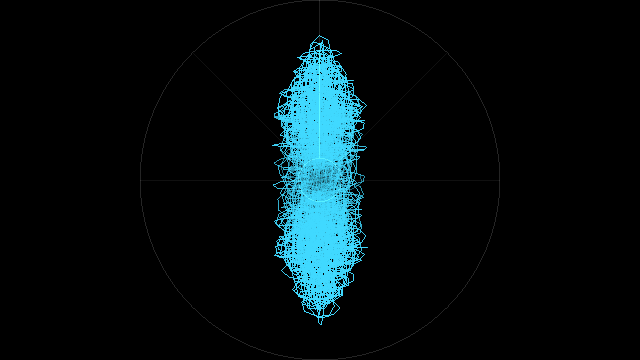
| Source | What it shows |
|---|---|
| Spasis Field | The goniometer. Where the signal sits, instant by instant. |
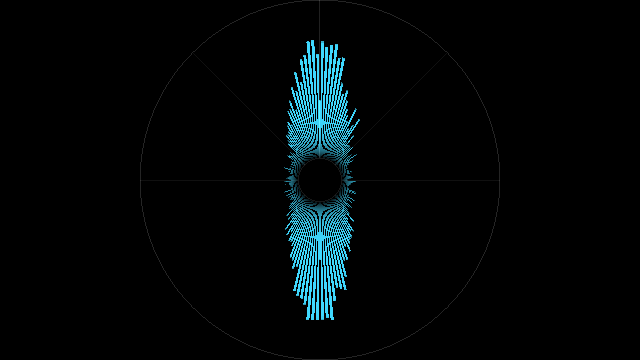
| Spasis Rose | Polar level: energy against direction, or a lobe per speaker. |
| Spasis Width | Stereo width against frequency. |
| Spasis Balance | Tonal balance. |
Before you rely on this: the central claim — that one law reproduces the goniometer engineers already own and keeps working past two channels — is measured rather than asserted. 296 offline checks cover the FFT against a direct DFT to within −80 dB, a hard-panned channel landing at exactly 45°, width agreeing with
|S|/(|M|+|S|)at every landmark and generalising to six channels, and the capture ring dropping the oldest sample and never the newest.It has never been fed by a real desk, and it has never run a show. A microphone and a silent loopback are not a 5.1 stem feed, so the layouts, the rose and the width plot have only ever seen synthetic multichannel audio. First contact with a live rig found five bugs in a plugin that had already passed three hundred offline checks. Check it in your own rig before trusting it in front of an audience.
This codebase was created with AI assistance, directed and reviewed by a human author.
Installing
Drop all four bundles (macOS) or all four .dlls (Windows) into Resolume’s extra effects
folder and restart Resolume:
- macOS —
~/Documents/Resolume Arena/Extra Effects/ - Windows —
Documents\Resolume Arena\Extra Effects\
Use Resolume Avenue in place of Resolume Arena for Avenue. They appear as four
sources, not effects — so look under Sources in the browser, not under Effects.
Install all four or install one. They share no state and none of them needs the others.
Read this before you trust a reading
FFGL cannot give a plugin the audio these displays need. The plugin API offers exactly one audio input: a buffer of N magnitude bins of a mono sum. No phase, no channels, no time-domain samples.
A goniometer needs left and right as waveforms. Per-band width needs the complex spectrum of each channel separately. A surround rose needs six. None of that can be recovered from a mono magnitude spectrum, and a plugin that guessed would draw four plausible pictures of nothing.
So Spasis opens its own capture device, and that is the one piece of setup it needs. Until you point it at something, three of the four displays have nothing real to draw.
Setting the audio up
Audio Input is the control that matters. It lists every capture device the machine offers,
plus Resolume (mono) at the top.
Resolume (mono)is the default. It uses the host’s own FFT, needs no setup, and works in any host — and it can only drive Balance. Field, Rose and Width will show their graticule at full brightness and nothing else, which is deliberate: an empty instrument rather than a black frame.- Anything else is a real capture device. A loopback such as BlackHole, a Dante Virtual Soundcard, or an interface with the desk feeding it.
Rescan Inputs re-reads the device list. Press it after plugging something in — devices are remembered by name rather than by position, so a rescan will not silently move your selection onto a different box.
Speakers tells Spasis what the channels mean:
| Setting | Layout |
|---|---|
| Auto | Follow the channel count the device reports |
| Stereo | ±45° (see below) |
| Quad | Four corners |
| 5.1 / 7.1 | The usual film layouts; LFE contributes a level and never a direction |
| Ring | An even ring of whatever Max Channels allows |
Max Channels caps how many channels are opened, 1 to 8. A device offering more is capped rather than refused — a 112-channel L-ISA bridge opens as 8.
Why stereo is ±45° and not ±30°
This is the most consequential number in the project, and it is worth knowing that it is deliberate.
The field point for one instant is the amplitude-weighted sum of the unit vectors pointing at
each speaker. At ±45° that arithmetic comes out as exactly (side, mid) — which is the
classic goniometer: mono straight up the vertical axis, out-of-phase flat along the
horizontal. The generalised law and the instrument every engineer already owns are the same
thing, and they are only the same thing at 45°.
At the ITU ±30° the same law puts a hard-panned channel at 30°, and the picture stops matching the meter bridge you are used to. That is measurable, and it is measured: the harness fails if either angle moves.
Shape and Style
Every one of the four takes the same two controls, and they behave the same way in all four.
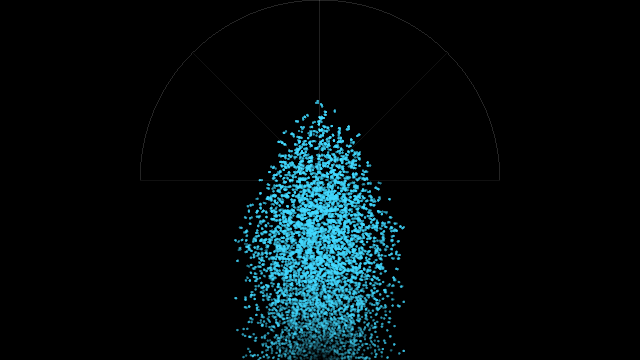
| Shape | |
|---|---|
| Circle | The full circle |
| Half Circle | The front half only — the natural frame for a surround layout |
| Raster | The whole frame, plotted left to right |
| Style | |
|---|---|
| Scope | An oscilloscope trace — the path itself |
| Bars | A bargraph |
| Particles | Points rather than a line |
Four displays × three shapes × three styles is thirty-six pictures out of one set of controls.
The controls
| Control | Default | What it does |
|---|---|---|
| Gain | 0.5 | How far a given level pushes the trace out. It is a decibel control, not a linear one: the slider spans −12 dB to +24 dB, so the centre default is +6 dB and each tenth of the slider is another 3.6 dB. Raise it for quiet programme. |
| Thickness | 0.3 | Line or bar weight; point size in Particles. |
| Inner Radius | 0.12 | The hole in the middle of a circular plot. |
| Rotation | 0.5 | Turns the whole plot through a full turn. The centre default is upright; either end is a half turn. |
| Persistence | 0.6 | How long previous frames stay, as a half-life from 20 ms to about two seconds. It never reaches truly instantaneous — 20 ms at the bottom of the travel is roughly one frame — and the top of the travel is a long phosphor trail. |
| Hue · Saturation · Brightness | 0.5 · 0.65 · 1.0 | The trace colour. |
| Background | 0 | Background opacity. At zero the background is transparent, so only the trace and graticule composite over whatever is underneath. |
| Lobes | Field | Rose only. Field draws energy against direction as one continuous shape; Speakers draws a lobe per speaker. |
A parameter change never clears the capture ring, so nothing goes blank while you are dialling something in. A change of geometry does clear the persistence trail — otherwise the old shape would smear into the new one.
Reading each display
Field is the goniometer. Mono material climbs the vertical axis. Anything out of phase lies along the horizontal. A hard-panned channel sits at 45°. A wide mix fills the circle; a narrow one collapses toward the vertical.
Rose is level against direction. In Field mode it is a continuous shape showing where the energy is; in Speakers mode it is one lobe per speaker, which is the view that answers “is anything actually coming out of the surrounds”.
Width plots stereo width against frequency, low at one end and high at the other. A typical mix shows correlated bass and decorrelated air — narrow at the bottom, wide at the top. It is the display that shows a mono-ed bottom end at a glance.
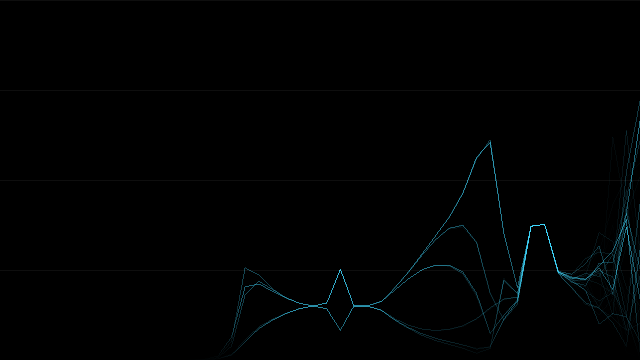
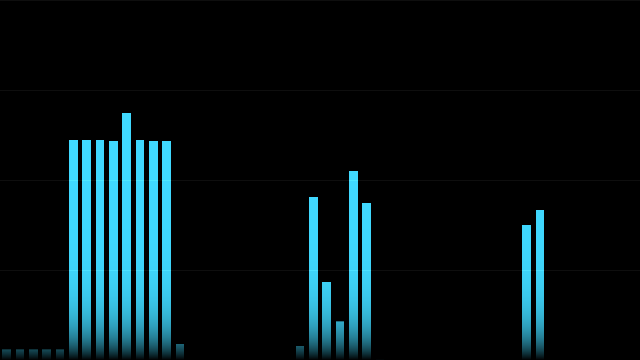
Balance is tonal balance, and it is the only one of the four that works on the default
Resolume (mono) input.
If it looks wrong
Three of the four show only the graticule. Audio Input is still on Resolume (mono).
That path physically cannot supply what Field, Rose and Width need, so they draw an empty
instrument on purpose. Point Audio Input at a real capture device.
It says the input is silent. The device opened, it is running, and it has returned bit-exact zero for three seconds. On macOS the most likely cause is microphone permission, which belongs to Resolume, not to the plugin — and a host without it is not given an error. It is handed a device that opens, runs, and returns zero for ever. Check Resolume under System Settings › Privacy & Security › Microphone.
The other two causes look identical to the code: a Dante receiver that is not patched, and a loopback device with nothing routed to it.
The field sits at an angle nothing explains. Check Speakers. A layout that does not match the feed puts the channels at the wrong angles, and the picture is then a correct drawing of the wrong assumption.
Nothing appears at all, and the graticule is missing too. That is not a routing problem.
Look in the log — ~/Library/Logs/spasis/ on macOS, %LOCALAPPDATA%\spasis\logs\ on
Windows — for a shader that failed to compile. FFGL gives a plugin no way to put a message
on screen, so the log is the only place it can say so.
Licence
MIT. Spasis is free, and if it earns its place in your rig you can support the work.