

Vectrix is an oscillator, a pedalboard and a cathode ray tube in X/Y mode, as two plugins for Resolume Arena and Avenue — and again as an OpenFX bundle for Resolve, Vegas, Nuke and Natron.
A function generator makes a two-channel signal. That signal goes through fourteen guitar and eurorack effects — a gate, a compressor, a wavefolder, a ring modulator, a phaser, a delay, a spring-ish reverb — and what comes out the far end drives the horizontal and vertical deflection of a scope. You are not watching a picture of an oscilloscope. You are watching where the beam went.
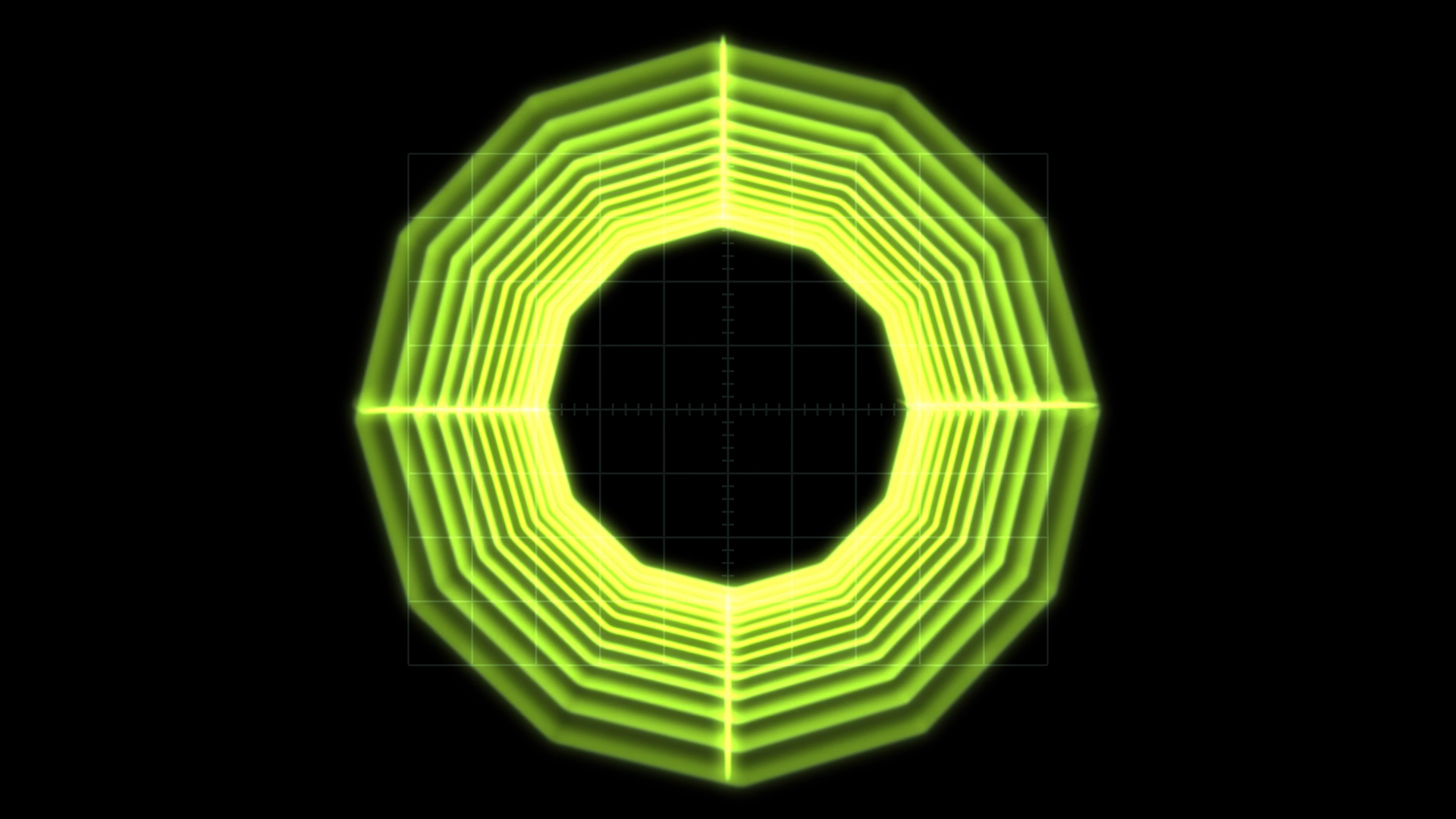
Before you rely on this: the central claim — that brightness follows dwell time — is measured rather than asserted. One sweep is rendered at ten speeds spanning a hundred to one, and the test fails if the total light deposited varies by more than half a per cent; a second regresses the measured line density against
1/v. Both probe the same shader code that ships, and a control sweep fails if any parameter turns out to do nothing.Both plugins have been loaded and run in Resolume Arena, and since v0.1.5 both are also confirmed to load and register in Arena on Windows — which is a thing worth stating plainly, because up to v0.1.4 they did not. What is still unconfirmed is narrower: whether Arena’s input is genuinely premultiplied, and how the Trace source’s readback behaves for frame rate in a real host.
This codebase was created with AI assistance, directed and reviewed by a human author.
Inspired by Ms Mad Lemon’s Vector Synth Visualizer series, which does the same thing with 555 timers, LM358 op-amps and the deflection yoke of a CRT television.
Two plugins
- Vectrix (a source) generates its own signal over its own tube.
- Vectrix Trace (an effect) paints the clip below on the tube face, so it curves with the glass, sits behind the graticule and shares the halation. It can also take that clip as the signal, tracing its edges with the beam.
Both declare the same parameters, so a composition can be moved between them.
Start from a preset
Preset is the last group in the list, at the bottom of the panel. From v0.1.6 it is its own section rather than being tucked inside Output.
Each preset is a whole machine rather than a set of slider positions, so turning one knob on it does something you can predict. Start there and go outward.
There are a hundred and seventy-odd controls in the plugin, and cutting them is not the answer — the effect parameters are the plugin. What v0.1.6 does instead is show you only the ones that can currently do something: about eighty. The Source you have chosen shows its own controls and not the other four sources’, and each of the thirteen pedals shows only its on/off switch until you switch it on, at which point its knobs appear. Turn Delay on and nine controls arrive with it.
Every pedal’s switch is always visible, so there is never a state you cannot get out of.
From v0.1.8 the controls that stand for a real quantity say so. Refresh Rate reads 64 Hz
rather than 0.8, Delay Time reads 239 ms, Gate Threshold reads -40.2 dB. Twenty-one controls
do this — the ones that were always a frequency, a time or a level underneath, and were only ever
shown as a fraction because that is what the host asks a plugin for. Nothing about the sound or the
picture changed; you can now see what you are setting. Controls that are genuinely a proportion,
like Retrace Speed, still read as one.
Why brightness follows dwell time
This models a route, not a look. Every artefact is a consequence of one fact.
The beam deposits light at a constant rate while it is on. Where it moves fast it spreads that light over a long distance and the trace is dim; where it turns around it lingers, and the trace blooms. That is why a square drawn by an oscilloscope has bright corners and a square drawn by a computer does not.
The renderer never computes 1/v. It deposits a fixed quantum of energy per sample interval and
spreads it over the distance the beam actually covered, and the 1/v falls out — along with the
correct behaviour at both extremes and no clamps anywhere: a beam crossing the screen in one step
is faint, and a beam standing still is bright but finite, because the energy is conserved either
way.
Everything else follows the same rule, and it is worth knowing because it tells you what to expect:
- The delay’s repeats get rounder, because its feedback path is low-passed and a low-passed deflection signal has softer corners.
- The gate darkens the trace without moving it, because a grid voltage cuts beam current without touching the yoke.
- Sample & Hold draws lines between its steps, because the beam travels rather than teleporting.
- Blank on Retrace with two sawtooths gives a clean raster, because the beam is genuinely cut off during flyback — not because anything declined to draw the flyback line.
Sources
Oscillator — sine, triangle, saw, ramp, pulse, noise and sample & hold per axis, with the X:Y ratio locked to exact rationals so a Lissajous figure stands still. Detune is a separate control, for when you want the drift.
Shape — circle, square, diamond, polygon, star, rose, spirograph.
Wireframe — a spinning cube, a globe, a tunnel, and a scrolling three-dimensional landscape with hidden-line removal.
Audio file — WAV, AIFF, MP3, FLAC, Ogg and Opus. Left drives X, right drives Y. This is how oscilloscope music works, and Vectrix plays it. Mono files get a delayed-self plot rather than a flat line.
Trace (effect only) — finds the edges of the clip below and walks them with the beam. Honest expectation: excellent on titles, logos, graphics and line art; a scribble on real footage. That is a property of the problem, not a setting to find.
The pedalboard
Fixed order, because fourteen blocks is fourteen factorial orderings and “what order are my pedals in” is the first thing anyone gets wrong:
VCA → Gate → Compressor → Rectifier → Slew → Drive/Fold → Ring Mod → Bitcrush
    → Phaser → Flanger → Chorus → Delay → Reverb → Deflection Amp
Each block can process both axes, one axis, or the mid/side pair — and that routing control is where most of the pictures come from, because an effect applied to one deflection axis and not the other is not a filter, it is a geometric transform.
Three worth going to first:
Phaser is the one that justifies doing any of this on the CPU. On X only it shifts each frequency component of the horizontal deflection by a different amount, so a sine figure rotates and a complex one shears. That is not an affine transform, so no shader can produce it. At Mix 1.0 there are no notches at all and it becomes a pure rotator.
Compressor pumps the figure’s size. It is the single best block for making a static figure feel alive, and it is what makes the audio-file source usable at all, since scope music has wildly varying level. Its limiter offers Gain (the figure shrinks) or Rail (the figure flattens against the edge of the screen, exactly as a deflection amplifier does when it runs out of headroom).
Slew limiter rounds every corner, and turns Sample & Hold from a constellation into a constellation with strings.
The tube
The phosphors are a measured table, not a tint.
P31 is the modern scope green, and at true persistence it shows no trail at all at 60 fps — because that is what P31 is, and why nobody photographs slow sweeps on one. P7 is the two-layer cascade: a blue flash that pumps a yellow-green layer underneath, so the trail is a different colour from the strike.
Switching phosphor changes the brightness by up to three times, because the efficiencies are real. That is not a bug to compensate for with the master level.
Face Aspect, Corner Radius and Deflection Gain span both references without a second renderer: the defaults are a round lab scope, and 4:3 with a small corner radius and a little overscan gives the consumer television.
Cost: the face buffer is sized by the spot, not by the output, so 4K costs about two and a half times 1080p rather than four. The real cost driver is Focus — a sharper tube genuinely resolves more and genuinely costs more.
In OpenFX hosts
Copy Vectrix.ofx.bundle to /Library/OFX/Plugins (macOS),
C:\Program Files\Common Files\OFX\Plugins (Windows) or /usr/OFX/Plugins
(Linux).
On Linux the plugin needs
libGL, and nothing else unusual. Vectrix’s trace renderer runs on the GPU, so unlike its siblings this.ofxlinks OpenGL. GLEW is linked statically into the binary, so all the machine supplies islibGL.so.1— present on anything that can run Resolve, and from the base repository on Rocky 8 / RHEL 8 (mesa-libGL).v0.1.3 is the exception: that build needs
libGLEW.so.2.0, which on Rocky 8 means enabling PowerTools and installingglew-devel. See its release notes.The failure mode is silent either way — an OFX host does not report a plugin that failed to load, so a missing library looks like a broken download.
The signal chain is the same code — the engine is linked in, not reimplemented — but four things genuinely differ, and they are limitations rather than choices:
- It renders on the CPU. OpenFX hands a plugin no GL context, so the beam, the phosphor and the glass are a mirror of the GLSL rather than the GLSL. Offline-render speed, not interactive.
- It replays. Vectrix is stateful — phosphor, delay lines, a reverb tank — and OpenFX renders frames in whatever order it likes. A seek, a jump or a parameter edit restarts the chain and warms it up over 120 frames. A linear render is exact; a reverb tail longer than that window is not.
- No tempo and no audio. OpenFX has neither, so the tempo is pinned at 120 and the spectrum reads as silence. The LFOs still run, since they need only a frame duration, so the modulation slots are live.
- The Trace source draws no beam, because its edge pass needs a GPU. You get the tube, the graticule and the clip on the glass, with the gun cut off.
If it looks wrong
The figure drifts instead of standing still. Detune is not at zero. The X:Y ratio is locked to exact rationals precisely so it can stand still.
Everything got much darker when I changed phosphor. Correct — the efficiencies are real, and P31 against P7 is up to a factor of three.
Trace on real footage is a scribble. Expected. Use it on titles, logos and line art.
No trail at all on P31. Also correct, and the reason P7 exists.
The effect does nothing. That is what a shader that would not compile looks like from outside.
Check the log — ~/Library/Logs/vectrix/ on macOS, %LOCALAPPDATA%\vectrix\logs on Windows,
~/.local/state/vectrix/logs on Linux.
Resolume will not start at all on Windows, and deleting the plugin fixes it. A bug in
v0.1.0 to v0.1.4 crashed the host while it was scanning the plugin folder — before any frame, and
before the plugin could write a line to its own log, so there was nothing to look at. Fixed in
v0.1.5. If you are on an earlier build, delete Vectrix.dll and Vectrix Trace.dll from
Documents\Resolume Arena\Extra Effects, start Resolume to confirm it is happy, then install
v0.1.5. macOS was never affected.