

Vertigo is the dolly zoom — the shot where one thing holds still and the world moves — as an FFGL effect for Resolume Arena and Avenue, and an OpenFX effect for DaVinci Resolve, Nuke, Natron and Vegas.
A dolly zoom is one camera move and one lens move arranged to cancel. The camera tracks along its own axis; the focal length changes to hold one surface at exactly the size it already was. That surface does not move, and everything at any other distance does — which is why it reads as the ground giving way rather than as a zoom.
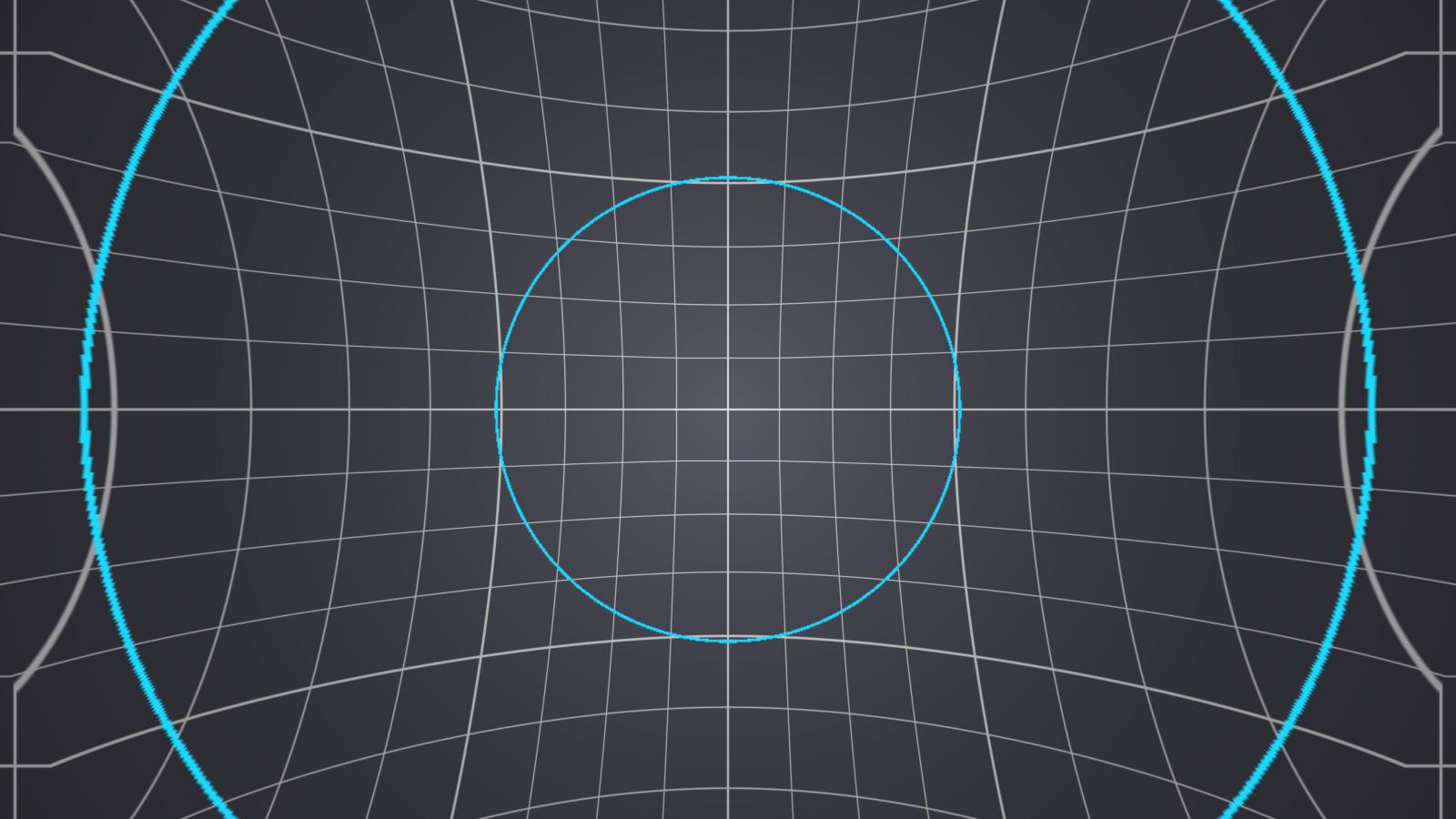
Before you rely on this: the maths is measured against an independent implementation across 180 parameter combinations, agreeing to within 0.9 of an 8-bit level; the depth solve against the same solve in double across 45 more (0.8 levels); and the anchor surface is confirmed not to move at all — 0.0000 of travel, while the rest of the frame travels up to a quarter of the picture. All 12 controls reach the picture.
It runs in Resolume Arena, loaded and confirmed working. It has never been loaded into Resolve or any other OpenFX host, the Windows build has never been run (it compiles in CI and ships), and nothing has been timed — Best quality is 16 samples per pixel and each one runs the depth solve three times in the Luma and Alpha modes, and nobody has measured what that costs at 4K.
This codebase was created with AI assistance, directed and reviewed by a human author.
Installing
~/Documents/Resolume Arena/Extra Effects        Vertigo.bundle (macOS) / Vertigo.dll (Windows)
~/Documents/Resolume Avenue/Extra Effects
Restart Resolume; it appears under Effects as Vertigo.
For OpenFX, put Vertigo.ofx.bundle in /Library/OFX/Plugins (macOS),
C:\Program Files\Common Files\OFX\Plugins (Windows) or /usr/OFX/Plugins
(Linux). It appears under the Stoatworks group.
The macOS builds are Developer ID-signed and notarised. The Windows builds are unsigned, but only the installer trips SmartScreen — see UNSIGNED.md.
Where the depth comes from — read this first
It is a depth effect, and a video clip has no depth. So the honest part of this plugin is where the depth comes from, and there are two answers.
Radial invents a field — near on the optical axis, falling away to the frame corners, or the reverse. Nothing is read out of the picture, so the geometry is a closed form with no failure cases, no holes and no dependence on what the clip contains. It works on any footage at all, and what it gives you is the look of the shot.
Luma and Alpha read a field out of the clip. Given real depth — a rendered depth pass, a matte, a generated depth map baked into a channel — this is the actual reprojection, and the picture comes apart in depth the way the real move does. Given an ordinary clip it turns brightness into geometry, which is either a mistake or an effect, depending on the clip.
Start on Radial unless you know your footage carries depth.
The shot
| Control | What it does |
|---|---|
| Dolly | How far the camera travels. 0.5 is no move; below is a pull back, above is a push in. It is geometric in the parallax ratio between the nearest surface and infinity, so equal travel either side of the middle gives exactly reciprocal shots. |
| Relief | How much depth the scene has. 0.5 is flat — and a flat scene cannot be dolly-zoomed, so that is a true null however hard the dolly is driven. Below 0.5 turns the depth inside out: the middle becomes the far end, which is the stairwell shot rather than the subject shot. |
| Anchor | Which depth is held fixed. 1 is the nearest surface, 0 the furthest. In Radial, 1 is the optical axis and 0 the frame corners. |
There are two nulls, and both are exact. Dolly at the middle is no move; Relief at the middle is a scene with no depth. Either gives back the original picture byte for byte at Quality = Fast. That is worth knowing because it means neither control has a dead zone to hunt for — the middle is genuinely the middle.
Depth shaping
Falloff is gamma on the depth field: where between the near and far ends most of the scene sits. 0.5 is linear.
Smooth blurs the depth field, not the picture. It does nothing in Radial, which is already smooth; on a real depth map it is what stops a hard depth step smearing.
Frame and output
Centre X / Centre Y put the optical axis where the subject is — the move is about that point, so this is the first thing to set on any shot where the subject is not dead centre.
Overscan scales the picture to buy back the frame that a push in gives away.
Edges decides what to show where a push in looks past the picture: Transparent, Black, Clamp, Mirror or Wrap.
Quality is supersampling — Fast is 1 sample per pixel, Good 4, Best 16. It does not change the geometry, only how it is sampled.
The direction that has no artefacts
Pulling back magnifies the background, which means reading from inside the picture, so nothing ever reaches the frame edge. Pushing in shrinks it, which means reading from beyond the picture — and that is what Edges and Overscan exist for.
Both are the shot; only one explains itself, which is why the default is a pull back. If you want a push in, set Overscan before you go looking for a bug at the frame edge.
Presets
Seven factory shots, from Vertigo through Stairwell to Slam. Picking one sets the shot controls; editing any of them afterwards falls back to Custom.
They deliberately leave Depth alone. Whether a clip carries a usable depth map is a fact about the footage, not a look.
If it looks wrong
The whole frame moves, including the thing I wanted held. Anchor is not on that surface — 1 is nearest, 0 furthest.
Nothing happens however far I drive the dolly. Relief is at 0.5. A flat scene cannot be dolly-zoomed, and that null is exact rather than approximate.
The edges of the frame go strange on a push in. Expected — see above. Raise Overscan, or pick a different Edges mode.
On my own footage it warps by brightness. Depth is on Luma and the clip has no depth map. Switch to Radial.
A hard depth step smears. Raise Smooth — it blurs the depth, not the picture.
Vertigo is a 1958 Paramount film. This plugin is named after the shot it made famous and is not connected with, endorsed by, or derived from the film or its rights holders.