

Photosensitivity warning. This effect turns dark clips up, so a dark clip that pulses can flash brightly through it. At the defaults, 4 of Resolume’s 33 demo clips flash faster than three times a second over a large part of the picture through it, where the clips on their own did not; at 10 lux, 10 do. Flashing at that rate can trigger seizures in people with photosensitive epilepsy. Check your clips before you put this in front of an audience (see Flashing).
Intensifier is night vision for Resolume Arena and Avenue, as one FFGL effect, SW Intensifier: your clip seen through an image intensifier tube, the part of a night-vision scope that turns a little light into a green picture. The clip is the scene, and Light Level is how much light falls on it, from overcast starlight to the end of civil twilight.
Nothing is drawn. The tube counts: the light on each pixel becomes a random number of photoelectrons each frame, the microchannel plate multiplies each one by a gain that is different every time, and each burst lights a spot of phosphor. So at starlight the picture is a shimmer of separate sparks that thickens into an image as the light comes up; a few sparks are far brighter than the rest; a halo rings every bright edge; and when something bright comes into the frame the whole picture dims, because the tube holds its screen’s brightness. At high light a faint honeycomb shows through.
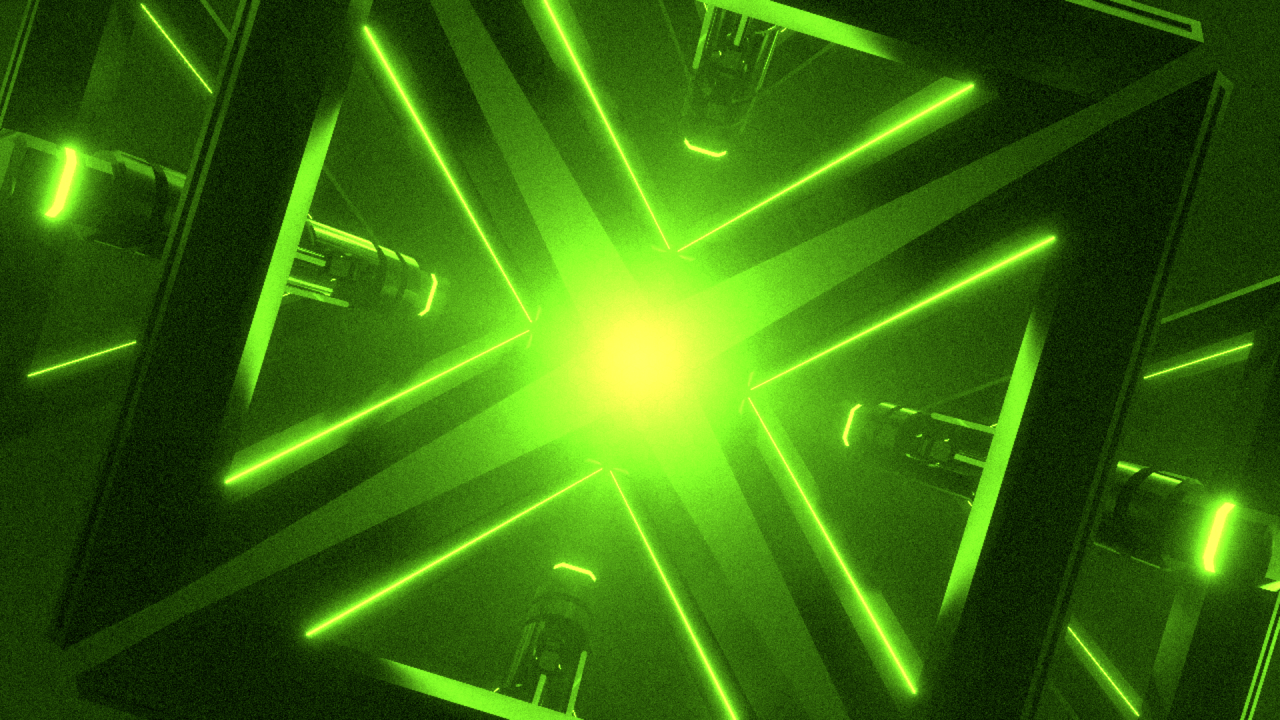
SW Intensifier on its defaults (0.1 lux, Gen 3, P43) over Resolume’s demo clip IntoTheGlow_21, rendered by the offline harness rather than captured from Resolume.
Before you rely on this: this is v0.1.0, the first release, and early days. The counting is measured, not just asserted. An offline harness drives the plugin’s own code, at two sizes, on an Apple Silicon Mac’s GPU and again on Apple’s software renderer. Read out of the plugin’s own buffers, the photoelectron counts are Poisson in the light, from 0.00004 to 5000 a pixel a frame; the plate’s charge has the spread an exponential gain predicts; the halo’s rim sits at twice the gap to within 2 pixels; and the brightness control holds the screen within 0.13 % of its limit across a 100-fold step in the light, at 30, 60 and 120 fps. Twenty-seven deliberately wrong versions of the plugin and 36 one-character sabotages of its code are all caught, and all 7 controls change the picture. It has been loaded into Resolume Arena on a Mac and on Windows, where every control was there and did what it does here, but only over still pictures, never in a show. But several of the tube’s numbers are chosen, not measured (see Known limits). Try it on a spare layer first, and shout if anything misbehaves.
This codebase was created with AI assistance, directed and reviewed by a human author.
Installing
Download the build for your platform. For macOS there’s a universal .dmg or .zip
(Apple silicon and Intel), Developer ID-signed and notarised so the bundle just loads
(the signing happens on my Mac shortly after each release is published, so a download made
in the first few minutes may need Open from the context menu once), and for Windows an
x64 installer or .zip. Put Intensifier.bundle (macOS) or Intensifier.dll (Windows) in
Resolume’s FFGL folder, then restart Resolume:
macOS    ~/Documents/Resolume Arena/Extra Effects/
Windows  %USERPROFILE%\Documents\Resolume Arena\Extra Effects\
Avenue uses the same layout in its own folder.
The Windows installer puts the DLL there for you, per user, with no admin rights needed. It
defaults to Arena’s folder (Avenue’s if only Avenue is installed) and lets you change it.
The Windows builds aren’t code-signed. Plugin files aren’t gated the way .exe files are,
so Resolume loads them as normal; only the installer trips SmartScreen, once: More info
→ Run anyway.
It’s in the Effects browser as SW Intensifier. Drop it on a clip, a layer or the composition.
Start here
- Put SW Intensifier on a clip. At the defaults (0.1 lux, a full moon) a typical clip sits just where the tube reaches full brightness, and the grain is plain.
- Move Light Level. Down towards 0.0001 lux and the picture breaks up into separate sparks; up towards 3 lux and it fills in. Past a point (it depends on the clip) the picture stops getting brighter: the tube is holding its screen’s brightness.
- Try Phosphor P45 for a white screen, and Gap for the size of the halos.
- At low light, Gain is the screen’s brightness. At high light it does nothing, which is how a real tube behaves (see the Tube group).
A dark clip needs more light than a bright one: the clip is how much light the scene reflects, so a clip that is mostly black is a mostly black scene. Several of Resolume’s demo clips are nearly black and want Light Level well above the default.
How it works, in one paragraph
The clip’s luminance, times its alpha, is the scene’s reflectance. Light Level lights it, an f/1.2 lens images it onto the photocathode, and each pixel’s share of the photocathode gives a mean number of photoelectrons per frame. The plugin draws the actual number from a Poisson distribution, every pixel, every frame (and the tube’s own dark emission, a few events per frame across the whole picture). The plate multiplies each photoelectron by its own random gain; about one in fourteen first bounces off the plate and lands up to twice the gap away, which is the halo. Each burst lights a small spot on the phosphor, which glows and decays over a millisecond or so. The tube’s power supply watches the screen’s mean brightness and turns the plate’s gain down when it would go over a limit, over about a fifth of a second; in a very bright scene it also gates the photocathode off for part of each frame to protect it. Finally the fibre optics carry the picture to the eyepiece, with their faint honeycomb.
The Scene group
- Light Level (0.00001 to 100 lux, default 0.1). How much light falls on the scene. Some landmarks: 0.0001 overcast starlight, 0.002 a clear moonless sky, 0.05 to 0.3 a full moon, 3.4 the end of civil twilight. The slider is logarithmic, so each tenth of its travel is the same multiple of light.
The Tube group
- Photocathode (Gen 2, Gen 3). Gen 3’s gallium arsenide photocathode turns about five times as many photons into photoelectrons as Gen 2’s multialkali one (1500 against 280 µA/lm). The screen is as bright either way (the tube’s gain is defined from light in to light out); Gen 2 builds it from fewer events, so it’s grainier.
- Gain (1,000 to 100,000, default 40,000). The tube’s luminous gain: how much brighter the screen is than the light on the photocathode. It only matters below the brightness limit. Above it, the supply holds the screen’s brightness, so Gain cancels out. At the defaults on a typical clip that’s the top three quarters of the slider. Below the limit (at starlight, or on a dark clip), Gain is the screen’s brightness.
- Phosphor (P43, P45). P43 is the familiar green screen; P45 is white. They decay at about the same rate.
- Gap (50 to 500 µm, default 175). The distance between the photocathode and the plate. A photoelectron that bounces back off the plate lands up to twice this distance away, so the halo round a bright point has a radius of twice the gap: 0.35 mm at the default, on an 18 mm tube whose height is the frame’s.
- Fixed Pattern (0 to 1, default 0.75). How much of the fibre optics’ honeycomb shows. It’s multiplied into the picture, so it hides under the grain at low light and shows at high light, as the operator’s manual for a real scope says it does.
The Look group
- Mix (0 to 1, default 1). 1 is the tube’s picture, opaque; 0 is your clip, untouched. In between, the two are mixed, alpha included.
Recipes
- Starlight. Light Level 0.0002 to 0.002, Gain at the top. A sparse, crawling shimmer where only the brightest parts of the clip come through.
- Full moon. The defaults: a recognisable picture, plainly grainy.
- Twilight. Light Level 1 to 3: a clean picture, and the honeycomb starts to show on flat areas.
- White phosphor. Phosphor P45, otherwise the same.
- Big halos. Gap 500 on a clip with bright points or lines on black (Resolume’s Trinity_09 or Galactucity_21).
- A torch moment. Bring a bright element into a dark clip (a light, a flash of white text): the rest of the picture dims, then comes back when it goes.
- Behind other effects. It reads luminance only, so colour grading before it changes nothing but brightness. Put colour effects after it, or use P45 and tint that.
Flashing
The supply holds the screen’s mean brightness, but it takes about a fifth of a second to respond. So a dark clip, which the tube turns well up, keeps any quick pulse it has, and the pulse is now bright. Measured over all 33 of Resolume’s demo clips (each 8 seconds, through the plugin, counting changes of brightness over the whole frame and over every third-of-the- frame window, the way the fleet’s videos are checked):
- at 0.001 lux, none flashes more than 1.5 times a second;
- at the default 0.1 lux, 4 flash 4 times a second (Bass 006, Beat 002, Cyberspace_09 and NeonRoom2_32), where the clips alone did 0, 3, 0 and 2;
- at 10 lux, 10 go over three a second, Synth 001 worst at 7.5.
The grain itself doesn’t flash: every pixel is a new draw every frame, but over any sizeable part of the picture the brightness stays steady. Light Level does, if you move it fast: a big step up flares the whole picture once before the supply pulls it back (in Arena, a step from 0.001 to 10 lux left the screen about two and a half times as bright for a moment), so stepping it up and down three or more times a second flashes. If you use this in front of an audience, check your clips at the Light Level you’ll use, keep pulsing clips at low light, and move Light Level slowly.
Performance
On the Mac it was measured on (an Apple M4 Max, shared with other work), at the defaults: about 0.85 ms of GPU time a frame at 720p, 1.31 ms at 1080p (8 % of a 60 fps frame) and 3.4 ms at 4K. Another GPU will differ, and nothing has been timed inside Resolume.
If it looks wrong
- It’s just noise. Not enough light for the clip: raise Light Level. A clip that’s mostly black needs a lot more light than the default.
- It’s flashing. The clip pulses, and the tube has turned it up. See Flashing: lower Light Level, or use a steadier clip.
- Gain does nothing. The tube is at its brightness limit, so Gain cancels out. Lower Light Level, or use a darker clip, and Gain comes back.
- Everything dimmed when something bright appeared. That’s the tube holding its brightness, as a real one does.
- The transparent parts of my clip sparkle. The tube’s own dark emission: a transparent pixel sends no light, but the tube still makes a few events of its own. At Mix 1 the output is opaque.
- Colour in my clip has gone. The photocathode sees brightness, not colour. The screen’s colour is the phosphor’s.
- I can’t see the honeycomb. It needs high light (Light Level towards 3 lux and above) and a flat, bright area; it’s faint on purpose. Fixed Pattern 1 is the strongest.
- The grain doesn’t go away at very high light. Above a few lux the tube gates its photocathode to protect itself, so it stops collecting more light.
Known limits
-
It has barely met Resolume. It ran in Arena 7.29.0 on an Apple M4 Max and in Arena 7.27.1 on Windows (software rendering, no GPU), mounted over Arena’s API on still pictures. On the Mac all 12 controls were there with their defaults, and Light Level, Photocathode, Gain, Phosphor, Gap, Fixed Pattern and Mix each did what this guide says; on Windows the same 12 were there and every control changed the picture. It hasn’t run on a moving clip in Resolume, or in a show, and its cost inside Arena wasn’t measured.
-
Straight or premultiplied alpha? The plugin treats your clip’s colour as straight alpha, which is how Resolume’s own demo clips decode. If Resolume hands effects premultiplied colour, the edges of transparent areas come out darker than they should. Nobody has checked in Resolume yet.
-
Gain does nothing above the brightness limit, over the top three quarters of its range at the defaults. That’s faithful to a real tube, but it can feel like a dead slider. It may be relabelled or made to move the limit too in a later version.
-
The default light is a full moon (0.1 lux), set where the middle of Resolume’s demo clips reaches the brightness limit. A darker default would be more dramatic and noisier; it was measured, not judged in a show.
-
Some clips never reach the limit. A nearly black clip (Resolume’s Bass 001) doesn’t engage the brightness control even at 100 lux, the top of Light Level.
-
Chosen, not measured: the lens (f/1.2), the brightness limit (3 cd/m²) and how fast the supply responds (0.2 s), the photocathode’s current limit, the size of a honeycomb cell and how deep it is. No source for any of them was reached. A real tube’s figures would replace them.
-
The halo’s strength (7.4 % of photoelectrons) rests on one reading of a patent’s sentence; the other reading makes it 2.7 times stronger. Its size (twice the gap) is measured.
-
No round eyepiece. A real scope shows a circle; here the whole frame is photocathode. An option for the circle may come later.
-
Brightness only. The photocathode sees the clip’s luminance, with no spectral response (a real tube also sees near infrared, which a video clip doesn’t carry), and both phosphors decay as single exponentials.
-
Other GPUs. The counting is measured on one Apple GPU and Apple’s software renderer, and it has run in Arena on that Mac and on Windows with Mesa’s llvmpipe; the browser demo, a port of it, matched the harness to the byte on the same Mac.
About
The last group, About, has the plugin’s name, version, licence and maker, and buttons that open this user guide, the project page, the source on GitHub and the support page in your browser.
Links
- Project page: stoatworks-labs.com/software/intensifier
- Source: github.com/stoatworks-labs/intensifier
- User guide: stoatworks-labs.com/software/intensifier/guide
- Browser demo: intensifier-demo.stoatworks-labs.com
Reporting something
Something wrong, odd or missing? Open an issue at github.com/stoatworks-labs/intensifier/issues. The plugin keeps a short log of what the host did (the GPU it was given, whether its shaders compiled, whether its buffers could be allocated, and how the host’s clock counts time), which helps a lot:
macOS    ~/Library/Logs/intensifier/
Windows  %LOCALAPPDATA%\intensifier\logs\