

Resolume OFX Bridge
OpenFX plugins in Resolume

What it does
An OpenFX host packaged as an FFGL plugin, so effects written for DaVinci Resolve and the rest of the OFX ecosystem can be dropped onto a Resolume clip. It is built on the OpenFX project's own host-support library, and it presents each plugin's parameters with their real names, units, ranges and group headings rather than a row of anonymous sliders.
The obvious design — one "OFX Host" effect with a dropdown of your installed plugins — is not expressible in FFGL. A parameter's type, range and default are fixed when the plugin loads; only labels and visibility can change afterwards. So the generator instead emits one bundle per plugin, each a copy of the same prebuilt binary plus a JSON manifest it reads at load time. That means you generate your effects without a compiler, and every parameter survives exactly as its author declared it.
Alongside the generator are the tools used to prove the pixel path: ofxprobe dumps a plugin's parameters and pushes a frame through it on the CPU, and ffgltest drives a generated bundle through a real offscreen OpenGL context — the only way to exercise the render path without Resolume itself.
There are two front ends and one implementation behind them: OFX Bridge.app, which is two paths and a Start button, and the ofxgen command line. Both call the same generator, so what ends up in a plugin cannot depend on which one you used.
And now the other direction too: `ofxgen wrap-ffgl` takes any FFGL plugin and writes a self-contained OpenFX bundle around it, so an effect written for Resolume loads into Resolve, Vegas, Nuke or Natron — its real GLSL running in a private GL context inside the new host. A wrapped Luma Key agrees byte-for-byte with the hand-written OpenFX port, which is the two implementations checking each other.
The matrix closed with v0.8.0: an After Effects plugin can now cross too. wrap-ae carries one into Resolve on a deliberately minimal After Effects host — well-behaved CPU effects work, and anything demanding deeper application services is refused by name rather than crashed into — and composing the two generators carries the same plugin all the way into Resolume. One effect was pushed through all three routes and came out identical.
There is also a browser version that needs nothing installed at all: because the wrapper shells now describe their own guest when a host loads them, assembling a wrapped plugin is a pure file copy, and a page can do it on your machine without uploading anything. It cannot diagnose a plugin it never runs, which is what the desktop build is still for — the page says so itself.
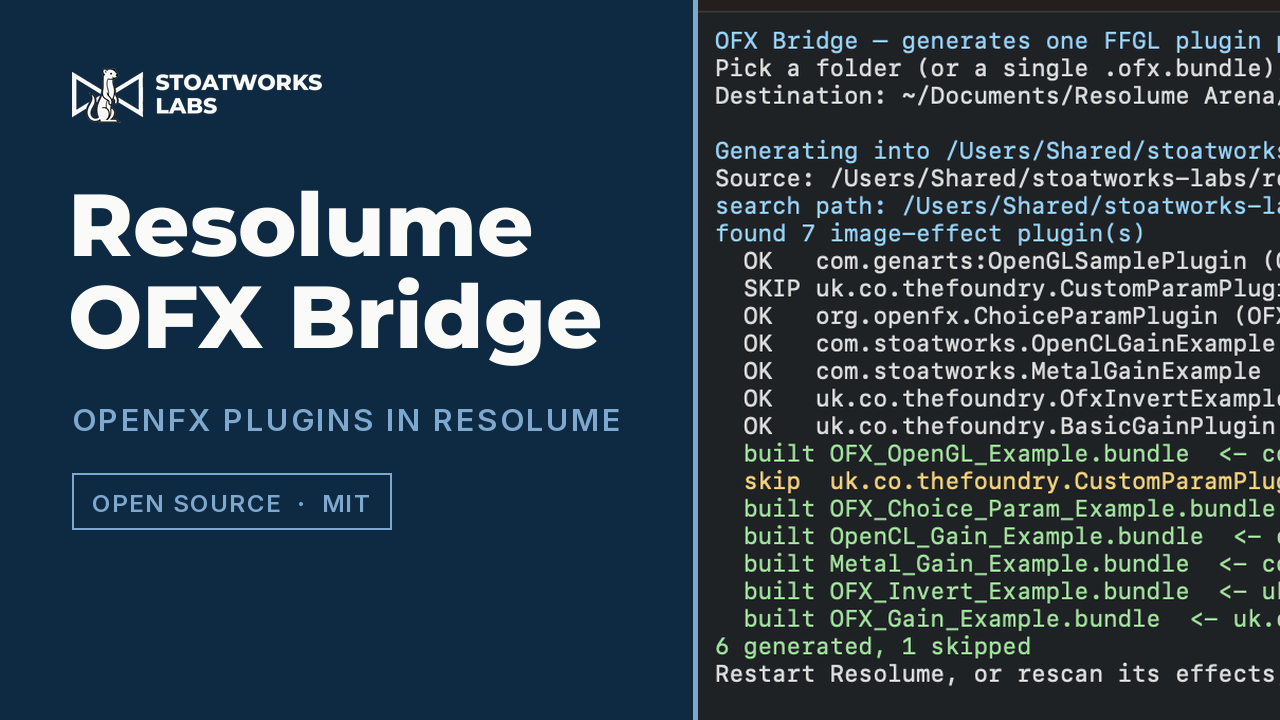
- OFX Bridge.app — choose a folder of plugins (or one .ofx.bundle), choose where they go, press Start; a progress bar and the generator's own log, with a one-click destination for Resolume's Extra Effects folder
- GPU rendering where the plugin offers it: OFX Metal is 5.4× faster than the CPU path at 1080p and is what makes GPU-only plugins work at all, with OpenGL and OpenCL paths as well
- macOS quarantine cleared as plugins are written — Resolume skips a quarantined plugin silently rather than reporting it
- ofxgen generate — scan the conventional OFX locations, or a folder you name, and write one FFGL bundle per usable plugin
- ofxgen list and ofxgen verify — show what was found and why anything was skipped, then load a generated bundle as a host would and print what it advertises
- Parameter mapping that preserves OFX types, display ranges, group headings, colour-component tagging and choice order
- ofxprobe for CPU renders and ffgltest for a real OpenGL context, so the render path can be checked without a host
- A script that builds a corpus of real OFX plugins from the OpenFX examples — necessary because a clean machine has none, even with Resolve installed
Where it stands
Released at v0.9.3 as a working prototype; v0.9.3 is a docs-only release, and the tools are v0.9.2's. The host, the parameter mapping and the pixel path are verified against real OFX plugins by automated harnesses in the repo, including a headless OpenGL test that drives a generated bundle exactly as a host would and pixel assertions on the CPU, Metal and OpenCL paths — and generated bundles have since been run inside Resolume itself on real content, so its real texture sizes, premultiplication and resize behaviour are no longer the open question they were. The release ships macOS universal and Windows x64. The whole Windows toolset builds and self-tests, with CPU render numbers matching macOS digit for digit, but the OpenGL render path there has never been run — the only Windows machine here is headless — and there is no Windows GUI, only ofxgen.exe. No Linux build ships. The CUDA path is written from the specification and has never been compiled or run, so the host declines CUDA plugins rather than half-running them. Only the OFX Filter context is hosted, and licensed commercial plugins will mostly refuse to load, because the bridge identifies itself honestly as its own host rather than spoofing one they recognise.
Watch it running
Nothing loads from YouTube until you press play.Watch it there instead