

Cogwheel
A Spirograph as a machine, not a curve
What it does
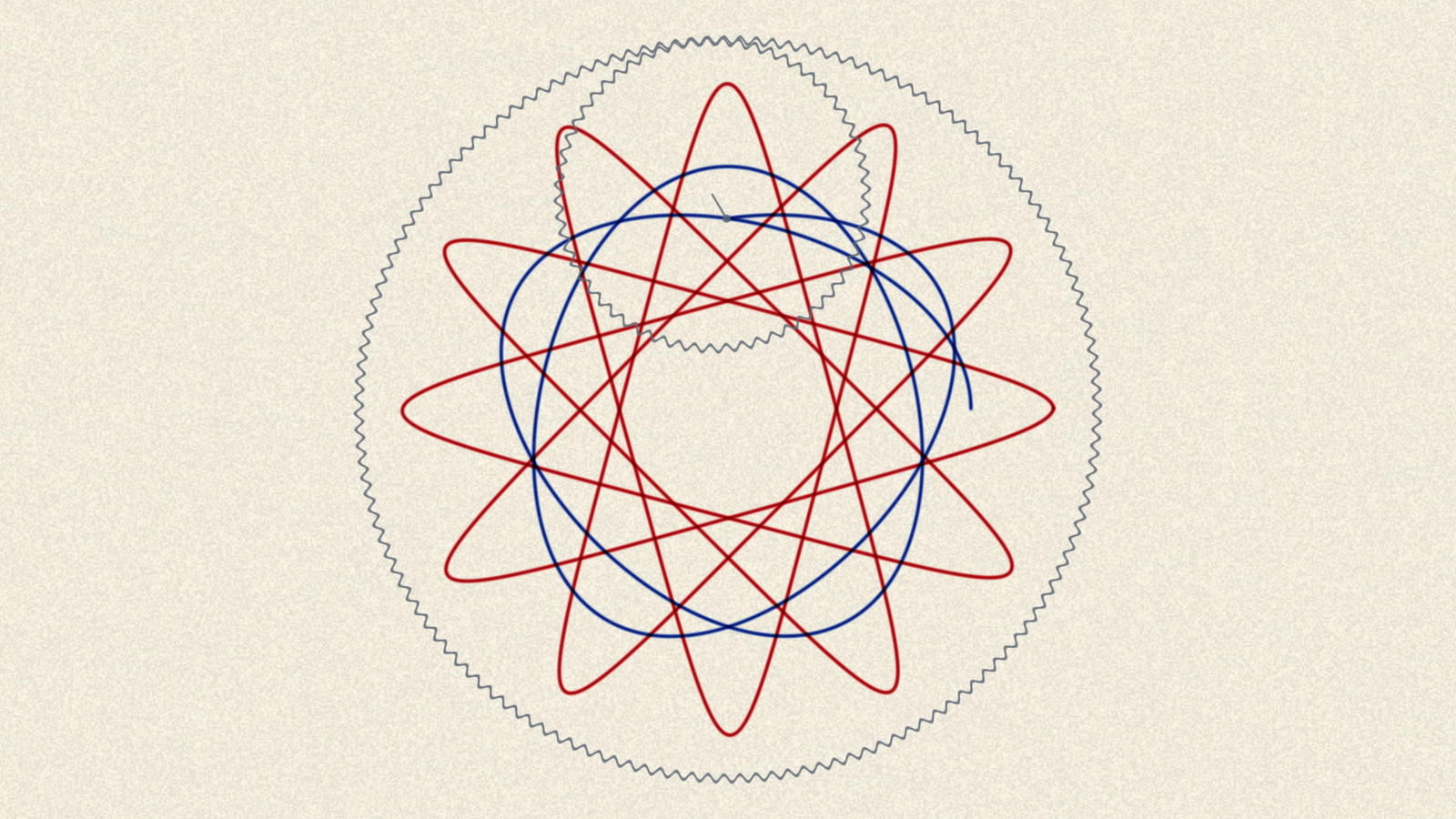
Cogwheel models the machine rather than the curve it makes. A toothed ring is pinned to the paper, a smaller toothed wheel rolls around inside it in mesh, and a pen dropped through one of the wheel's holes is carried along for the ride. It ships as two plugins, because FFGL resolves a single entry point per binary — Cogwheel is a source, and Cogwheel Ink is an effect that can use your clip as the paper the pen draws on, as the ink the pen picks up, or both — and again as an OpenFX bundle for Resolve.
The ratio is two integers because gears mesh. A wheel cannot roll by anything other than a whole tooth, so every property of the figure follows from the two tooth counts alone: 96 and 32 mesh three to one and close in a single turn with three lobes, while 96 and 31 share no factor and take thirty-one turns to lay down ninety-six. The Ring and Wheel controls report the lobe count and the turn count as you drag them, which is the question an operator is actually asking. A floating-point ratio control makes the same shapes and explains none of them.
Ink is subtractive, and that is what makes crossings correct. The sheet accumulates optical density and what you see is the paper through it, so a second pen crossing the first gives the product of the two transmissions — the muddy near-black it is on the table — rather than the bright sum additive blending would produce. Because the sheet never holds a colour, the palette and the paper can change mid-drawing without anything already down being wrong. A ballpoint lays ink per unit of distance and a fibre tip per unit of time, which is the difference between an even line and one that blooms at every cusp.
A closed figure retraces its own line for ever, which is arithmetic rather than a bug — a drawing is finished when it is finished. The answer is the one a person at the table uses: a real plastic Spirograph's mesh is not quite true, so Creep precesses the figure instead of closing it, Skip is the jumped tooth that ruins a drawing, and Layers lifts the pen at each closure to start the next figure in the next colour. One of the three is on in the defaults, and a test fails if they are ever all turned off.
Where it stands
Released at v0.2.1. v0.2.0 renamed Crank to Speed, kept every parameter display inside FFGL's sixteen characters, put New Sheet where it cannot be collapsed and added an XML export of a configuration; v0.2.1 changed nothing but the Windows installer, which no longer touches the system PATH — the earlier one could overwrite it. v0.1.0 was verified in Resolume Arena 7.27.1 on two machines: macOS on an Apple GPU, and Windows 11 on llvmpipe with no GPU at all, using the CI artefact rather than a local build. Both bundles load, both register, all 48 controls are inside FFGL's 16-character limit, both render, and presets hold through live rendering and drop to Custom on a real edit. The Windows half is the one worth having — llvmpipe's GLSL compiler is not macOS's, so the shaders passing there is evidence about the shader source rather than about one vendor's driver. It says nothing about NVIDIA or AMD and nothing about speed. The OpenFX bundle loads in an independent OFX host and renders a correct frame, and Resolve Studio 21 lists both plugins, but it has not been applied to a clip inside Resolve — so the CPU renderer is proven to run and not yet proven to match the GPU one. On macOS the OFX bundle must go in /Library/OFX/Plugins; ~/Library/OFX/Plugins is silently ignored, and the plugin simply never appears.
Watch it running
Nothing loads from YouTube until you press play.Watch it there instead