

mymac
Make someone else's show Mac behave like yours, then put it back
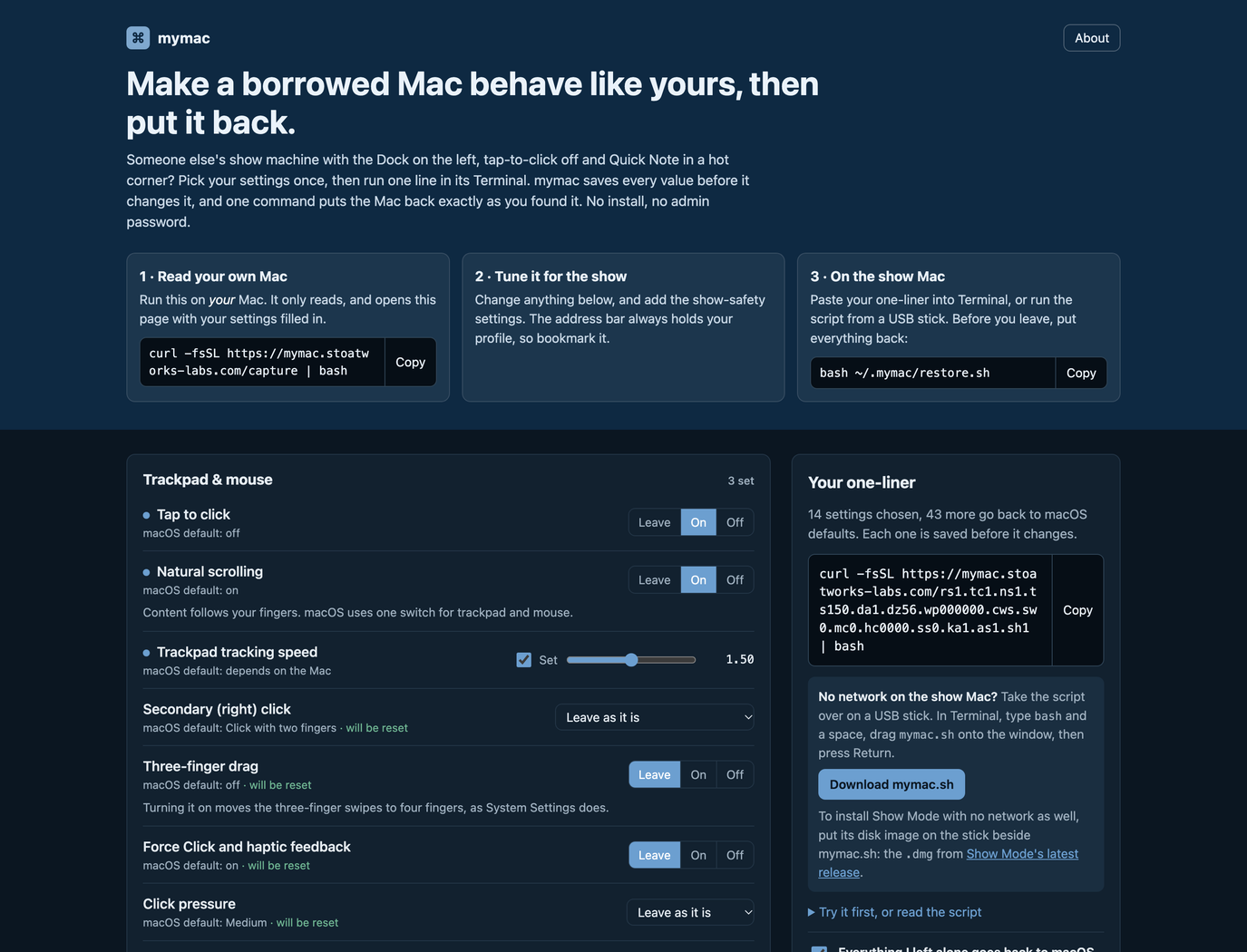
What it does
You walk up to the show Mac and it's set up for somebody else. The Dock's on the left and magnified, tap to click is off, scrolling runs the wrong way, and Quick Note lives in the bottom-right hot corner, waiting for the moment you reach for the clicker. You can spend ten minutes in System Settings putting it right, and then you leave it set up your way for whoever has the Mac next, which is how it got like this in the first place.
mymac is a page where you pick your settings once, from 59 of them across the trackpad, pointer, Dock, menu bar, look, keyboard, Finder, windows and show safety. The address bar holds the whole profile as a short code, and the same address handed to curl returns a bash script. Paste one line into Terminal on the show Mac and it applies your profile, restarting only the Dock, Finder or whatever else has to restart for it to show. If the show Mac has no network, the page downloads the same script as mymac.sh for a USB stick. Run the capture line on your own Mac first and it reads your settings, changes nothing, and opens the page filled in.
Putting things back is the other half. Before each change the script reads the key's current value and type and writes a line to ~/.mymac/restore.sh, and a key that was unset gets deleted again. Run it twice and the first snapshot stays, so restore always goes back to how the Mac was before mymac arrived. Restore restarts the same things and then deletes ~/.mymac. For a Mac that's been set up really strangely, one tick sends everything you didn't choose back to macOS's defaults. The show-safety settings are never reset that way, since that would mean putting Quick Note back in a hot corner.
One of the show-safety settings installs Show Mode, my menu-bar app that holds a show Mac still until you end the show. mymac takes it from its disk image if that's on the stick beside mymac.sh, or else downloads the latest release from GitHub and checks it against GitHub's checksum, and it only installs a copy signed with my developer certificate that Gatekeeper accepts. On the way out, restore quits Show Mode first so it can put back what it changed, then removes what mymac installed. If Show Mode won't quit, restore stops before touching anything and says what to do.
- 59 settings: trackpad and mouse, pointer, Dock, menu bar, appearance and wallpaper, keyboard, Finder, windows and Spaces, hot corners and show safety
- One curl line applies the profile; bash ~/.mymac/restore.sh puts every value back and deletes its own notes
- Reads your own Mac without changing it and opens the builder filled in
- A show-safe pack: hot corners off, no screen saver, the Mac kept awake until restore, alert sounds off, AirPlay Receiver off and a black wallpaper
- Installs Show Mode if you ask, from GitHub or a disk image on the stick, checks who signed it first, and takes it off again on restore
- --dry-run lists what would change, and Download mymac.sh puts the same script on a USB stick for a Mac with no network
- The profile lives in the address: the site stores nothing and has no accounts
Where it stands
An early preview. I've run it end to end in a macOS 26.5 virtual machine: apply then restore put back all 107 preference keys it can touch, and the wallpaper store came back byte for byte. In the same VM, Show Mode installed from GitHub, and from a disk image on a stick with GitHub blocked, and restore quit it and removed it both times; I haven't tried that on an account that can't write to /Applications. I haven't used it on a real show machine yet, so I don't know how the trackpad changes feel live on real hardware, or whether Terminal will be refused pointer size or asked for permission to control System Events (if either is refused, the run marks it as failed and carries on). I've only tried it on macOS 26.