

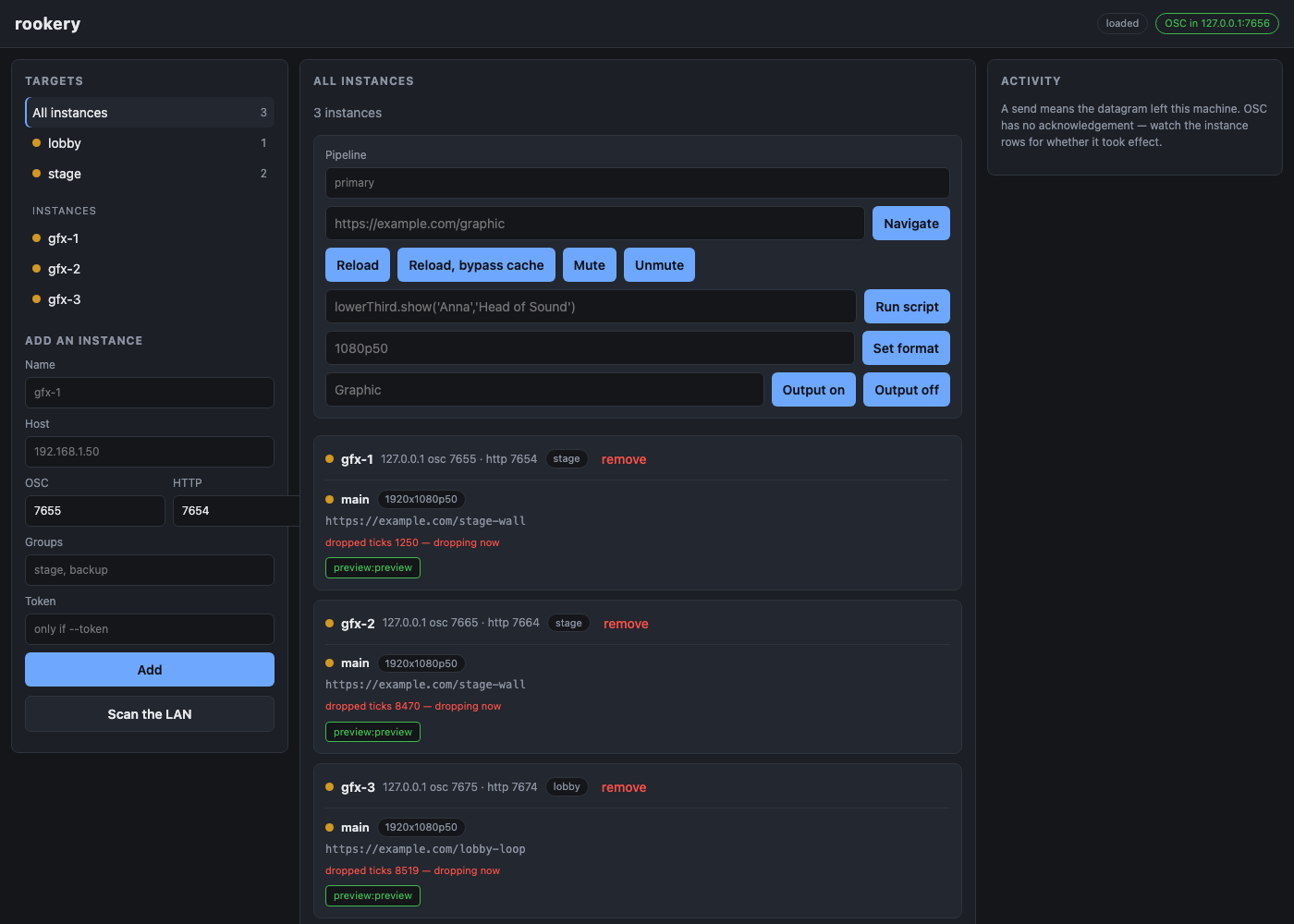
What it does
A fleet control panel for WebLinked — which, like most of this kind of software, gives you one good control page per machine and nothing at all for the six of them driving six screens.
Tag instances into as many groups as you like, then change what is on air across a whole group in one action: navigate, reload, run a script the graphic already defines, mute, set the raster, or start and stop a named output. Every instance is polled over its own HTTP API at the same time, so you can see what each one is actually showing while you do it.
- Groups derived from tags — an instance can sit in as many as you like
- Fan-out over OSC to one instance, a group, or everything
- Live dashboard: loaded page, outputs, NDI receivers, clock health
- Northbound OSC so a desk or cue stack drives the whole fleet
- Addresses one pipeline inside a multi-source instance across a group
- Discovery by mDNS browse — WebLinked advertises its OSC port and prefix from 0.8.0, which its HTTP API cannot report — backed by an active subnet probe for older instances and networks that filter multicast
- A live picture of every instance's own output, and click and type into the focused one once you arm it — three instances at factor 8 cost 0.19 Mbit/s, and nothing at all while the graphics are static
Where it stands
Released at v0.2.2, which fixes a startup panic left over from an axum upgrade, makes the registry write atomic, sweeps a subnet whole for discovery and stops pushing an unchanged snapshot twice a second; v0.2.1 was dependency maintenance plus a Windows installer that guards its write to the system PATH, which the earlier one could overwrite. Verified end to end against three real WebLinked 0.7.1 instances, including the northbound OSC path driven by an independent encoder — but all of that was on one machine over loopback, so nothing here has yet been across a real show network. docs/verification.md in the repo is the authority and is deliberately more pessimistic than this summary.
Watch it running
Nothing loads from YouTube until you press play.Watch it there instead